Sending a Stored File
239
5
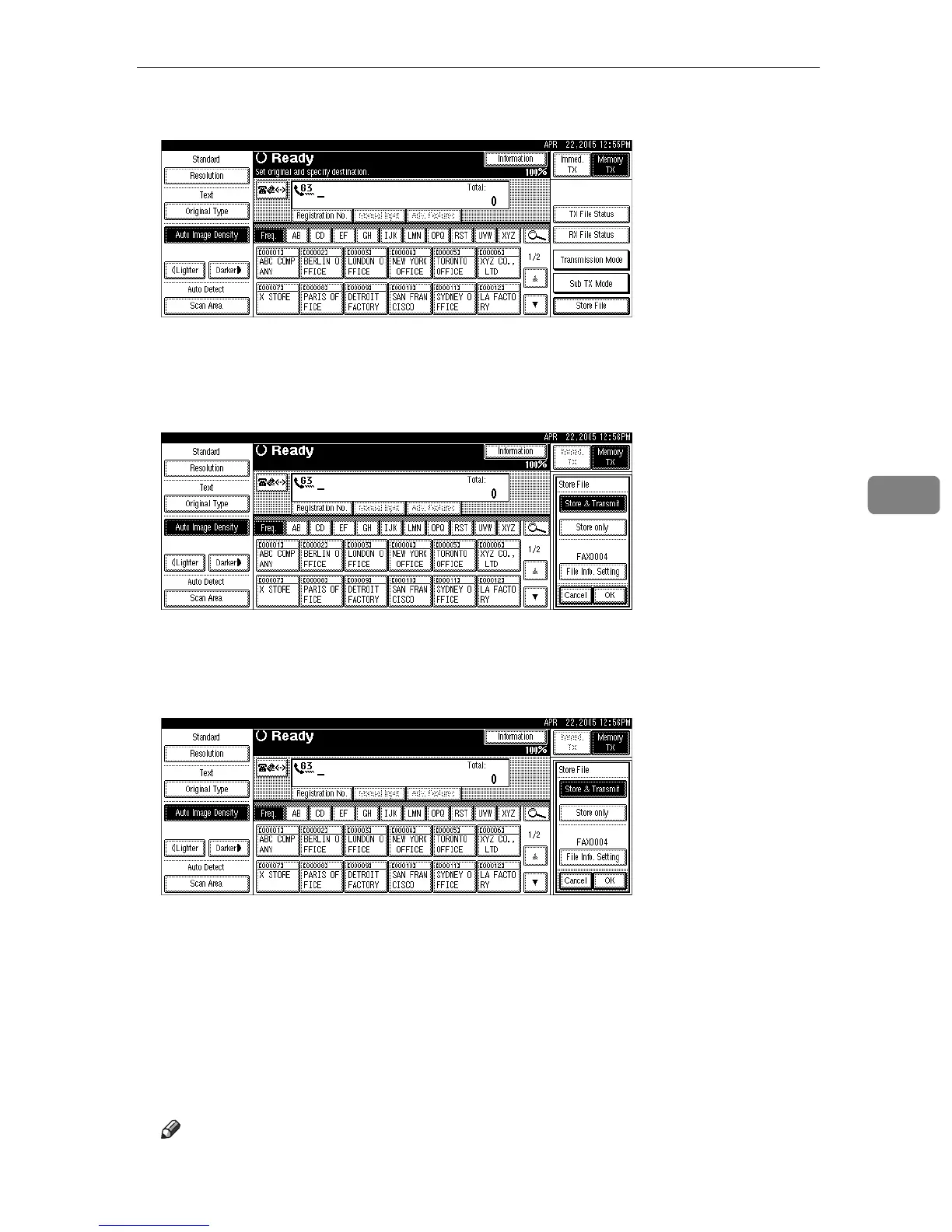
C Press [Store File].
D Select [Store & Transmit] or [Store only].
Select [Store & Transmit] to send documents after they are stored.
Select [Store only] to store documents.
When [Store only] is selected, “pppppppppp” is shown.
E Press [File Info. Setting], and then set the user name, file name, and password
as necessary.
If you are not setting a user name, file name, or password, proceed to step
F
.
You cannot change multiple documents at once.
F Press [OK].
G If you have selected [Store & Transmit], specify the receiver.
If you have selected [Store only], proceed to step
H
.
H Press the {Start} key.
Note
❒ You can change file names and user names.











 To Next Page