Transmission
80
1
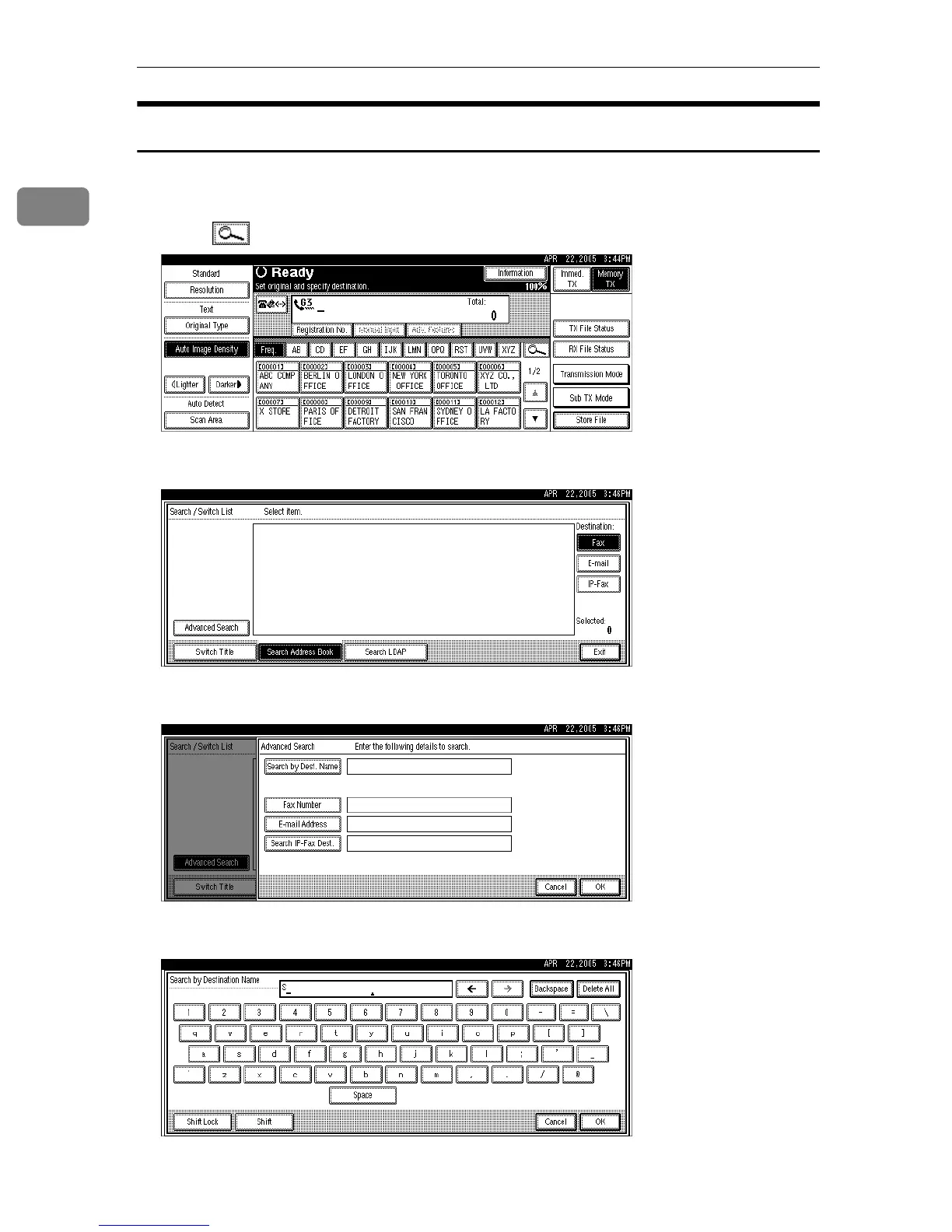
Search by Destination Name
Follow these steps to search for a destination registered in the Address Book by
name.
A Press , the magnifier icon.
B Press [Advanced Search].
C Press [Search by Dest. Name].
D Enter a destination name to search for, and then press [OK].
If you enter a wrong destination name, press [←] or [→] and [Backspace] or
[Delete All], and then enter the destination name again.











 To Next Page