Other Transmission Features
142
2
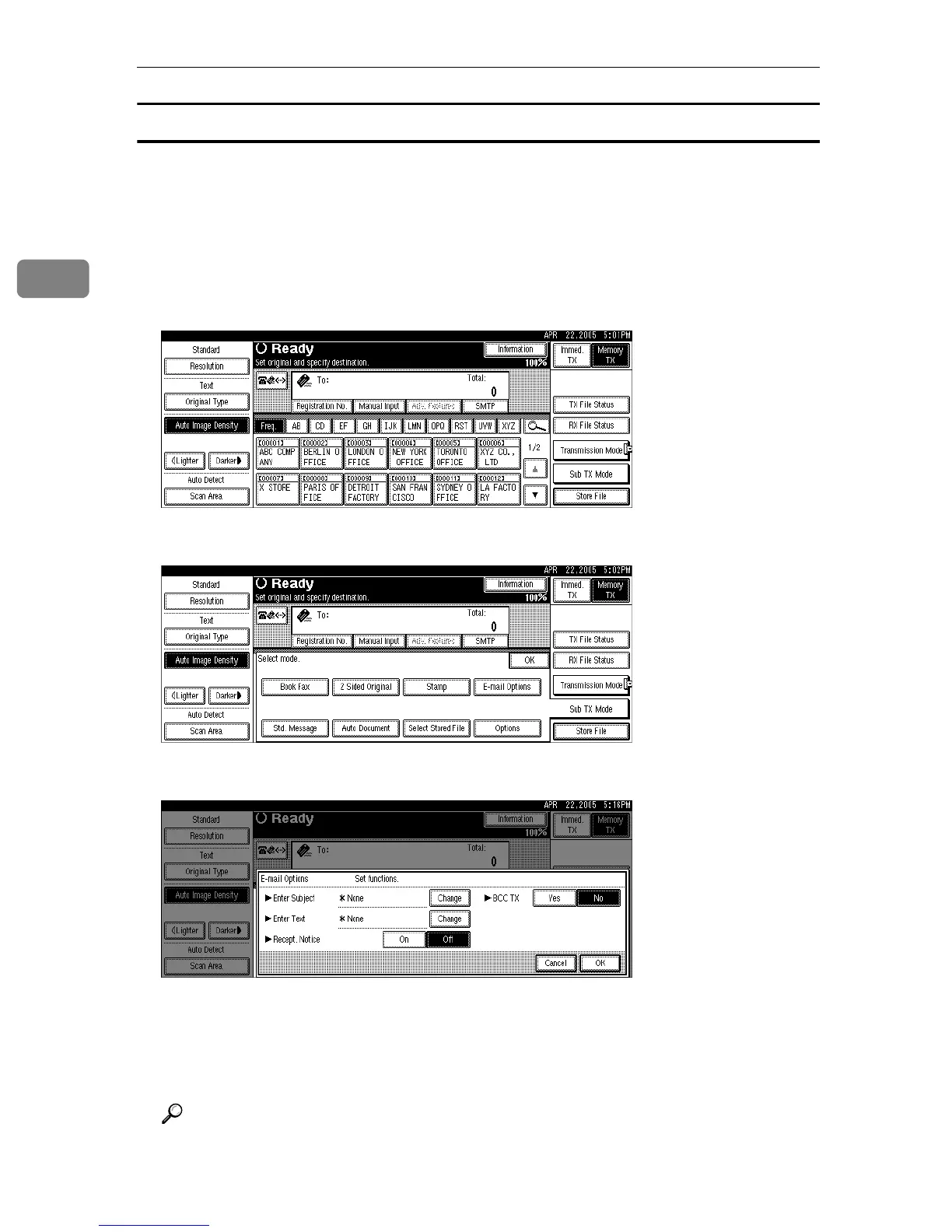
Setting an e-mail destination as a BCC
E-mail is sent to all specified destinations as bcc.
A Place the original, and then select the scan settings you require.
B Specify the sender.
For details about specifying senders, see “Sender Settings”.
C Press [Sub TX Mode].
D Press [E-mail Options].
E Select [Yes] or [No] for BCC TX.
F Press [OK] twice.
The standby display appears.
G Specify a destination, and then press the {Start} key.
Reference
p.113 “Sender Settings”
“Facsimile Features”, General Settings Guide











 To Next Page