Sub Transmission Mode
139
2
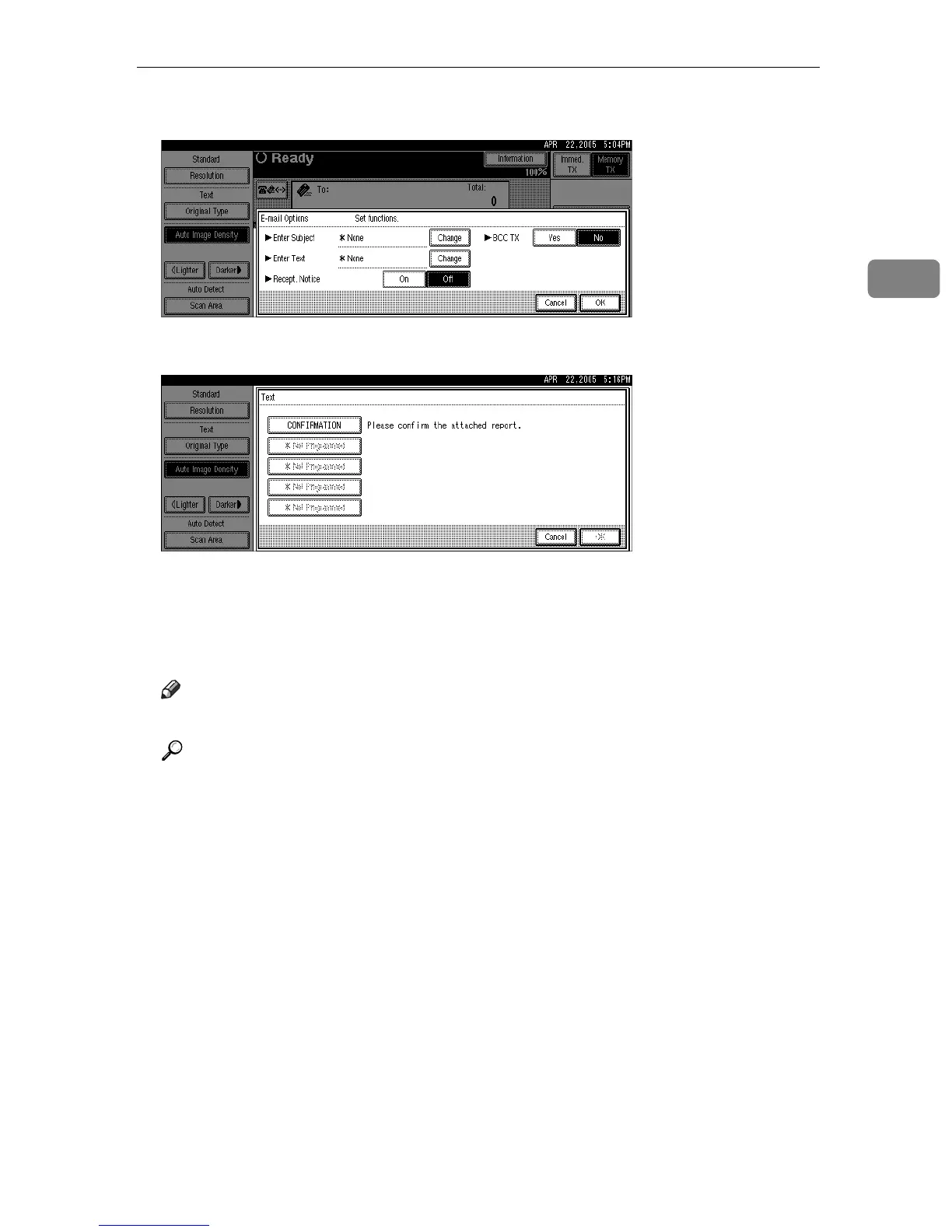
E Press [Change] for Enter Text.
F Select a text, and then press [OK].
G Press [OK] twice.
The standby display appears.
H Specify a destination, and then press the {Start} key.
Note
❒ You cannot send text only without an original.
Reference
p.113 “Sender Settings”
“System Settings”, General Settings Guide
“Facsimile Features”, General Settings Guide











 To Next Page