Scan Settings
53
1
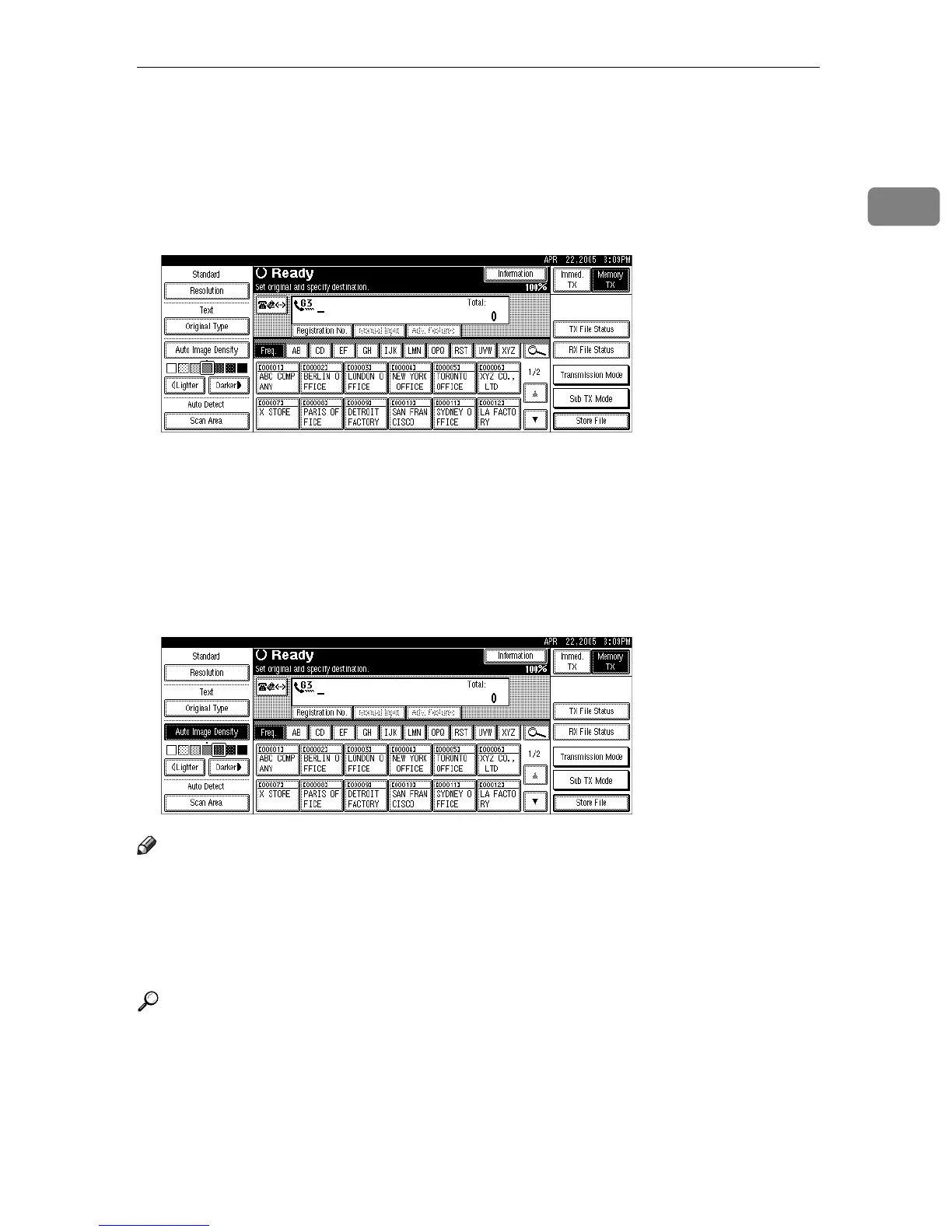
❖ Manual Image Density
Use manual image density to set image density manually.
You can select one of seven image density levels.
A If [Auto Image Density] is selected, press [Auto Image Density] to turn it off.
B Press [iLighter] or [Darkerj] to adjust the density.
The square moves.
❖ Combined Auto and Manual Image Density
You can only adjust image density for photographs, illustrations, or diagrams
if the original has a dark background.
You can select one of seven image density levels.
A Make sure that [Auto Image Density] is selected.
B Press [iLighter] or [Darkerj] to adjust the density.
The square moves.
Note
❒ Selecting [Text] or [Text / Photo] for the original type causes [Auto Image Density]
to be selected.
❒ You can set the image density that is selected right after the machine is turned
on or the {Clear Modes} key is pressed, with [Auto Image Density] under Gen.
Settings/ Adjust in the Facsimile Features menu.
Reference
“Facsimile Features”, General Settings Guide











 To Next Page