Configuring the Access Point
Configuring Internet Settings
ZoneFlex Indoor Access Point 9.8.1 User Guide, 800-70601-001 Rev C 120
• Click Renew DHCP to request a new IP address lease from the DHCP server.
Note: The IP address may or may not change depending on the lease time
offered to this device.
4 Click Update Settings to save your settings.
Configuring Static IP
Unless you are able to determine the IP address assigned to the Access Point by
the DHCP/Auto Configuration server, it can be useful for anyone needing adminis-
trative access to configure a static IP address.
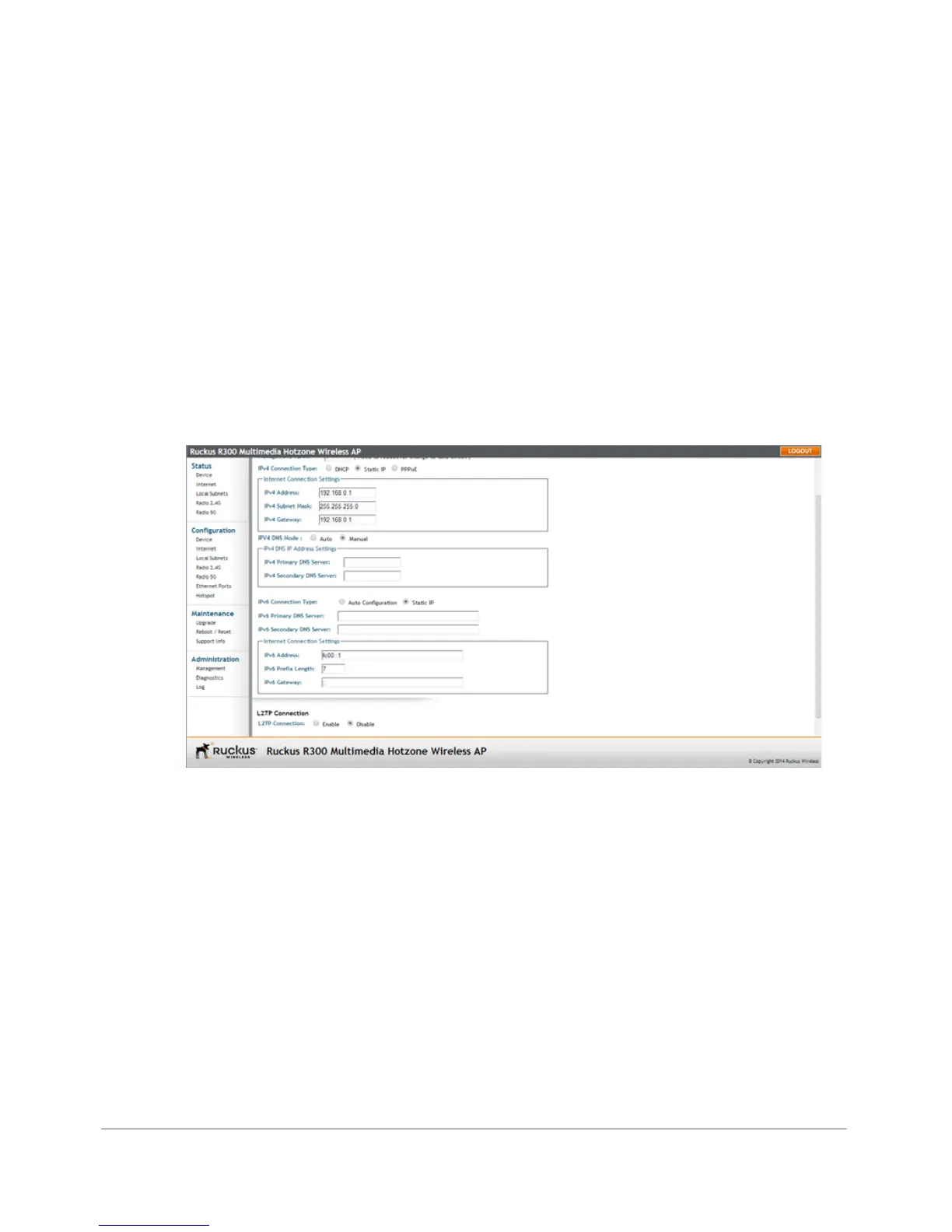
1 Go to Configuration > Internet. The Configuration > Internet page appears.
Figure 60. The Configuration > Internet page
2 You can configure static addresses for IPv4, IPv6 or both. The AP maintains both
sets of IP address settings when both are configured.
Static IPv4
3 In IPv4 Connection Type, select Static IP.
4 When the Internet Connection Settings options appear, you can make changes
to the following settings:
• IPv4 Address: Enter the static IP address that you want to assign to the AP
in IPv4 (dot-decimal) format.
• IPv4 Subnet Mask: Enter the subnet mask for the network.
• IPv4 Gateway: Enter the gateway IP address of the Internet interface.










 To Next Page