PASCA_TOUCHIT_EN
V02 | 07.2013
103
www.schaerer.comSystem
A message asking you to remove the SERVICE card appears.
► Withdraw the SERVICE card.
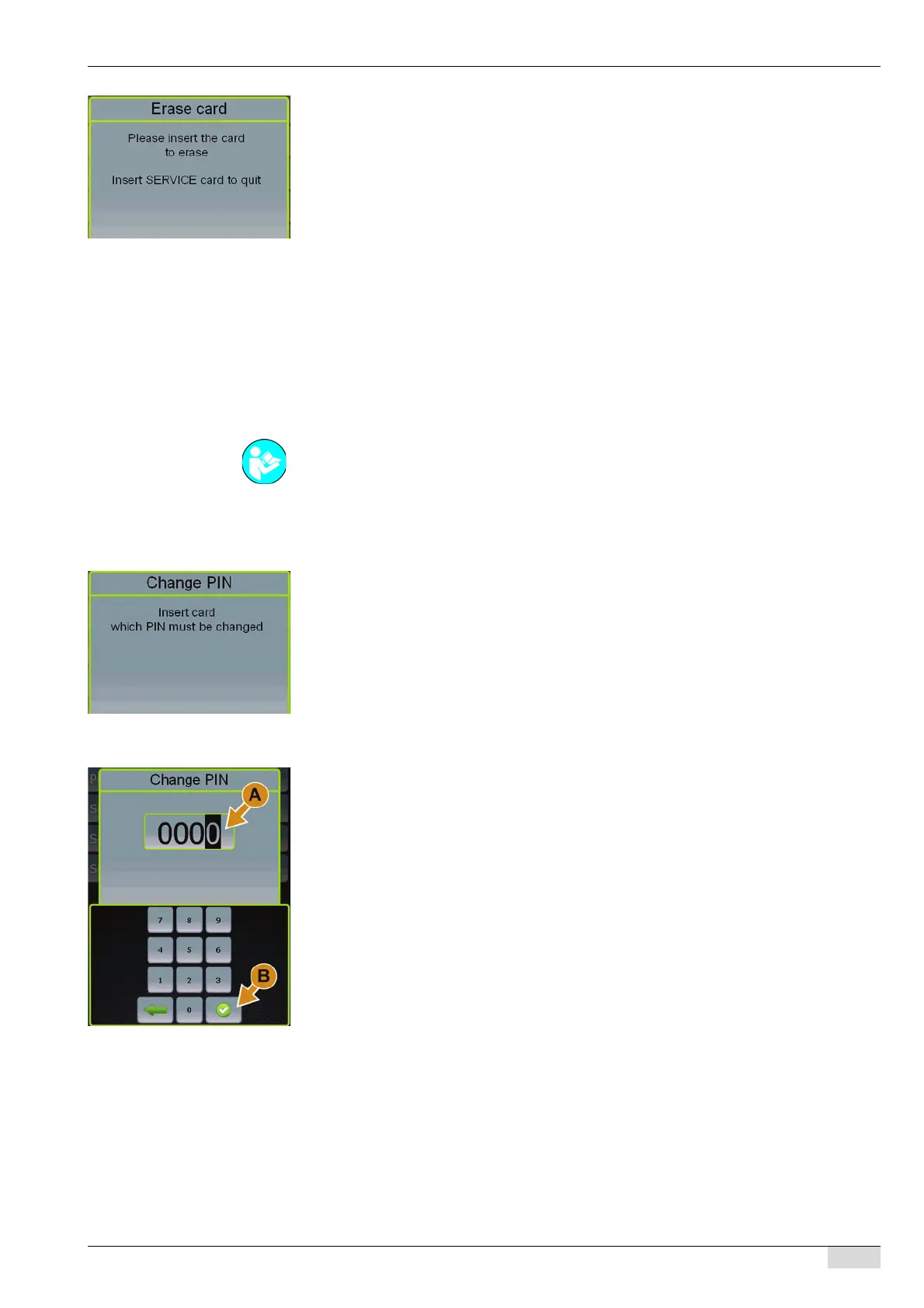
An instruction to insert the card to be erased appears.
► Insert the card to be erased.
The card is erased.
A confirmation appears as well as an instruction to remove the card.
► Withdraw the erased card.
Additional cards can be inserted and erased.
► Insert the SERVICE card.
The display returns to the "Chip card service" menu.
Changing the PIN
This function assigns a PIN or changes a PIN with one of the cards listed below.
•PROGRAM card
• SERVICE card
► Select the "System" menu.
► Select the "Chip card service" menu.
► Select the "Change PIN" menu.
A message asking you to remove the SERVICE card appears.
► Withdraw the SERVICE card.
An instruction to insert the required card appears.
► Insert the card to be changed.
The field (A) for entering the PIN appears.
► Select field (A).
The keypad appears.
► Enter the PIN on the keypad.
► Confirm the entry with field [B].
A confirmation of the new PIN code and an instruction to remove the card appear.
► Withdraw the card with the changed PIN code.
An instruction to insert the SERVICE card appears.
► Insert the SERVICE card.
The display returns to the "Chip card service" menu.
See "Programming" - "Access".














 To Next Page