PASCA_TOUCHIT_EN
V02 | 07.2013
65
www.schaerer.comConfiguration
Date/time/alarm
Time-dependent settings
904) Stop temperature The steam valve is closed when the set tem-
perature is reached.
50-80°C The standard value is
70°C.
"Auto steam", "Super
steam", "Fine steam" or
"Super-&Fine steam" is
selected in the "12 Steam
outlet" system parameter.
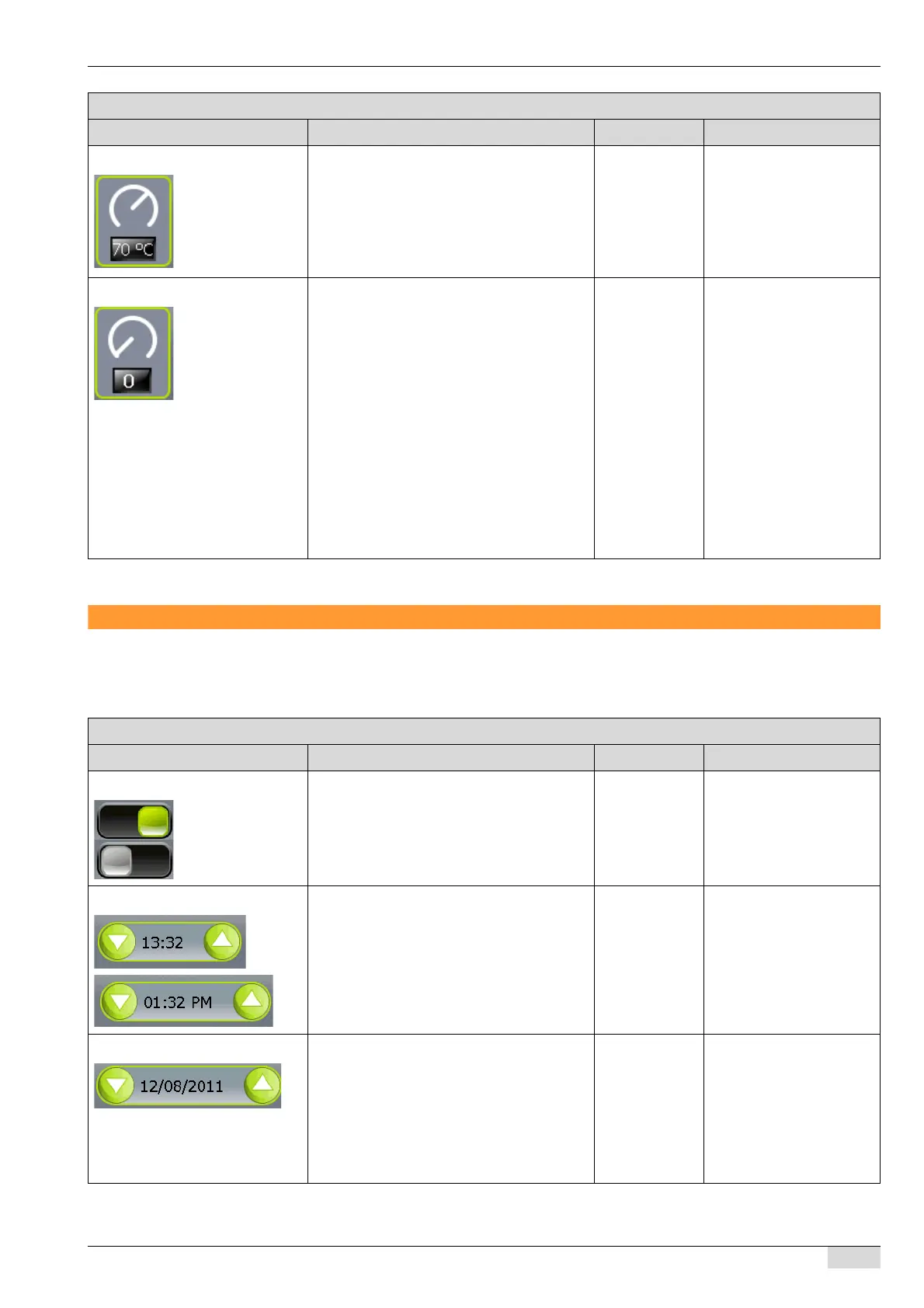
905) Foam consistency Controls of the air pump.
Setting "0":
No air is added with this setting. The result is
hot milk.
Setting "1-20":
Settings with a high value add a large quan-
tity of air to the foam. The foam consistency
becomes firmer.
Setting "1":
Maximum fine foam (micro foam). The bub-
bles are nearly invisible.
Setting "20":
Very coarse foam with large, visible bubbles.
0-20 The standard value is "0".
"Super steam", "Fine
steam" or "Super-&Fine
steam" is selected in the
"12 Steam outlet" system
parameter.
Parameters: Steam settings
Display text Description Setting range Notes
Parameters: Date / Time / Alarm
Display text Description Setting range Notes
0) 24h time format The setting switches between the two time
formats of 24h/12h(AM/PM).
24h display
12h display
(AM/PM)
-
1) Set clock To set the clock:
► Select the hour or minute range with your
finger.
► The left arrow field reduces the setting.
► The right arrow field increases the set-
ting.
24h:
00:00-23:59
12h:
00:00AM-
11:59PM
The display changes ac-
cording to the time format
selected in the "0 24h time
format" parameter.
2) Set date To set the date:
► Select the month, day or year with your
finger.
Arrow functions:
The left arrow field reduces the setting.
The right arrow field increases the setting.
--














 To Next Page