PASCA_TOUCHIT_EN
V02 | 07.2013
101
www.schaerer.comSystem
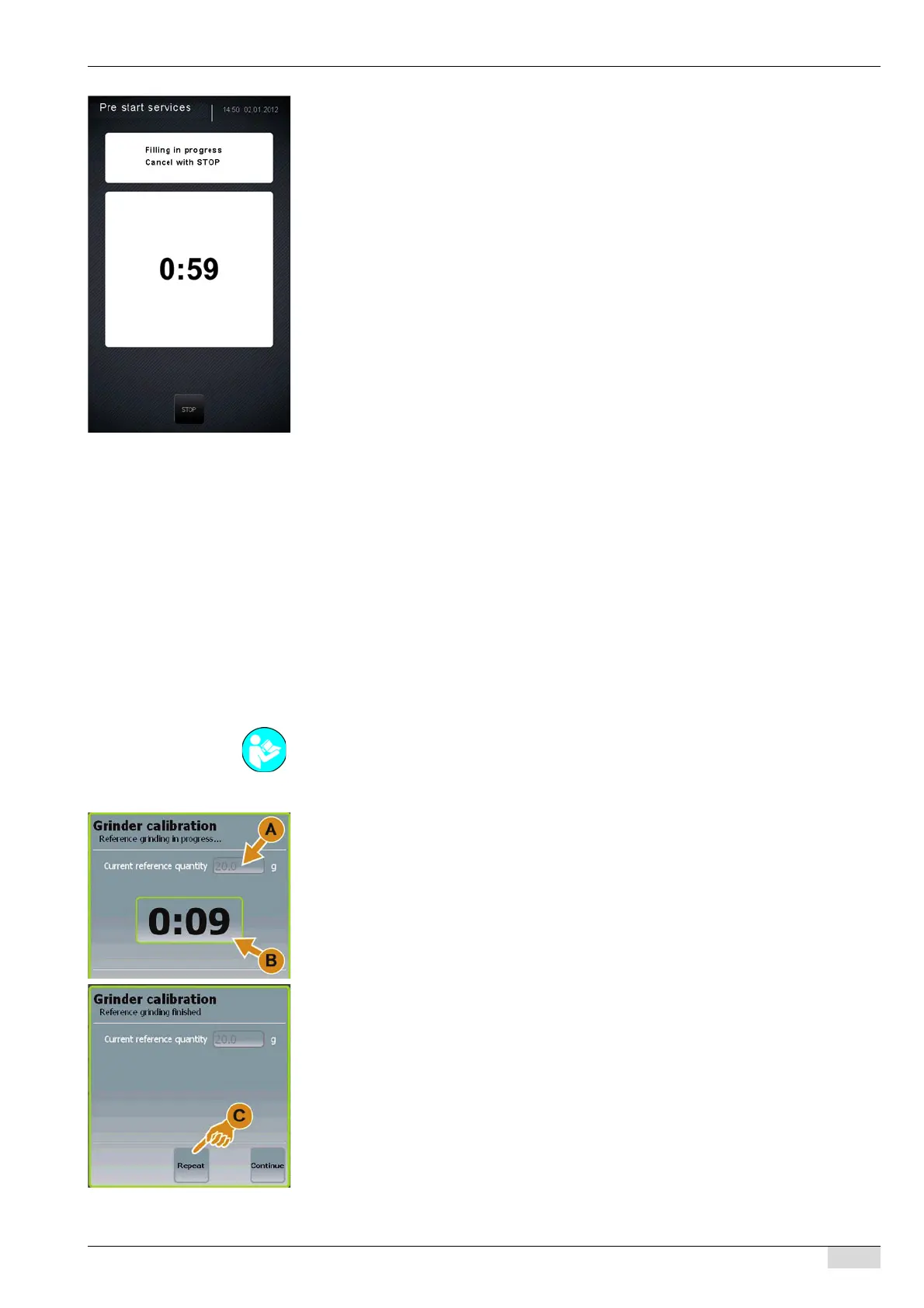
The filling procedure is started.
The countdown begins at 1 min 30 sec.
The [Stop] field appears in addition after 30 sec.
► If necessary, stop the filling procedure using the [Stop] field or wait until the countdown has
finished.
The machine is ready for use.
Calibrate grinders
The grinders needs to be calibrated under the following circumstances:
• When the machine is first commissioned at the customer site.
• When the grinding level is changed (finer or coarser).
• When the coffee mixture is changed.
• When the grinding discs are replaced.
• When the grinder is opened.
• After data are copied from another machine using the "SAVE DATA" card.
The grinder is calibrated by means of a reference grinding procedure.
► Insert a sheet of paper into the empty, cleaned grounds container.
► Select the "Test / calibration" system parameter.
► Select the "Calibrate grinders" submenu.
The message for starting a reference grinding procedure appears.
► Select the grinder to be referenced using the [Grinder left] or [Grinder right] field.
► Select the [Continue] field.
A reference grinding procedure starts in the selected grinder.
The quantity (A) of the reference grinding and the grinding time (B) are displayed.
► Start grinding again if needed using the [Repeat] (C) field.
The reference quantity is updated to include the latest grinding quantity.
► Weigh the ground coffee on the sheet of paper.
► Select the [Continue] field.
The window for entering the reference quantity opens.
See "Programming" - "Access".














 To Next Page