www.schaerer.com System
PASCA_TOUCHIT_EN
V02 | 07.2013
92
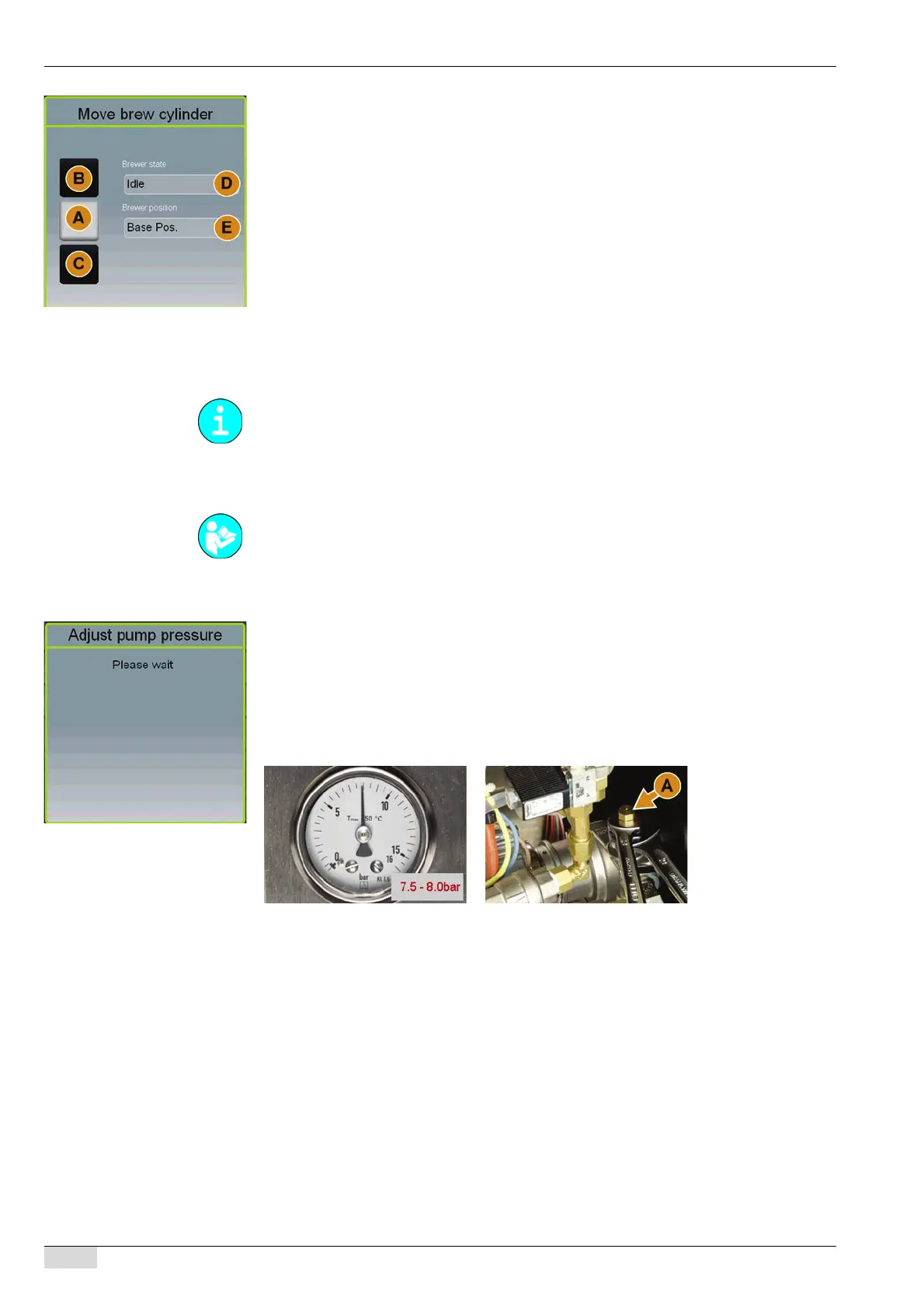
A window for moving the brewing unit opens.
Fields for moving to the brewing unit positions:
• Basic position (A) "Open".
• Upper position (B) "Brewing".
• Lower position (C) "Ejecting".
Information fields on the position and status of the brewing unit:
• Status of the brewing unit (D),
• Achieved position (E),
► Select the desired brewing unit position using the [A-B-C] fields.
The status message "Movement" appears briefly in field (D).
The achieved position appears in field (E).
The selected field turns grey when the end position is reached.
Press and hold field [A] or [C] to reach the end position in each case.
Adjust pump pressure
► Select the "Test / calibration" system parameter.
► Select the "Adjust pump pressure" submenu.
A window opens in which the water pump can be started.
► Start the pump for pressure adjustment using the [OK] field.
The pump runs in a closed system.
The manometer indicates the current pressure setting.
The pump switches back off automatically after 2 min.
► Adjust the pump pressure at bypass (A) so that the manometer reads between 7.5 bar and
8 bar.
The pump pressure must be adjusted in the following situations:
• When the machine is first installed.
• When the machine is relocated.
• When the water pump is replaced.
• When preventative maintenance is performed, but min. 1x pro Jahr.
• When a malfunction in the water pump is suspected.
When you leave the "Move brew cylinder" menu, the brewing unit automatically moves to its
basic position.
See "Programming" - "Access".














 To Next Page