www.schaerer.com Accounting
PASCA_TOUCHIT_EN
V02 | 07.2013
122
Accounting
The "Accounting" menu contains the following menu items:
• Payment systems setup
• Money card setup
• Accounting system setup
Payment systems
The contents of these menu items are described in this chapter.
Changes are activated after: 1) the save button is pressed, 2) the SERVICE card is removed,
and 3) the software is automatically reloaded during startup.
Parameters: Payment system
Display text Description Setting range Notes
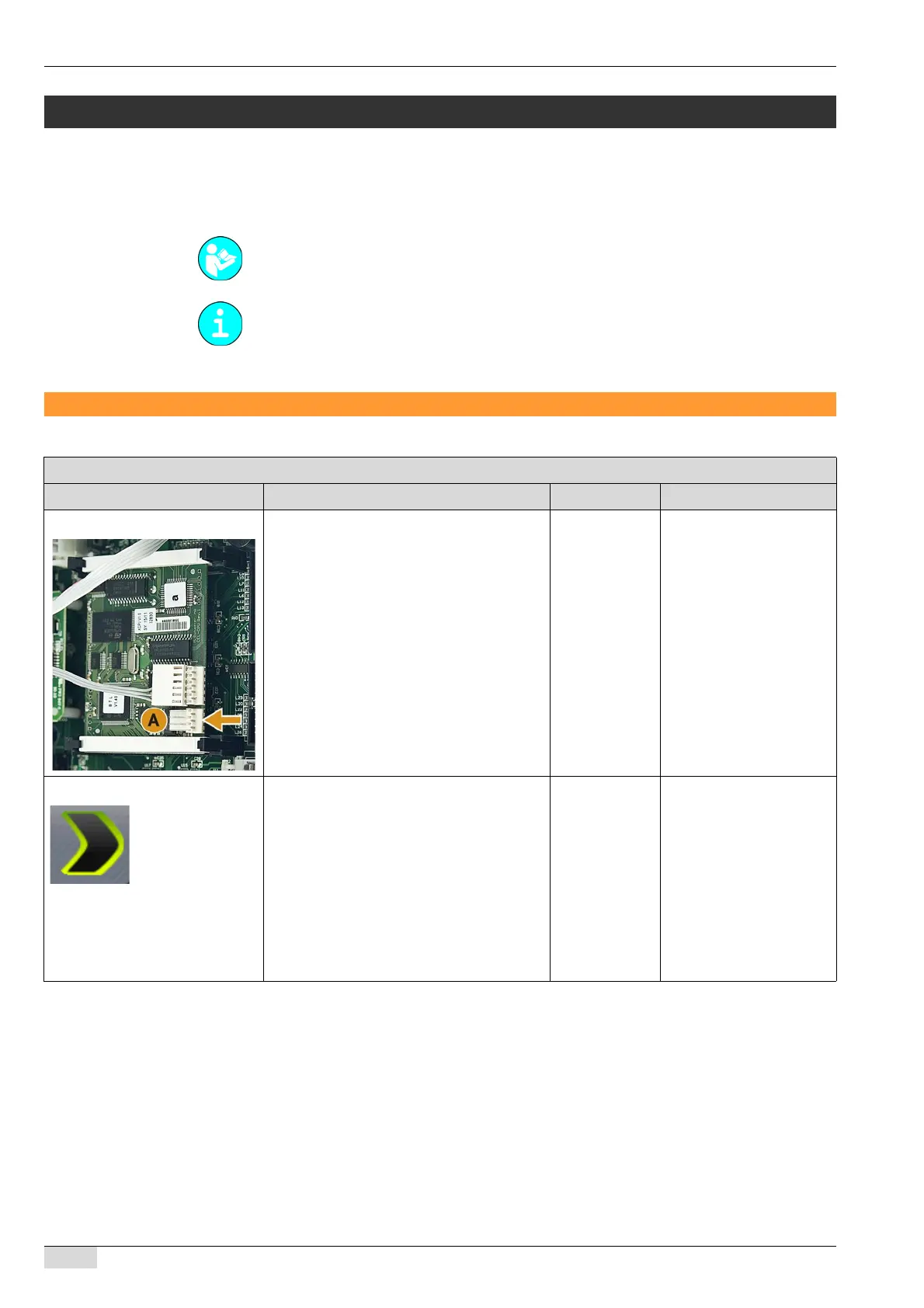
Payment system connection The accounting system or telemetry is
connected to a terminal (A) on the CPU.
The accounting system transmits data to an
external system.
► Switch on the required parameter (1-3).
The beverage is displayed in the bev-
erage field with "Free".
The beverage is displayed in the bev-
erage field with a price preview.
The message to remove the MAS-
TER card appears.
On/off The CPU has a terminal
(A) for the telemetry or for
an accounting system.
0) Accounting system Selection menu for the payment system in
use.
► Select the [Accounting system] selection
field.
The selection menu opens.
► Select the desired payment system from
the list.
The setup parameters open.
For the settings, see the following parameter
descriptions.
No
MONEY Card
Coin / Token
MONEY Card +
Coin / Token
CCI / CSI
CCI:
CoffeeCreditInterface.
CSI:
CreditSystemInterface.
See "Basic operation"-
"Chip cards" - "Additional
chip cards" for further de-
scriptions of the various
MONEY cards.














 To Next Page