PASCA_TOUCHIT_EN
V02 | 07.2013
123
www.schaerer.comAccounting
1) Free Displays the beverages to which a price has
not been assigned.
"ON" setting:
All beverage settings to which a price has not
been assigned appear as free beverages.
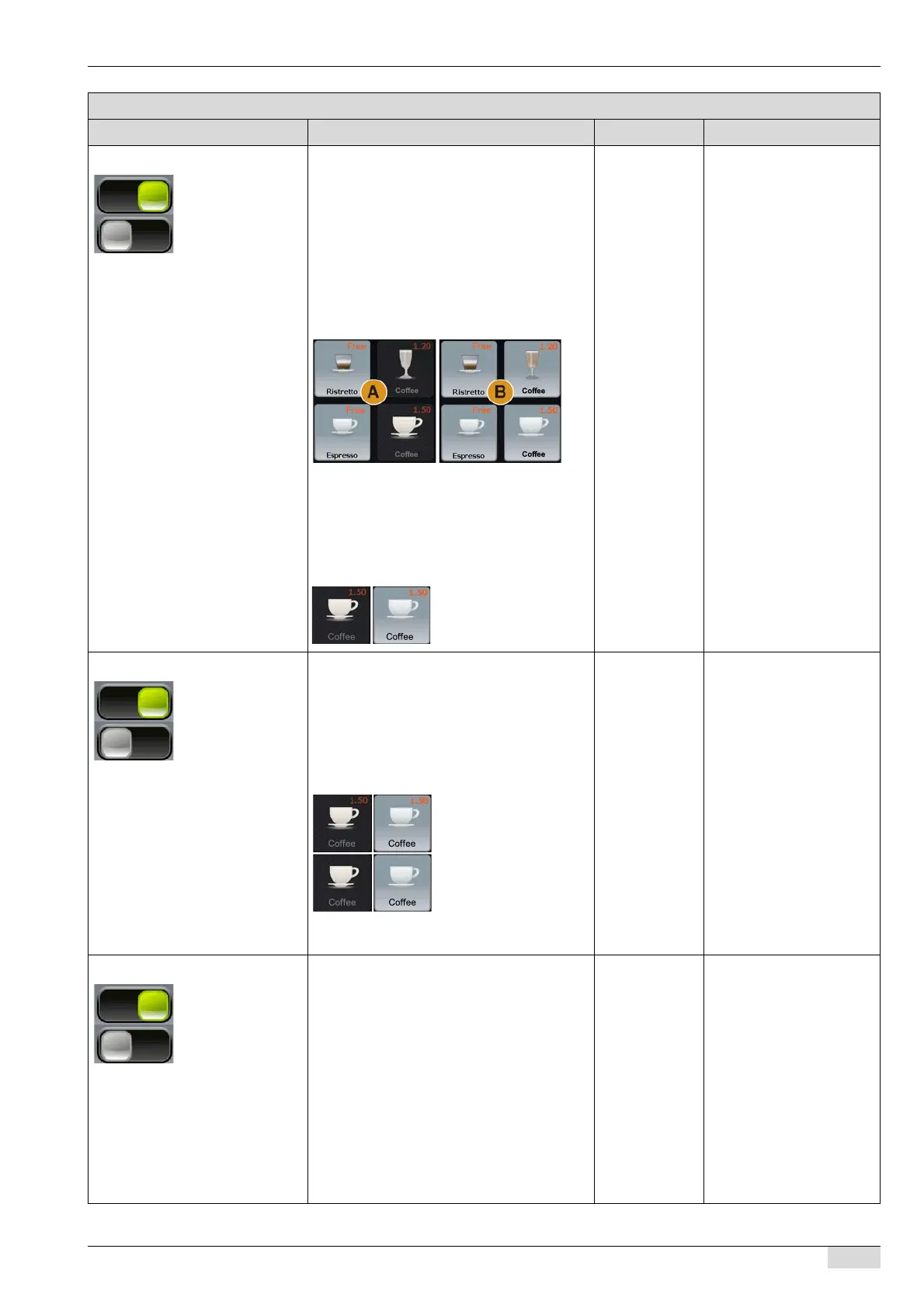
A) Without a method of payment, only the
free beverages are offered for selection.
B) With a method of payment, all beverages
are offered for selection.
"OFF" setting:
Only those beverages to which a price has
been assigned are displayed.
When a method of payment is used, the be-
verage becomes active and can be selected.
On/off For this parameter to ap-
pear, a payment system
must selected from the
"Accounting system"
selection list.
See "Service technician
menu" - "Configuration" -
"Product configuration" on
assigning beverage pric-
es.
2) Price preview Activates the display of the assigned prices
in the beverage field.
"ON" setting:
A) Beverage field with price preview.
"OFF" setting:
B) Beverage field without price preview.
When a method of payment is used, the be-
verage becomes active and can be selected.
On/off For this parameter to ap-
pear, a payment system
must selected from the
"Accounting system"
selection list.
See "Service technician
menu" - "Configuration" -
"Product configuration" on
assigning beverage pric-
es.
3) Remove MASTER card Free beverages are only dispensed after the
MASTER card is removed, regardless of the
accounting system.
The MASTER card makes it possible to obta-
in free beverages.
"ON" setting:
The selected free beverage is not dispensed
until after the MASTER card is removed.
An instruction appears on the display.
"OFF" setting:
The beverage is dispensed immediately after
the beverage field is selected.
On/off The standard setting is
"ON".
This eliminates the risk
that the MASTER card will
be forgotten in the machi-
ne.
For this parameter to ap-
pear, a payment system
must selected from the
"Accounting system"
selection list.
Parameters: Payment system
Display text Description Setting range Notes














 To Next Page