www.schaerer.com Configuration
PASCA_TOUCHIT_EN
V02 | 07.2013
52
Changing the beverage settings
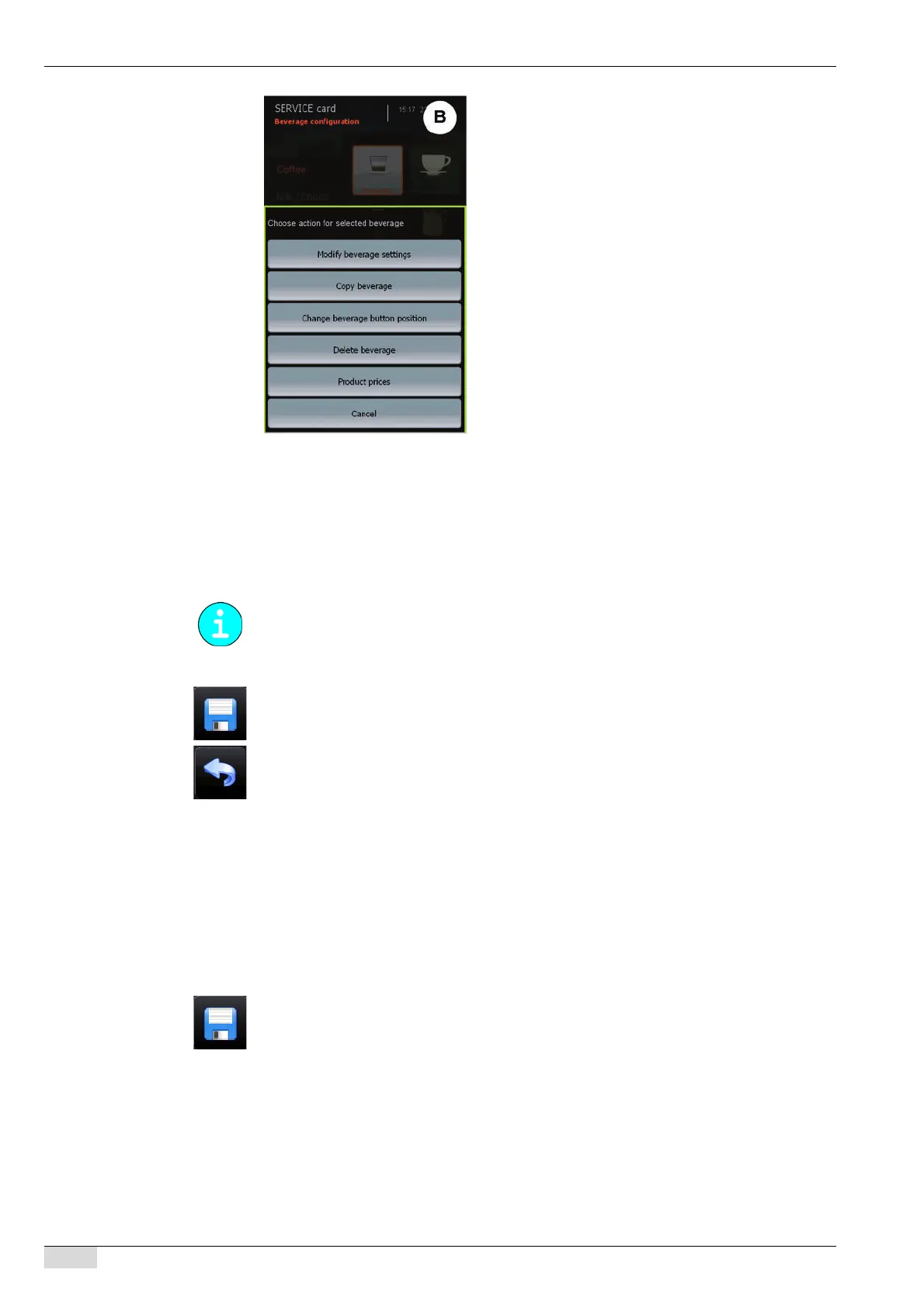
► Select a beverage field that has already been set.
The "Action" selection menu appears.
► Select the [Modify product settings] field.
The "Single product configuration" menu appears.
► Set up the beverage settings using the setup menus listed and described below.
► Press the [Save] field.
The changed beverage settings are adopted.
► Press the [Back] field to return to the "Product configuration" menu.
Copying a beverage field
► Select the beverage field to be copied.
The "Action" selection menu appears.
► Select the [Copy product] field.
The beverage settings are copied and the beverage fields are displayed again.
► Select a vacant beverage field.
The copied settings are assigned to the selected beverage field.
► Press the [Save] field.
Moving a beverage field
► Select the beverage field that is to be moved.
The "Action" selection menu appears.
► Select the [Change product button position] field.
The "Product configuration" menu with the beverage fields is displayed again.
► Select a vacant beverage field for the new position. Alternatively, select a beverage field
that is already in use.
Which setup menus are listed depends on the selected beverage and the system parameter
settings.














 To Next Page