PASCA_TOUCHIT_EN
V02 | 07.2013
113
www.schaerer.comSystem
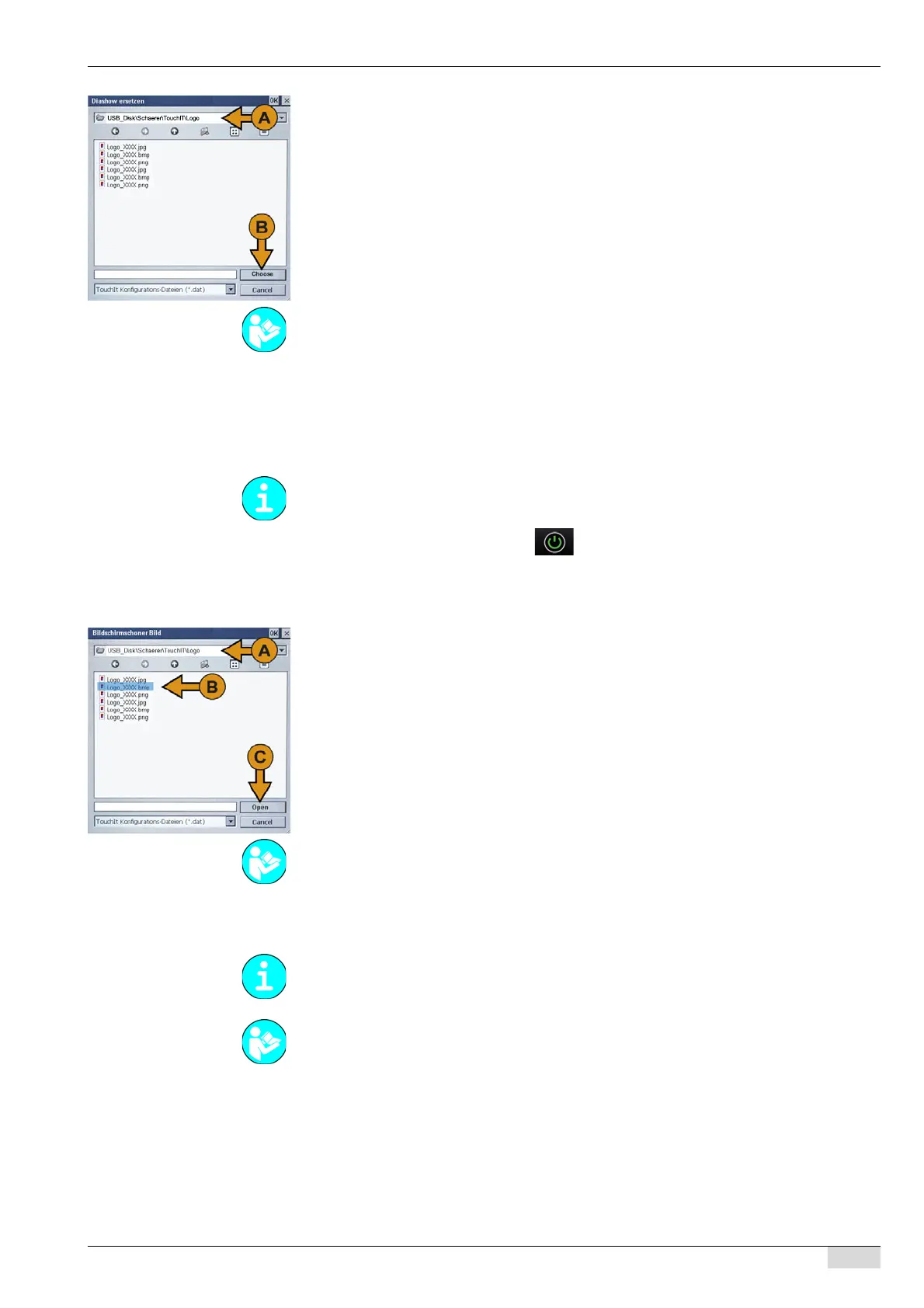
The window is automatically displayed with the correct path selection (\US-
B_Disk\Schaerer\TouchIT\Logo) (A).
► Add the selection to the TouchIT directory using the [Choose] (B) field.
The selected file is added to the TouchIT directory.
The slide show images on the TouchIT were replaced.
Screen saver picture
This function is used to add a new screensaver image to the TouchIT directory.
The machine is in standby mode.
► Switch on the machine using the field.
► Insert the USB stick under the TouchIT.
The "Restore / Backup" menu is displayed automatically.
► Select the "Screen saver picture" menu.
The window is automatically displayed with the correct path selection (\US-
B_Disk\Schaerer\TouchIT\Logo) (A).
► Activate the required file (B).
► Add the selection to the TouchIT directory using the [Open] (C) field.
The selected file is added to the TouchIT directory.
The images for selecting a screensaver were replaced on the TouchIT.
Configuring the USB-SAVE-DATA-PLUS
See "Configuration" - "Self mode settings" - "2 Slide show active" on activating the slide show
in self mode.
Note that the path name of the storage location differs in the 1st generation touch screen (US-
B_Disk) and the 2nd generation touch screen (USB_Mstick).
See "Configuration" - "TouchIT configuration" - "12 Screen saver picture" on selecting and as-
signing a new screensaver image.
The USB-SAVE-DATA-PLUS USB stick for the machine only contains the machine configura-
tion.
See "Basic operation" - "Creating the USB-SAVE-DATA-PLUS USB stick" for more informa-
tion.














 To Next Page