PASCA_TOUCHIT_EN
V02 | 07.2013
15
www.schaerer.comBasic operation
USB port
The flash drive for the service technician is used to restore the machine configurations and as
a backup medium. The required image material for background images or a slide show can be
loaded into the machine software using the flash drive.
CAUTION!
Risk of machine
damage!
Improper use of a flash drive can lead to software problems.
Use the flash drive for the service technician with the "Schaerer directory structure".
Use the USB-SAVE-DATA-PLUS flash drive with the automatic "Create the USB-SAVE-
DATA" configuration.
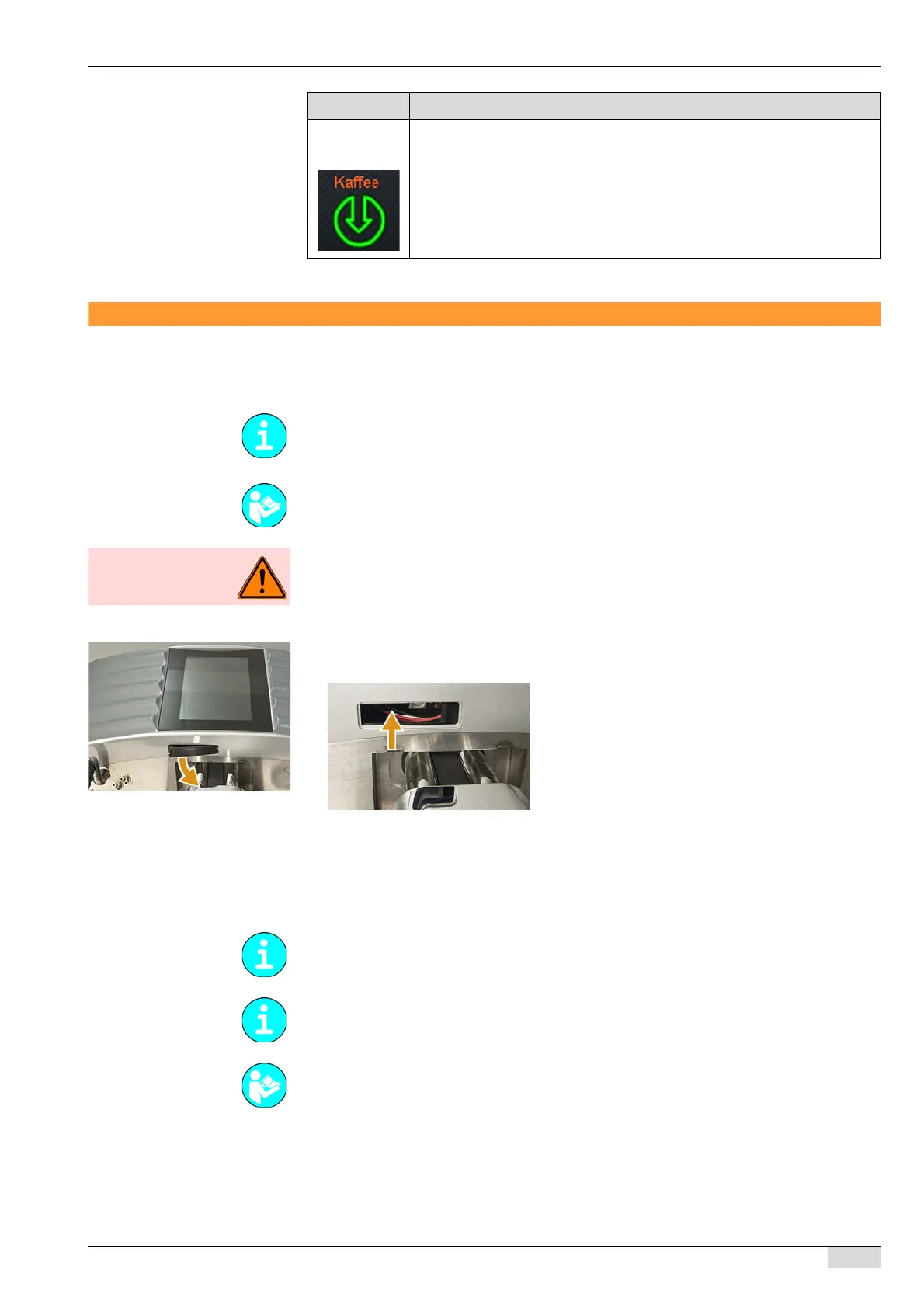
► Remove the cover over the USB port under the touch screen.
The USB interface is now visible.
► The flash drive can now be inserted, see arrow.
The service technician flash drive automatically opens the "Restore" menu or, when re-
starting, the "Bootloader TouchIT" directly.
The USB-SAVE-DATA-PLUS flash drive is ready to receive or send backup data.
An unwritten flash drive automatically opens the [Create the USB-SAVE-DATA flash
drive] field.
Dispensing
info
The flashing symbol at the bottom of the touch screen appears while a be-
verage is being dispensed.
Symbol Description
Since 05.2012 , a "USB-SAVE-DATA-PLUS" flash drive is included with the machine. This
flash drive is used like a SAVE DATA card. This flash drive contains no software and does not
replace the flash drive for the service technician.
See "System" - "Restore/backup" for more information on the included flash drive.
See "Basic operation" - "Basic configuration of the service technician flash drive".
See "Basic operation" - "Creating a USB-SAVE-DATA-PLUS flash drive".
See for the backup functions: "SERVICE card menu" - "System" - " Restore" and "Exiting the
application".














 To Next Page