PASCA_TOUCHIT_EN
V02 | 07.2013
71
www.schaerer.comConfiguration
Telemetry
Parameters: Telemetry
Display text Description Setting range Notes
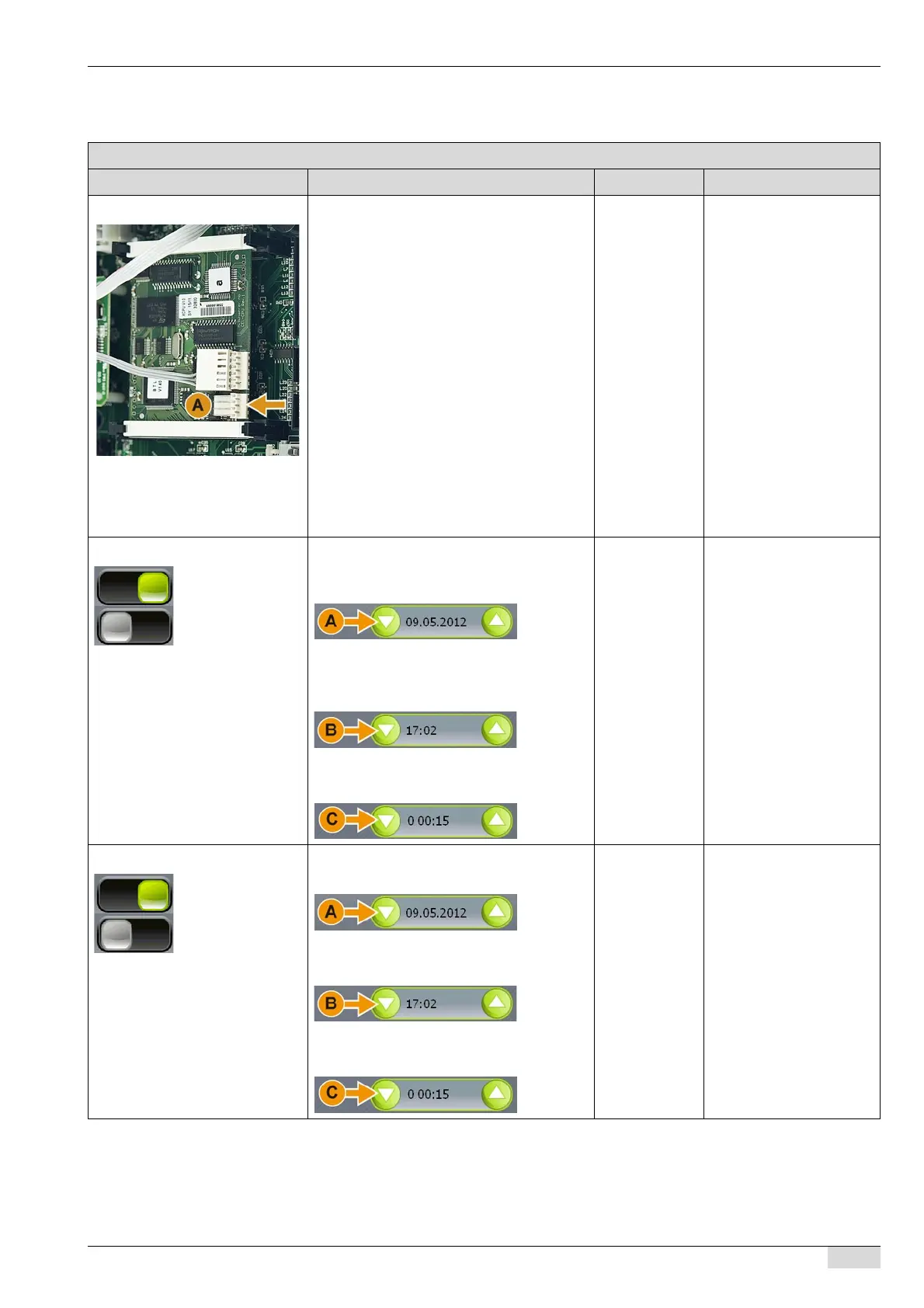
Telemetry connection The telemetry or accounting system is
connected to a terminal (A) on the CPU.
The telemetry transmits data to an external
system.
The following information is transmitted to
the system if this parameter is activated:
• Daily statistics
• Error statistics
• Machine statistics
• Service statistics
• Event statistics
► Switch on the required parameter (0-4).
The setup parameters open.
► Set the "Start date", "Start time" and "In-
terval".
► Save the setting.
On/off The CPU has a terminal
(A) for the telemetry or for
an accounting system.
The setup menu appears if
a parameter is activated.
0) Daily Statistics A) Defines the start date from which the
"daily statistics" (counter) are sent to the ser-
ver.
DD/MM/YY Start date (A)
B) Defines the start time from which the
"daily statistics" (counter) are sent to the ser-
ver.
hh/mm Start time (B)
C) Defines the interval at which the "daily sta-
tistics" (counter) are sent to the server.
d/hh/mm Interval (C)
The minimum interval (C)
is 15 min.
1) Error statistics A) Defines the start date from which the "er-
ror statistics" are sent to the server.
DD/MM/YY Start date (A)
B) Defines the start time from which the "er-
ror statistics" are sent to the server.
hh/mm Start time (B)
C) Defines the interval at which the "error
statistics" are sent to the server.
d/hh/mm Interval (C)
The minimum interval (C)
is 15 min.














 To Next Page