PASCA_TOUCHIT_EN
V02 | 07.2013
111
www.schaerer.comSystem
Logo (standby)
This function is used to add "Logos" to the TouchIT directory.
The machine is in standby mode.
► Switch on the machine using the field.
► Insert the USB stick under the TouchIT.
The "Restore / Backup" menu is displayed automatically.
► Select the "Logo (standby)" menu.
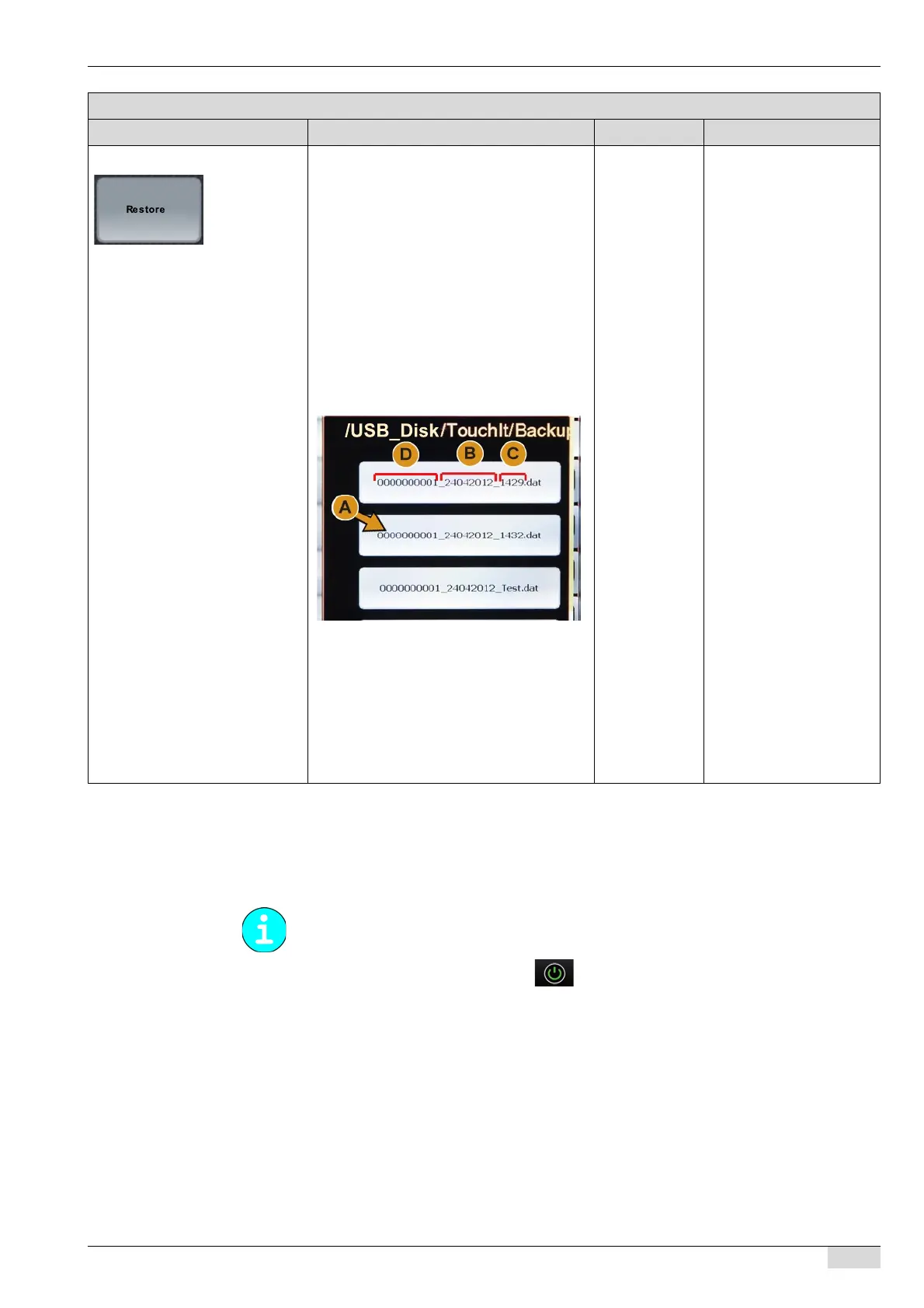
"Restore" field from a flash drive The [Restore] field opens the selection
window showing the available backup files
on the flash drive.
To restore data from a flash drive:
The machine is switched on or is in standby
mode.
► Insert the flash drive under the TouchIT.
See "Basic operation"- "USB port".
► Select the "Restore" menu.
► Select the [Restore] field.
The "/USB_Disk/TouchIt/Backup"
opens.
► Select the desired backup file (A).
The data of the backup file are re-
stored.
The "Restoration complete" message
appears.
► Remove the flash drive.
This takes you back to the previous
mode.
- There are two possible
ways to restore data. The
backup file can either be
selected on the TouchIT or
on a flash drive.
The path to the directory
on the flash drive is (\US-
B_Disk\Schae-
rer\TouchIT\Backup).
Note that the touch screen
generations have different
paths to the storage locati-
ons: the 1st generation
path is (USB_Disk) and
the 2nd generation path is
(USB_Mstick).
Parameters: Restore
Display text Description Setting range Notes
Note that the path name of the storage location differs in the 1st generation touch screen (US-
B_Disk) and the 2nd generation touch screen (USB_Mstick).














 To Next Page