PASCA_TOUCHIT_EN
V02 | 07.2013
127
www.schaerer.comTouch screen images
Touch screen images
Logo slide show
Customised images are displayed on the touch screen during the following machine states:
• The logo appears in standby mode.
• The screensaver or an animation appears while the machine is idling.
• The slide show appears while a beverage is being dispensed and consists of at most 5 im-
ages that appear alternately.max. 5 Abbildungen werden abwechselnd während einer Get-
ränkeausgabe angezeigt
Image and file formats
The following pixel dimensions apply to the image data:
• Logo images: max. 400x400 pixels and <100kB in size.
• Slide show images: max. 430x460 pixels and <100kB in size.
• Screensaver images: max. 480x800 pixels and <100kB in size.
The following file formats are supported:
• JPEG (.jpg) image compression is possible.
• BMP (.bmp) colour depth max. 8 bits.
• PNG (.png) for images with transparent areas.
• GIF (.gif) good lossless compression.
• MPEG-2 (.mpeg) video compression is possible.
Requirements
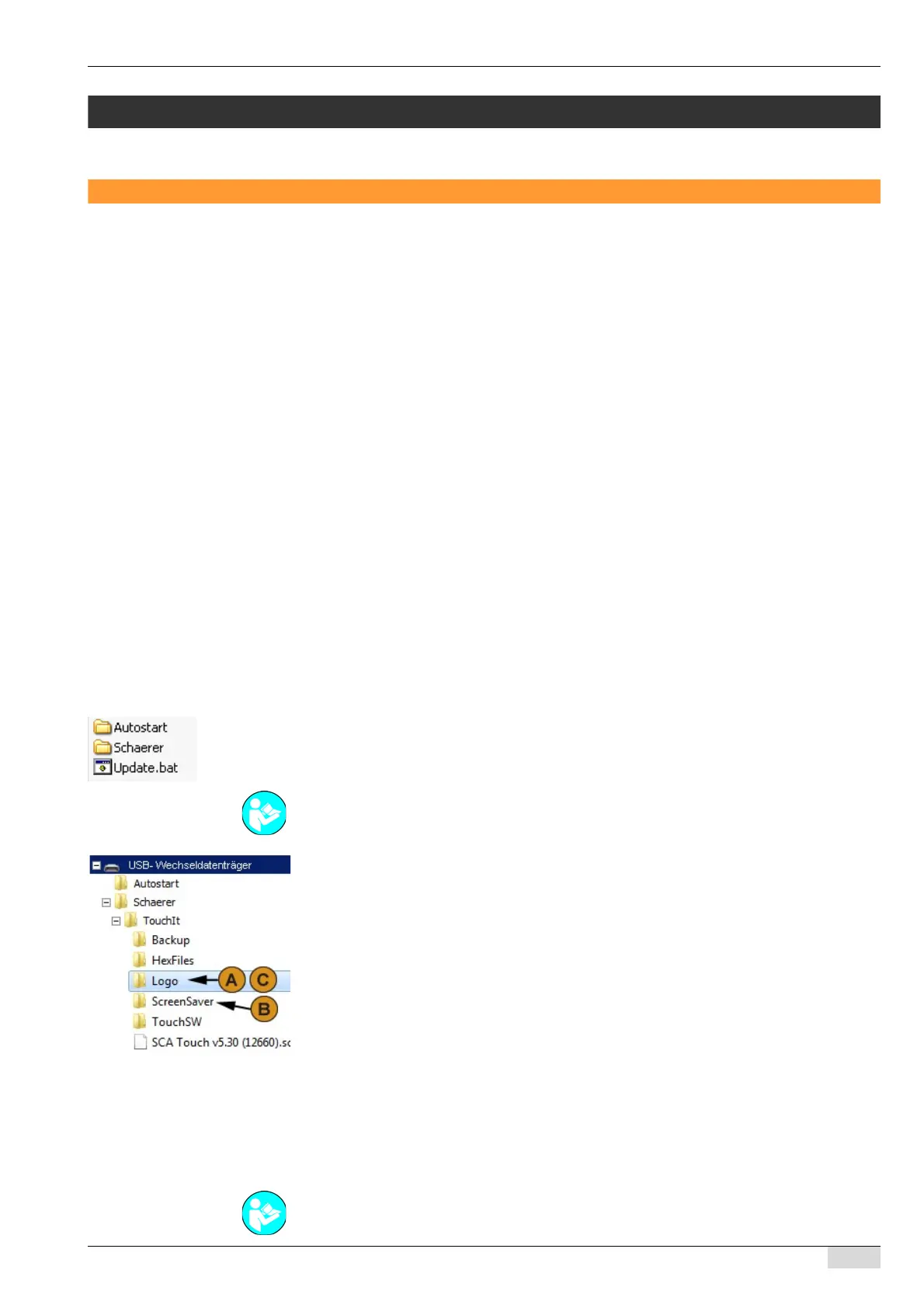
Schaerer standard directory structure on the service technician flash drive:
• Autostart.
• Schaerer.
• Update .bat
► Insert the images into the folders according to their function.
The following folders are available for the various functions:
• Folder (A) for logo images.
• Folder (B) for screensaver images.
• Folder (B) for screensaver animations.
• Folder (C) for slide show images.
Loading figures/animations
The following loading procedures are available:
• Loading the images directly from a flash drive in the "Restore" menu.
• Loading the images using the "Update TouchIT Software" procedure.
See also "Basic operation" - "USB access" - "Basic configuration of the service technician flash
drive" for additional information on the directory structure on the service technician flash drive.
See "System" - "Exiting the application" for a description of how to execute a "Update Touch-
IT".














 To Next Page