PASCA_TOUCHIT_EN
V02 | 07.2013
9
www.schaerer.comBasic operation
Basic operation
Switching on
Starting up the coffee machine
If the machine was disconnected from the power supply, the control requires ca. 1 min to start
up. The touch screen remains black during this time.
► Connect the coffee machine to the power supply.
The control software is loaded in ±1 min. The touch screen remains black.
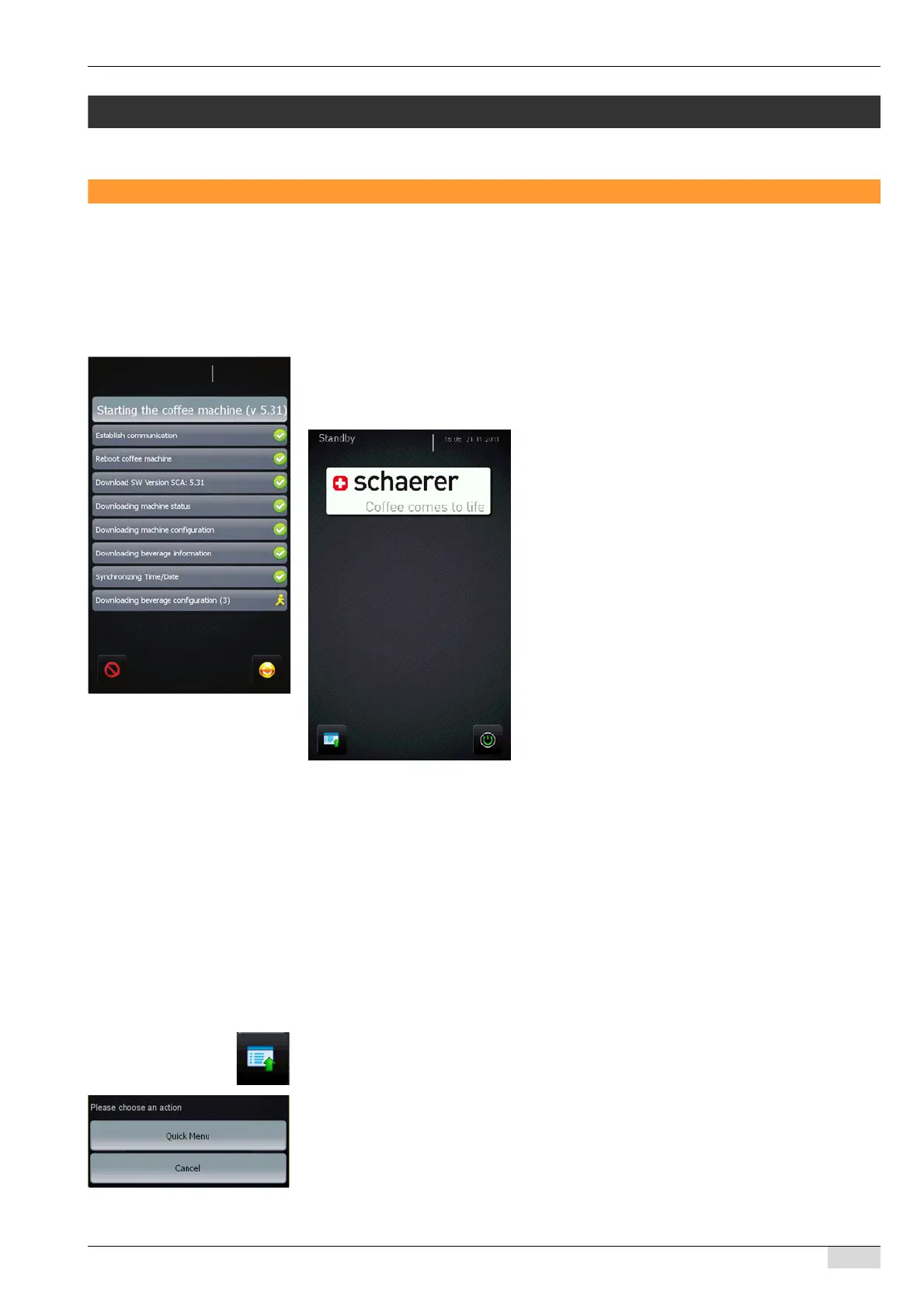
The software upload is shown on the screen (see figure below).
The main screen appears; the machine is now in standby mode.
Standby mode appears as set in the "TouchIT configuration" menu.
Quick menu in standby mode
The [Quick menu] provides the following information in standby mode:
• Machine number
• Customer number
• SW Version SCA
• SW Version SCATouchIT
• Parameters for setting the clock
• Parameters for setting the date
• Menu with error and cleaning statistics
To open the Quick menu:
► Press the [Service] field at the bottom left of the touch screen.
The selection menu appears.
► Press the [Quick Menu] field.
The Quick menu appears.














 To Next Page