www.schaerer.com System
PASCA_TOUCHIT_EN
V02 | 07.2013
110
2) Restore all statistics "ON" setting:
After a [Restore] is started, the statistics con-
sist of the "Infos" - "Counters and statistics"
menu of the selected backup file.
"OFF" setting:
The statistics are not taken from the backup
file.
On/off For example, a deleted
cleaning list can be reset
to its previous state by re-
storing it from the appropri-
ate backup file.
3) Restore grinder calibration "ON" setting:
After a [Restore] is started, the grinder cali-
bration consists of the "Calibrate grinders"
system parameter setting in the selected
backup file.
"OFF" setting:
The grinder calibration is not taken from the
backup file.
On/off For example, a tried-and-
tested grinder calibration
can be restored from the
backup.
"Restore" field from TouchIT The [Restore] field opens the selection
window showing the available backup files
on the TouchIT.
To restore data from the TouchIT:
► Switch on the machine using the
field.
► Insert the SERVICE card and enter the
PIN.
See "Basic operation"- "SERVICE card" -
"Gaining access with the SERVICE card".
► Select the "Restore / Backup" menu.
► Select the [Restore] field.
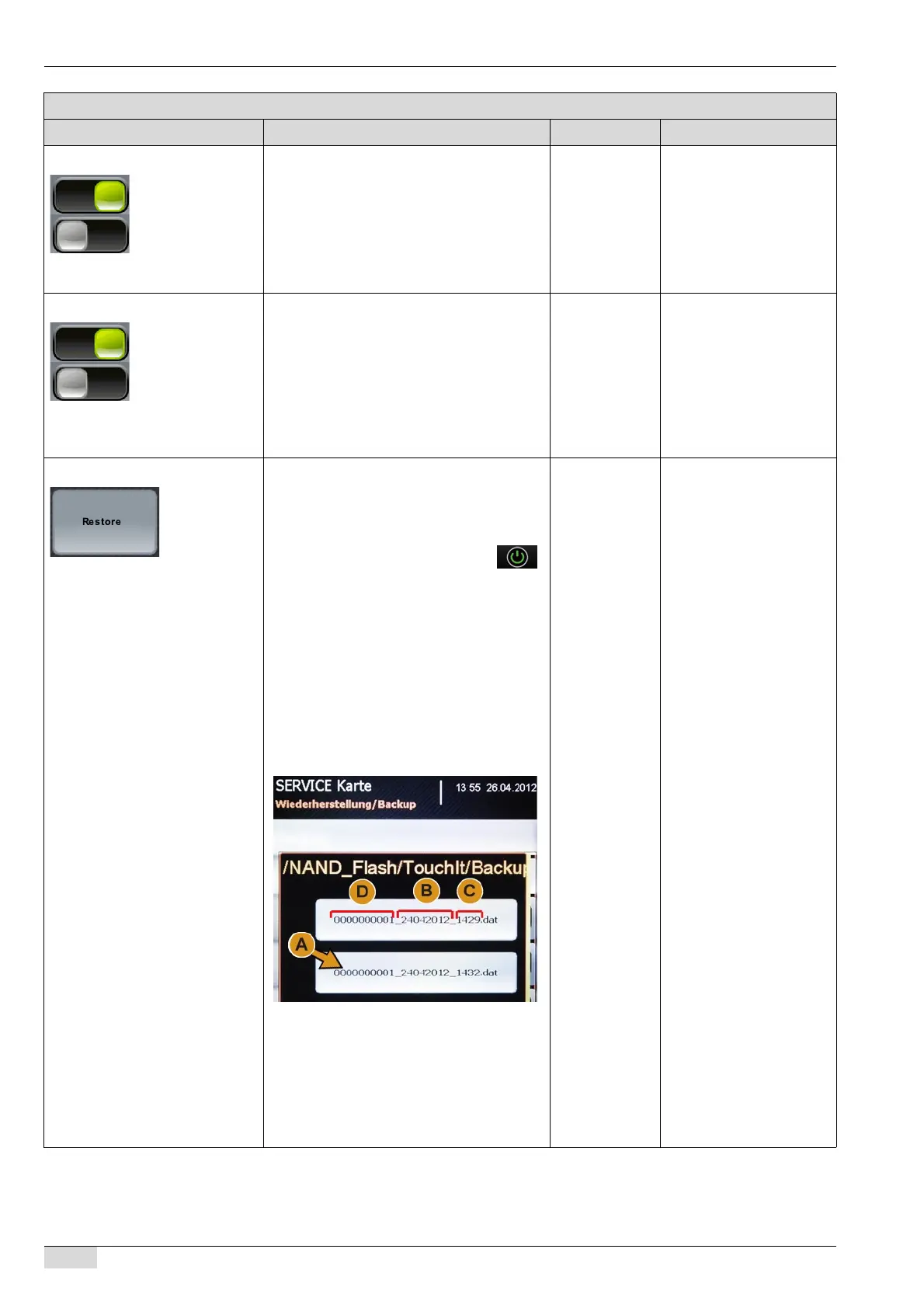
The "/NAND_Flash/TouchIt/Backup"
window opens.
All available backup files are listed.
► Select the desired backup file (A).
The data of the backup file are re-
stored.
The "Restoration complete" message
appears.
► Remove the SERVICE card.
The machine goes into "standby".
- There are two possible
ways to restore data. The
backup file can either be
selected on the TouchIT or
on a flash drive.
See the following descrip-
tion "Restoring from a
flash drive".
The backup file is automa-
tically named with the cur-
rent date (B), the time (C)
and the machine number
(D).
Parameters: Restore
Display text Description Setting range Notes














 To Next Page