www.schaerer.com System
PASCA_TOUCHIT_EN
V02 | 07.2013
116
► Select the "System" menu.
► Select the "Exit application" submenu.
The "Remove card" message appears.
► Insert the USB stick under the TouchIT.
► Remove the SERVICE card again.
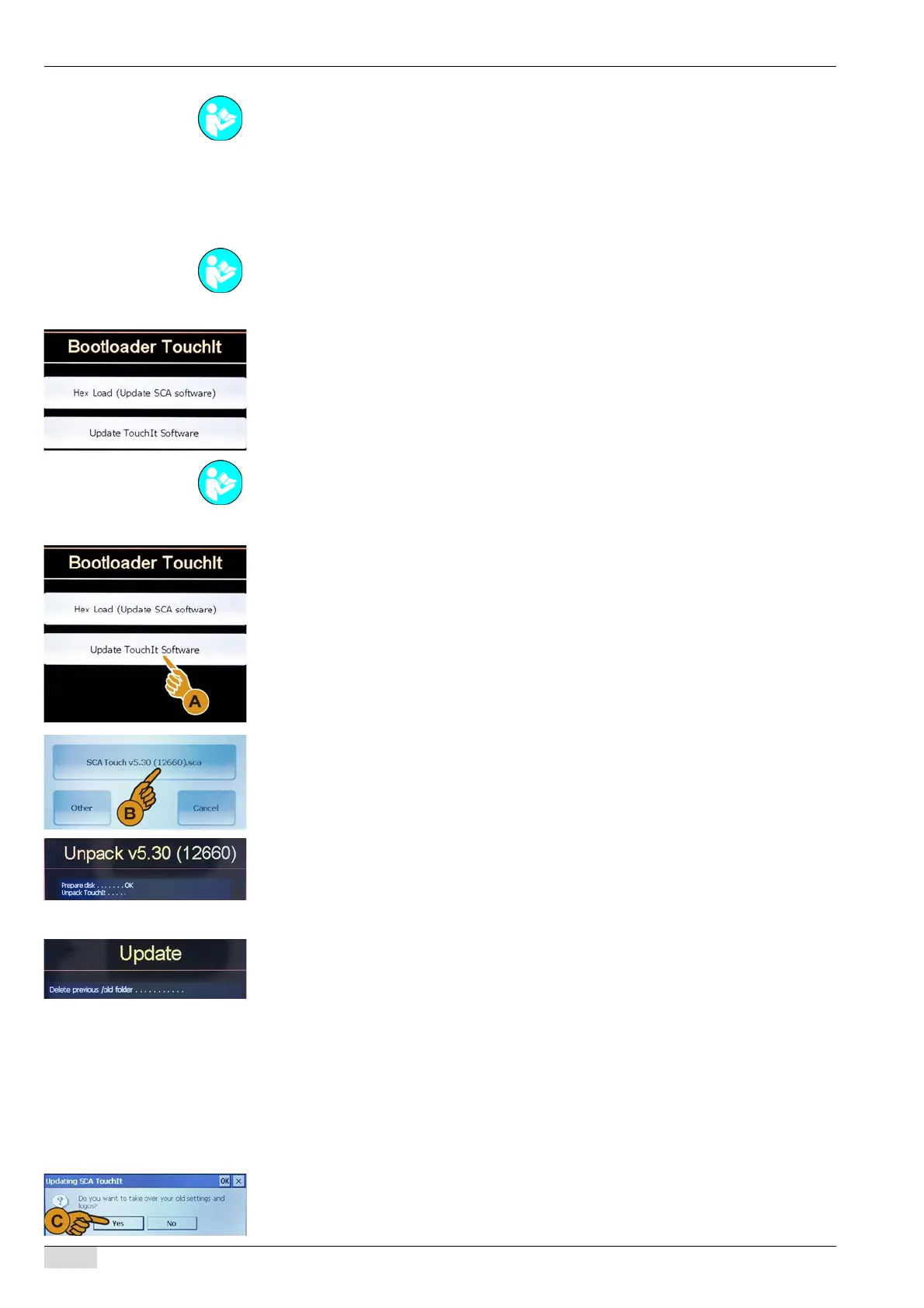
The TouchIT changes to the "Bootloader TouchIT" mode.
Option 2: Starting directly with the USB stick
The machine is disconnected from the power supply.
► Insert the USB stick under the TouchIT.
► Plug the machine power plug into the power supply.
The machine is started up and immediately goes into the "Bootloader TouchIT" mode.
Option 3: Loading the TouchIT software
► Select the [Update TouchIT Software] (A) field.
The window containing the "SCA Touch v5.30 (12660)" field opens.
► Select the [SCA Touch v5.30 (12660)] field.
The "Unpack V5.30" window opens.
The new software for the TouchIT is loaded from the USB stick.
The "Restart" field appears in the "Unpack V5.30" window.
► Select the [Restart] field.
The machine restarts.
The "Update" window appears.
The window displays the data that have already been loaded.
The instruction to adopt the "old" settings appears.
The following settings are adopted with a confirmation:
• Language
• Screensaver
• Beverage symbols
• Standby logo
• Slide show (self mode)
• Name of beverage level
• Beverage name
► Confirm the instruction with [Yes]:
The "Close" field appears in the "Update" window.
After [NO] is selected, the "Bootloader TouchIT" mode is active again.
See "Programming" - "Access".
See "Basic operation"- "USB port" on inserting a USB stick.
See "Basic operation"- "USB port" on inserting a USB stick.














 To Next Page