www.schaerer.com Info
PASCA_TOUCHIT_EN
V02 | 07.2013
120
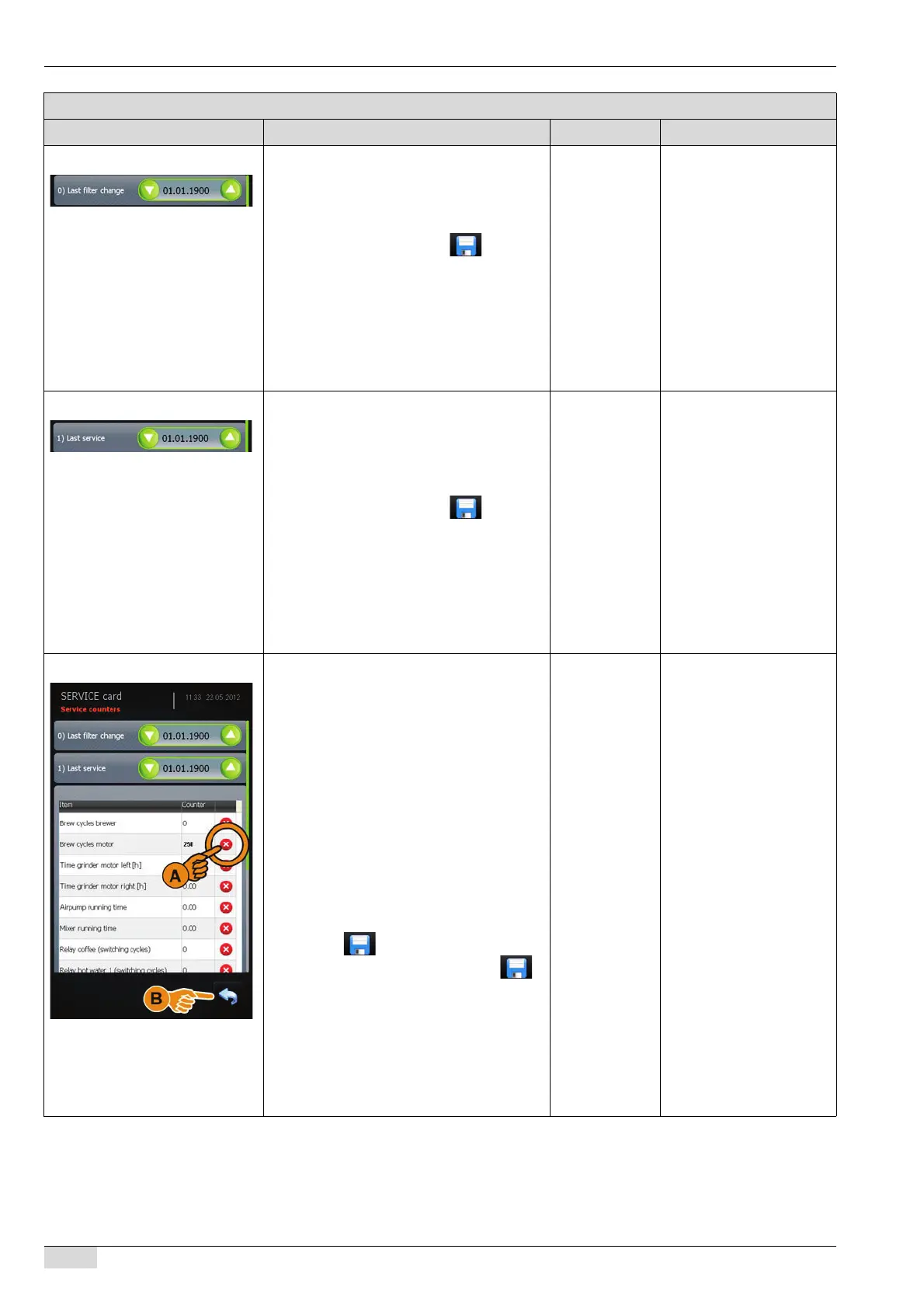
Service counter (filter change) Enter the date of the last filter change.
► Mark the day, month or year range.
► Enter the date using the arrow buttons
(up/down).
► Store the entry using the field that
appears.
The last filter change date is dis-
played.
The entry field is deactivated (grey).
See "Service technician menu" - "System" -
"Restore / Backup" for additional information
on restoring counters and statistics.
Day, month and
year
The parameter remains
deactivated until the cur-
rent date is no longer iden-
tical to the set date.
See "Configuration" -
"Date / Time / Alarm" on
setting the filter change
parameters.
Service counter (last service) Enter the date of the last service that was
performed.
► Mark the day, month or year range.
► Enter the date using the arrow buttons
(up/down).
► Store the entry using the field that
appears.
The date of the last service request is
displayed.
The entry field is deactivated (grey).
See "Service technician menu" - "System" -
"Restore / Backup" for additional information
on restoring counters and statistics.
Day, month and
year
The parameter deactiva-
ted until the current date is
no longer identical to the
set date.
See "Configuration" -
"Date / Time / Alarm" on
setting the service request
parameters.
Service counters Lists all service counters.
The following counters are listed:
• Number of piston strokes per brewing
unit.
• The operating hours of the grinders and
water pump.
• The runtime of the air pump and mixer.
• The relay switching procedures for cof-
fee, hot water and steam.
• The grind quantity of the grinders.
To reset a counter:
► Select the [Clear] (A) field.
The respective counter is reset to (0).
The field appears.
► Store the reset counter using the
field.
► Select the [Back] (B) field.
This takes you back to the "Counters
and statistics" menu.
See "Service technician menu" - "System" -
"Restore / Backup" for additional information
on restoring counters and statistics.
The counter is
reset to (0).
Machine and daily coun-
ters can only be cleared
using the SERVICE card.
The service counters can
be displayed using the
SERVICE card and the
CHEF card.
Parameters: Counters and statistics
Display text Description Setting range Notes














 To Next Page