PASCA_TOUCHIT_EN
V02 | 07.2013
143
www.schaerer.comTroubleshooting
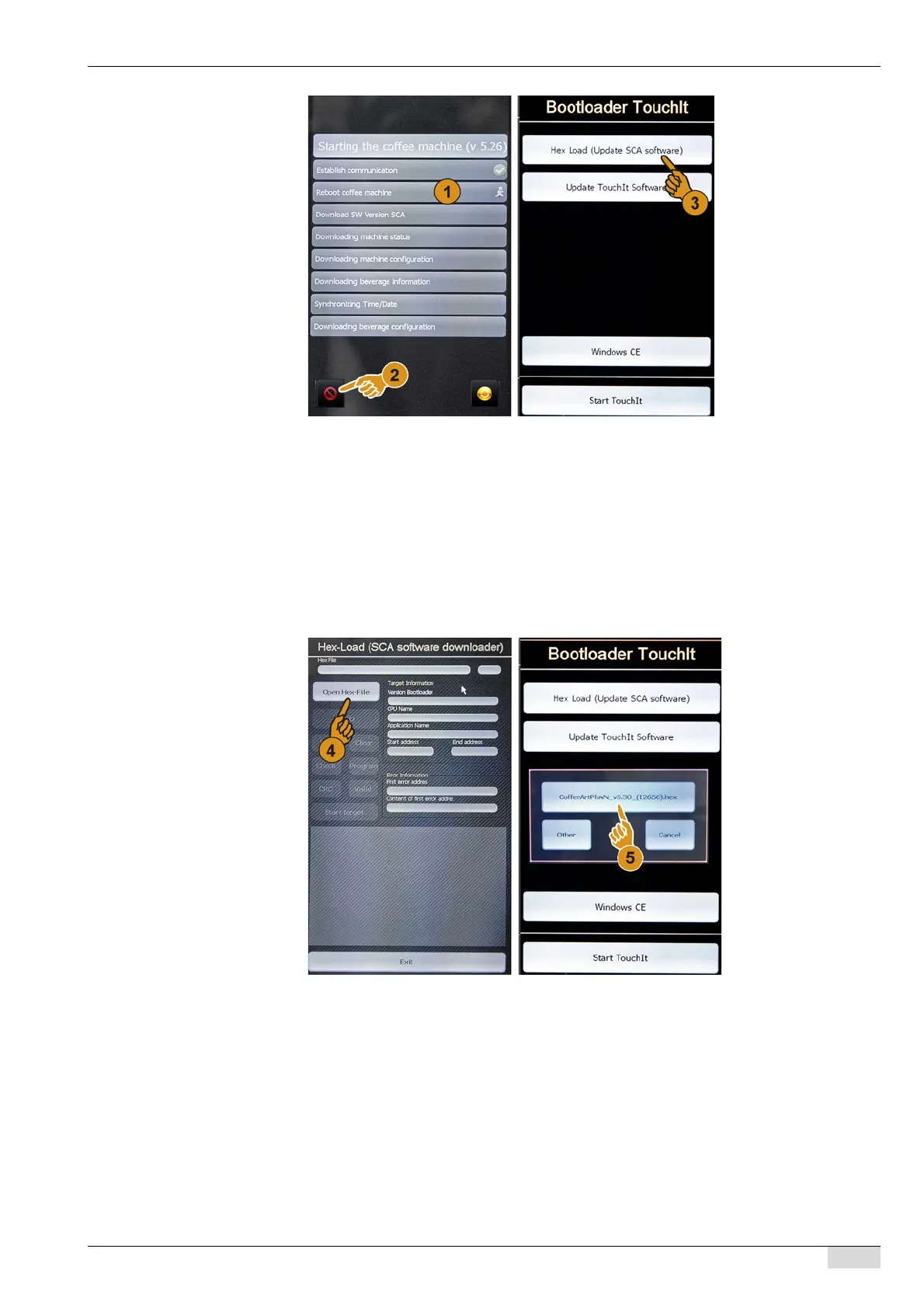
► Press the [Clear] (2) button at the bottom left of the touch screen.
The touch screen display changes to the "Bootloader TouchIT" mode.
► Select the [Hex Load (Update SCA software)] (3) field.
The touch screen display changes to the "Hex load (Update SCA Software download-
er)" mode.
► Select the "Open HexFile" (4) field.
The "SCA sw update" window opens.
► Activate the "CoffeeArtPlusN_v5.3X_(12656).hex" (5) field.
Data are loaded.
The [Auto] field is activated.














 To Next Page