PASCA_TOUCHIT_EN
V02 | 07.2013
21
www.schaerer.comBasic operation
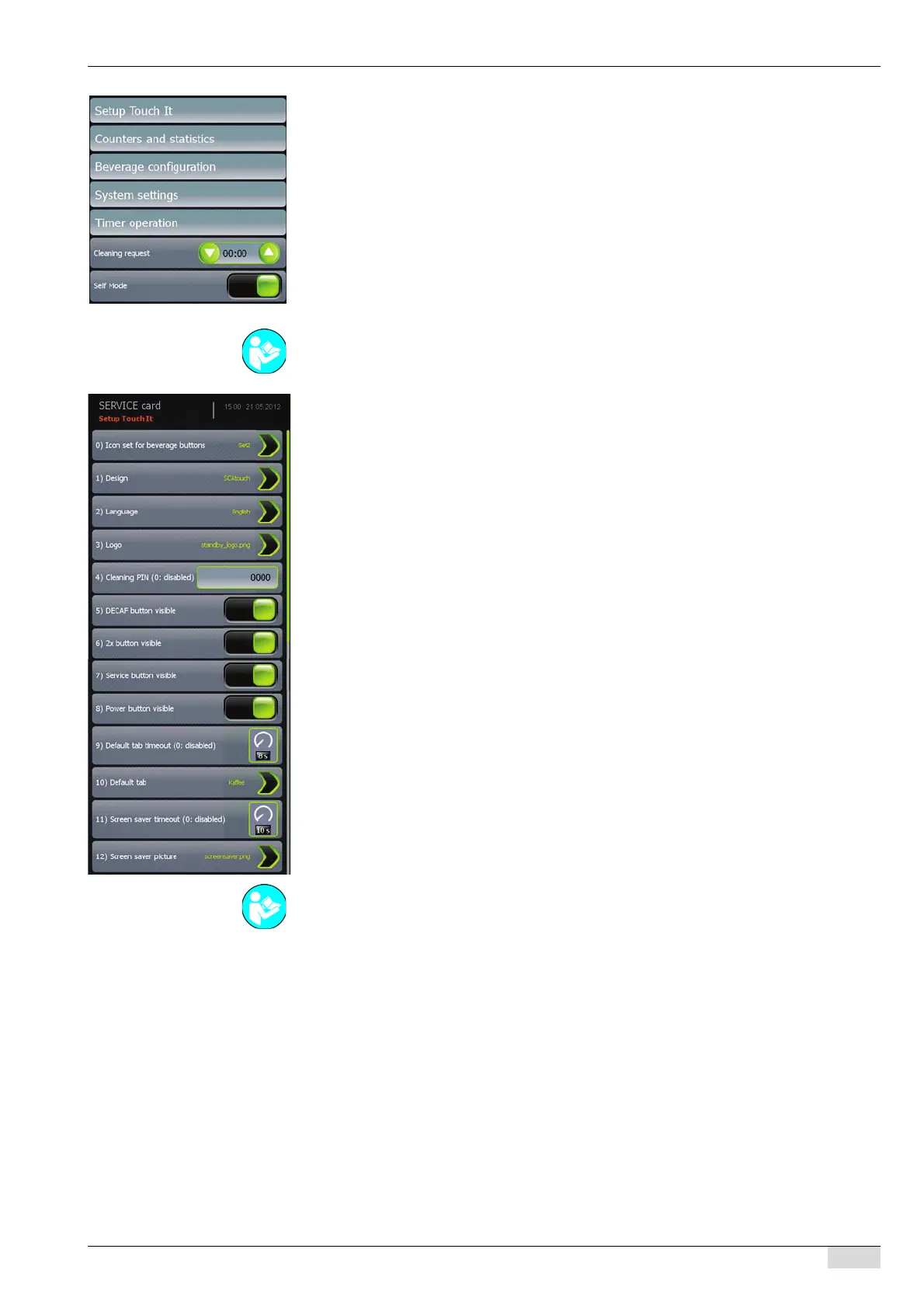
Menu selection with the CHEF card:
• The "TouchIT configuration" menu contains various adjustments to the TouchIT interface.
• The "Counters and statistics" menu displays all counters and contains a function to clear
the daily counter.
• A restricted range of beverage settings for the existing beverages.
• The machine number and customer number can be viewed in the "System settings". In ad-
dition, the date and time can be set, and the time format can be switched between 24h and
AM/PM.
• The times at which the machine switches on and off can be set in the "Timer operation"
menu.
• Time setting for a cleaning request
• The [Self mode] parameter is used to change to "self" mode.
Available parameter settings in the "TouchIT configuration" submenu:
• [0) Icon set for product keys] Selection menu for selecting the beverage symbol fields.
• [1) Design] Selection menu for selecting the background designs.
• [2) Language] Selection menu for the language of the user interface.
• [3) Logo] Selection menu for the logo in the user interface.
• [4) Cleaning PIN] PIN entry before a cleaning process can be started.
• [5) DECAF button visible] The [DECAF] field appears in the TouchIT.
• [6) 2x button visible] The [2x] field appears in the TouchIT.
• [7) Service button visible] The [Service] field appears in the TouchIT.
• [8) Power button visible] The [ON/OFF] field appears in the TouchIT.
• [9) Default tab timeout] Sets the time until the display returns to the basic display of a "Tab"
beverage group.
• [10) Default tab] Selection of one of the preset beverage groups as the basic display.
• [11) Screen saver timeout] Sets the time until the display returns to the screensaver.
• [12) Screen saver picture] Selection of an image as the screensaver.
See "Configuration" for a detailed description of the individual menu settings.
See "Configuration" - "TouchIT configuration" for a detailed description of the individual param-
eters and selection menus.














 To Next Page