3
Date Code 20080918 Instruction Manual SEL-749M Relay
Key Stroke Commands
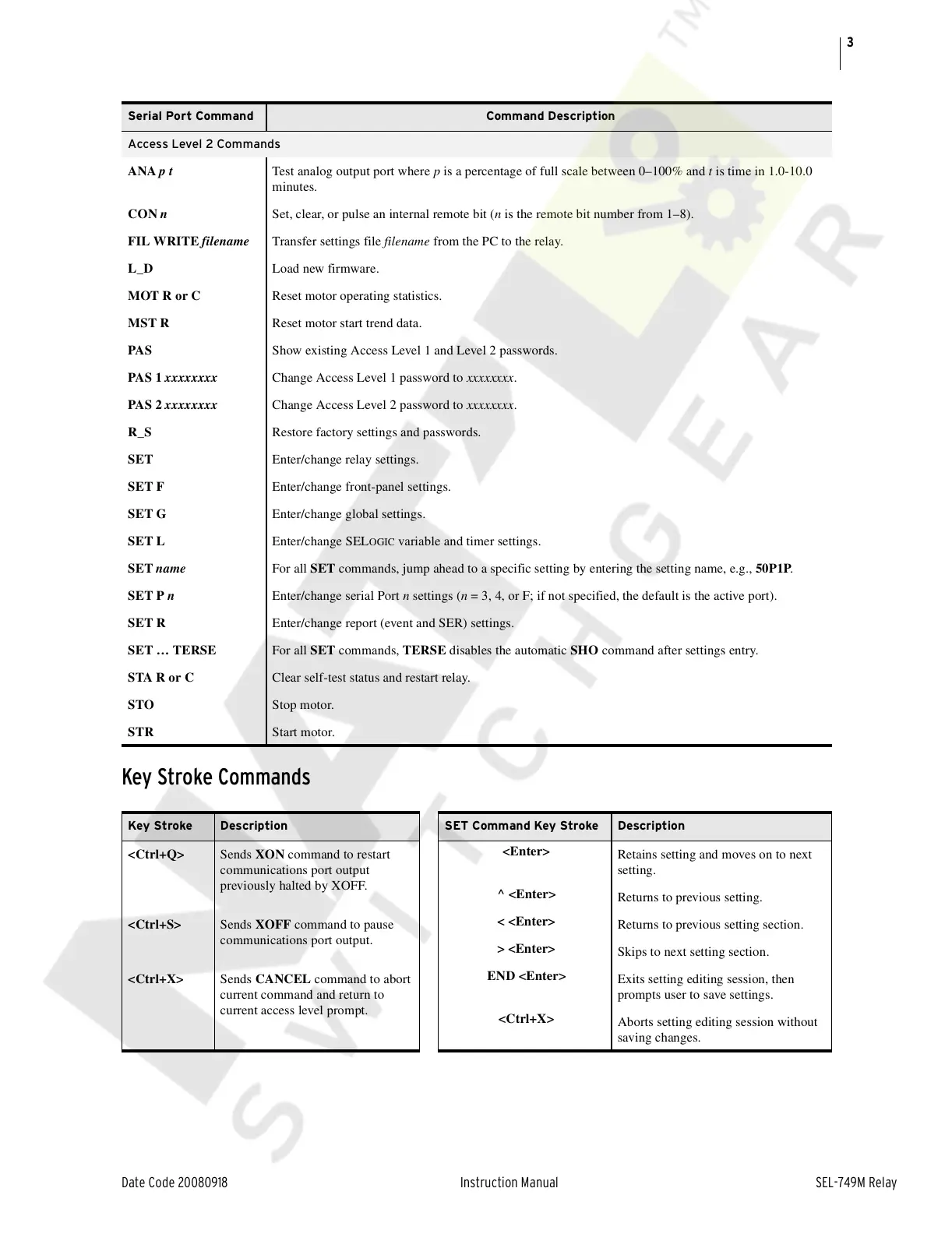
Access Level 2 Commands
ANA p t Test analog output port where p is a percentage of full scale between 0–100% and t is time in 1.0-10.0
minutes.
CON n Set, clear, or pulse an internal remote bit (n is the remote bit number from 1–8).
FIL WRITE filename Transfer settings file filename from the PC to the relay.
L_D Load new firmware.
MOT R or C Reset motor operating statistics.
MST R Reset motor start trend data.
PAS Show existing Access Level 1 and Level 2 passwords.
PAS 1 xxxxxxxx Change Access Level 1 password to xxxxxxxx.
PAS 2 xxxxxxxx Change Access Level 2 password to xxxxxxxx.
R_S Restore factory settings and passwords.
SET Enter/change relay settings.
SET F Enter/change front-panel settings.
SET G Enter/change global settings.
SET L Enter/change SEL
OGIC variable and timer settings.
SET name For all SET commands, jump ahead to a specific setting by entering the setting name, e.g., 50P1P.
SET P n Enter/change serial Port n settings (n = 3, 4, or F; if not specified, the default is the active port).
SET R Enter/change report (event and SER) settings.
SET … TERSE For all SET commands, TERSE disables the automatic SHO command after settings entry.
STA R or C Clear self-test status and restart relay.
STO Stop motor.
STR Start motor.
Key Stroke Description SET Command Key Stroke Description
<Ctrl+Q> Sends XON command to restart
communications port output
previously halted by XOFF.
<Enter>
Retains setting and moves on to next
setting.
^ <Enter>
Returns to previous setting.
<Ctrl+S> Sends XOFF command to pause
communications port output.
< <Enter>
Returns to previous setting section.
> <Enter>
Skips to next setting section.
<Ctrl+X> Sends CANCEL command to abort
current command and return to
current access level prompt.
END <Enter>
Exits setting editing session, then
prompts user to save settings.
<Ctrl+X>
Aborts setting editing session without
saving changes.
Serial Port Command Command Description
Courtesy of NationalSwitchgear.com


 To Next Page
 Loading...









