26
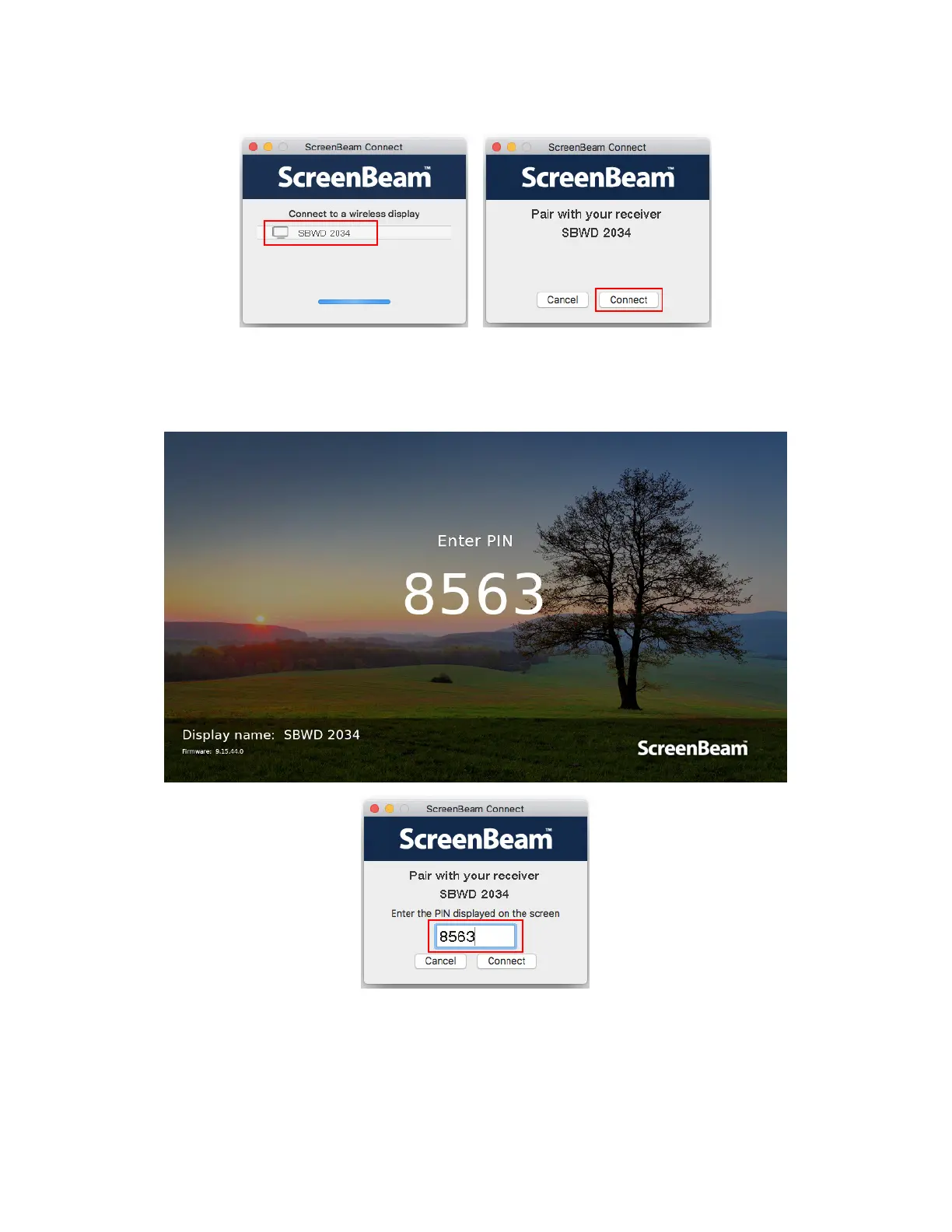
8. Select your receiver from the receiver list and click Connect to continue.
9. A PIN entry box appears on the ScreenBeam SBCast app. Type the PIN displayed on
the TV screen in the PIN entry box and click Connect to continue.
Note: You should obtain the security PIN from your network administrator if no PIN is
displayed on the connected display device.
10. The HDTV displays messages to show status of the connection.



 To Next Page