30
4.3 USB over Network Control
The ScreenBeam 960 receiver supports User Input Back Channel (UIBC) also known as
USB over network control. This feature allows the use of USB HID peripheral devices from
the source device to control the client device via ScreenBeam connection.
The USB over network control is available on Windows 10 devices* only. The minimum
CPU requirement for a Windows 10 device to support UIBC is either:
4th Generation Intel Core i3 (Haswell or better) processor
AMD A4-5000 (Kabini or better) processor
To connect a USB keyboard, mouse, or trackpad:
1. Plug the USB HID peripheral into the Receiver’s USB port and wait for the device to be
detected. This may take 10-15 seconds.
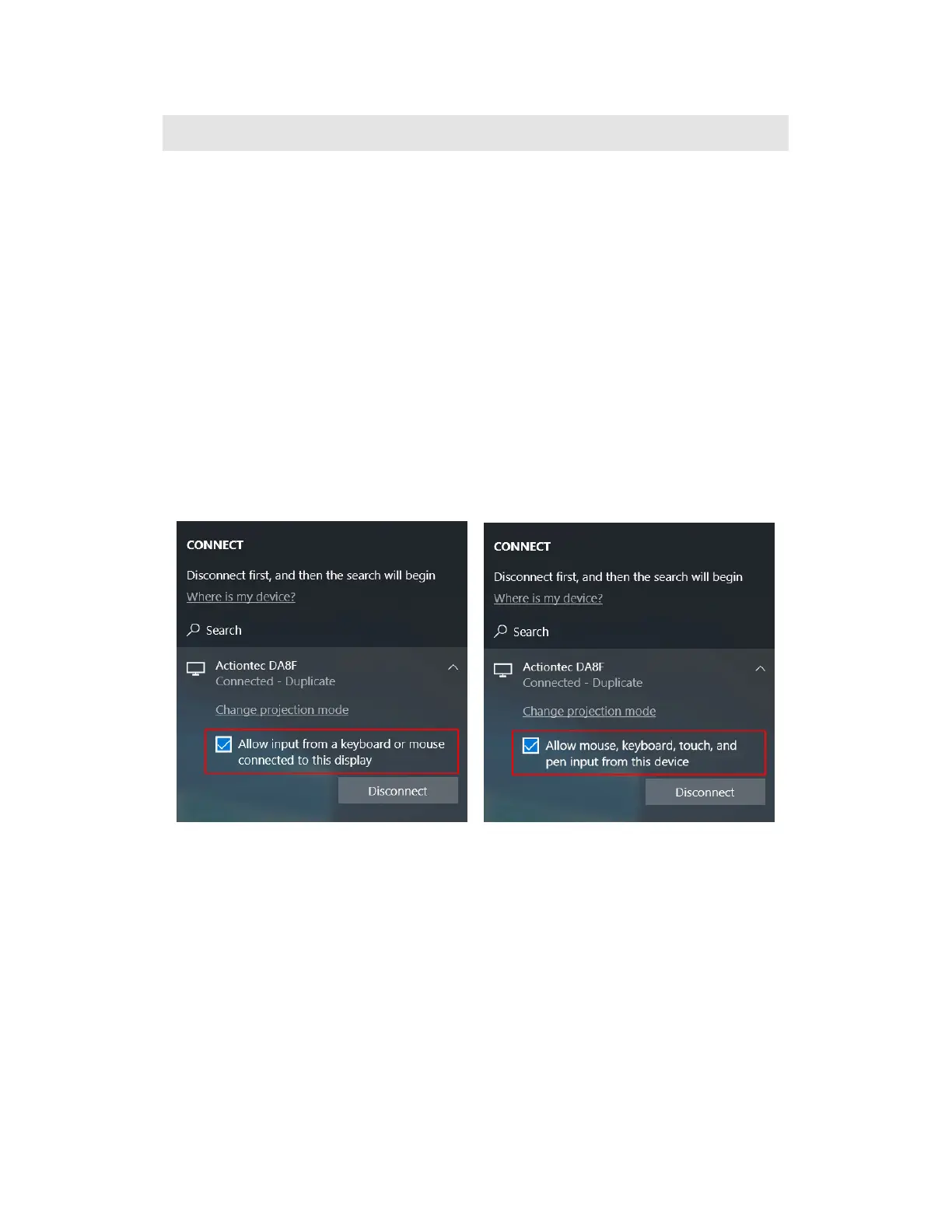
2. Connect your Windows 10 device to the receiver, and remember to check the “Allow
input from a keyboard or mouse connected to this display” or “Allow mouse, keyboard,
touch, and pen input from this device” box.
Note: Although the checkbox “Allow input from a keyboard or mouse connected to this
display” or “Allow mouse, keyboard, touch, and pen input from this device” may be available
upon the Miracast connection, the UIBC feature will not be supported if the Windows 10
device does not meet the minimum CPU requirement.
3. Use the USB keyboard, mouse, or trackpad to control the source device.



 To Next Page