75
5.3.6.4 Setting up Broadcast Network Name
Note: This feature is available when the receiver is in NGO mode.
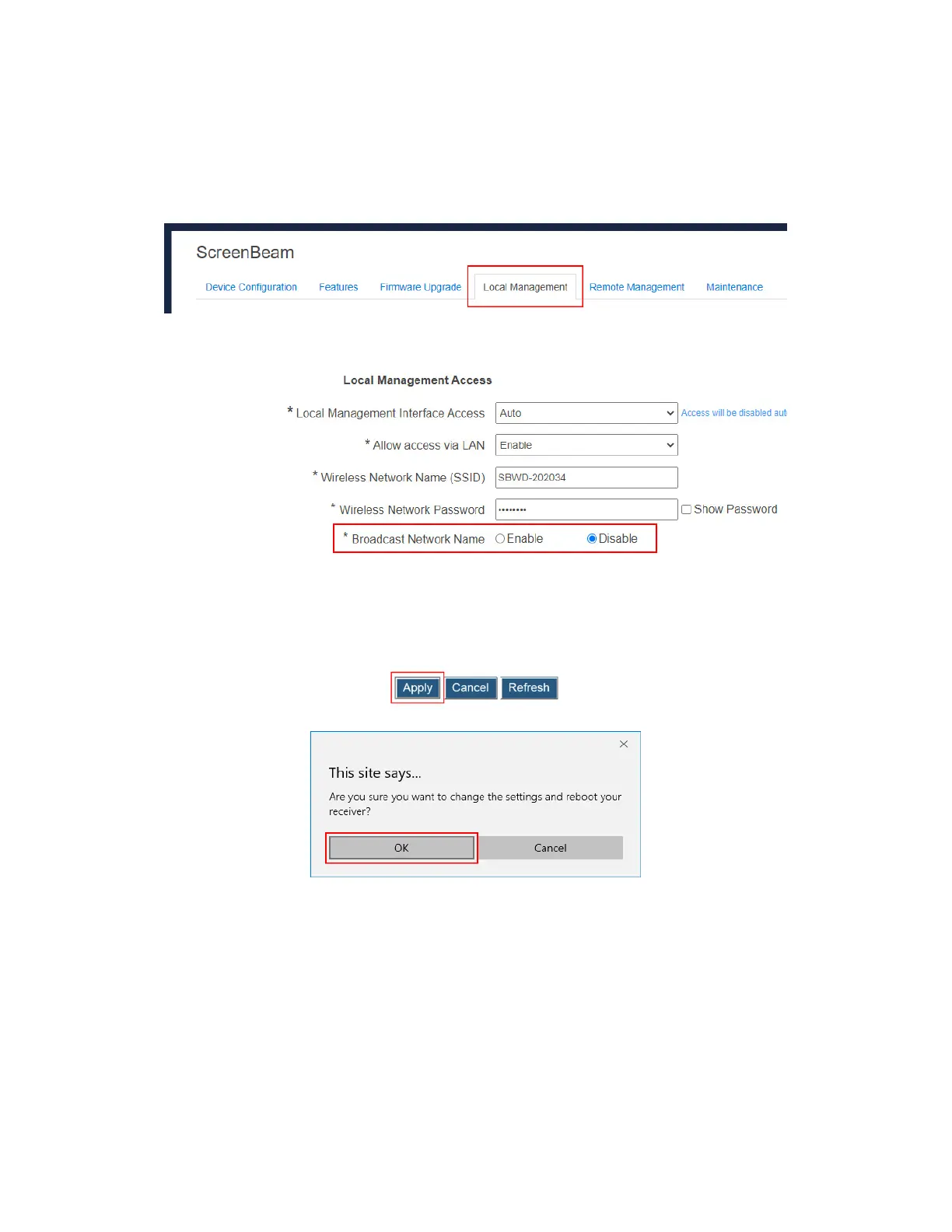
To set up Broadcast Network Name, follow this procedure:
1. Go to the Local Management tab page by clicking the Local Management tab.
2. Go to the Local Management Access section, and set the Broadcast Network Name
feature to Enable/Disable.
Note: By default, the receiver’s network name (SSID) is not broadcasted. In this situation
you can connect to the SSID manually. Refer to Section 5.2.3.1 When SSID Broadcast is
Disabled for detail.
3. Click the Apply button, and then click OK on the pop-up message box to confirm.
4. The receiver reboots, and new setting takes effect after the reboot.



 To Next Page