59
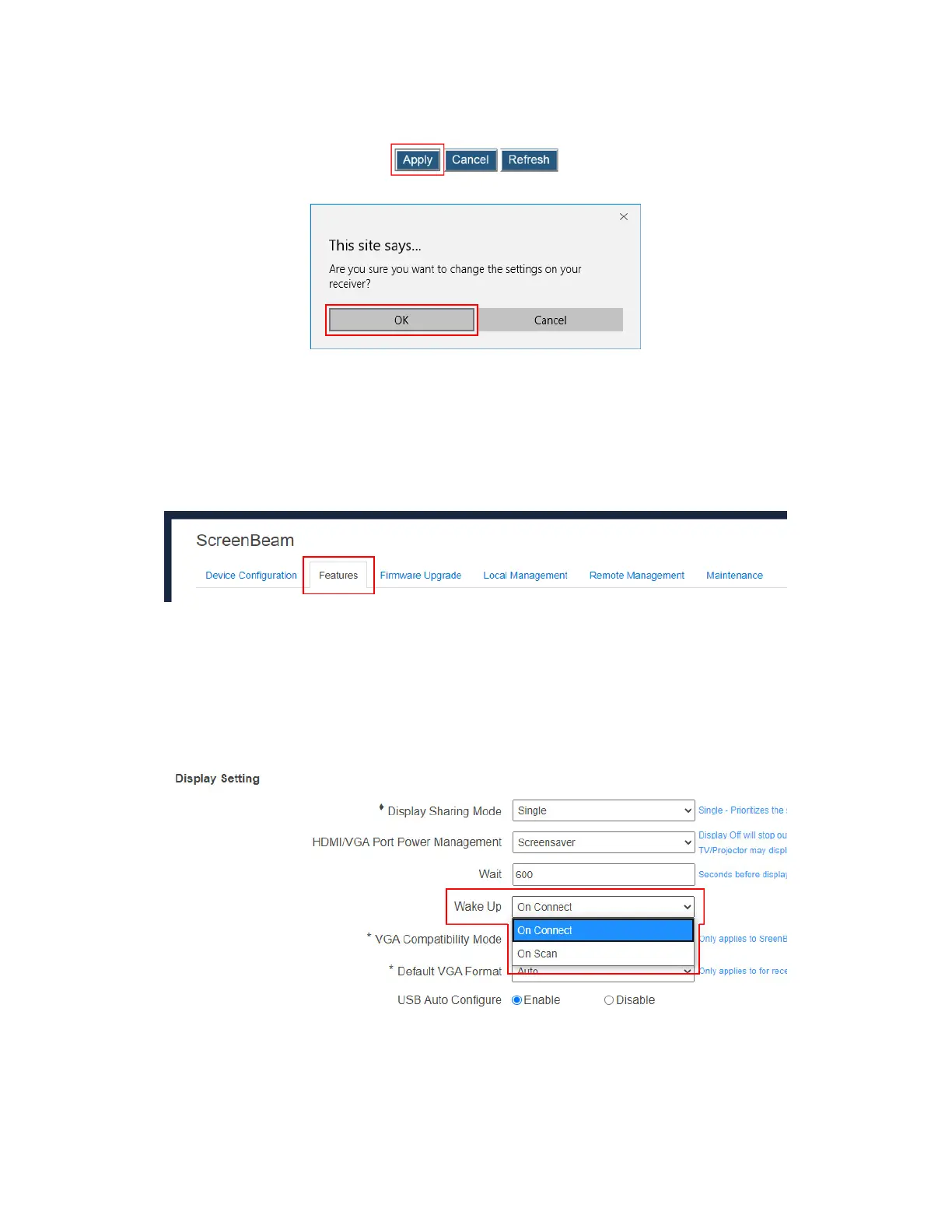
3. Click the Apply button, and then click OK on the pop-up message box to confirm.
5.3.5.4 Waking up the Receiver
When the receiver runs screen saver or turns off its HDMI output, it can be waked up by any
one of two events: scanning and connecting.
To set up the receiver’s wakeup feature, follow this procedure:
1. Go to the Features tab page by clicking the Features tab.
2. Go to the Display Setting section, and set the Wake Up feature to On Scan or On
Connect.
On Scan: The receiver will wake up from sleep or screen saver when it detects that
a source device is scanning.
On Connect: The receiver will wake up from sleep or screen saver only when a
source device is connecting.
Note: The Wake Up feature is available for setup when HDMI/VGA Port Power
management is set to Screensaver or Display Off.



 To Next Page