64
5.3.5.8 Setting up HDMI-CEC
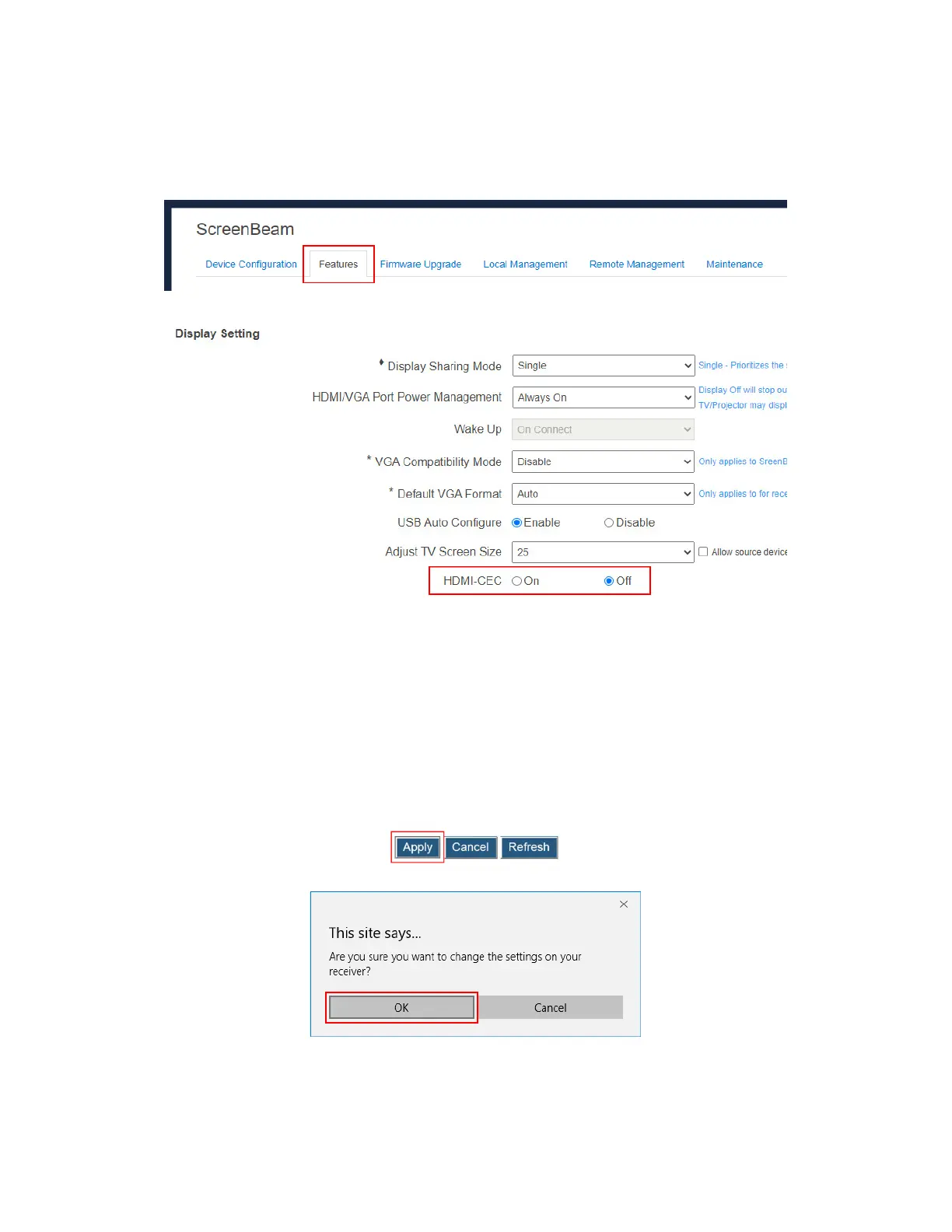
To set up the HDMI-CEC function, follow this procedure:
1. Go to the Features tab page by clicking the Features tab.
2. Go to the Display Setting section, and set the HDMI-CEC feature to On or Off.
There are two options: On, and Off. After this function is enabled, the receiver can wake up
the connected display device and the display device will switch to the source that the
receiver connects to.
The display device will be waked up in one of the following conditions:
when the receiver is powered on;
when a connection to the receiver is established; and
when a power-on receiver is connected to the display device.
Note: The display device must support HDMI-CEC, and this function is enabled.
3. Click the Apply button, and then click OK on the pop-up message box to confirm.



 To Next Page