58
5.3.5.3 Managing HDMI/VGA Port Output
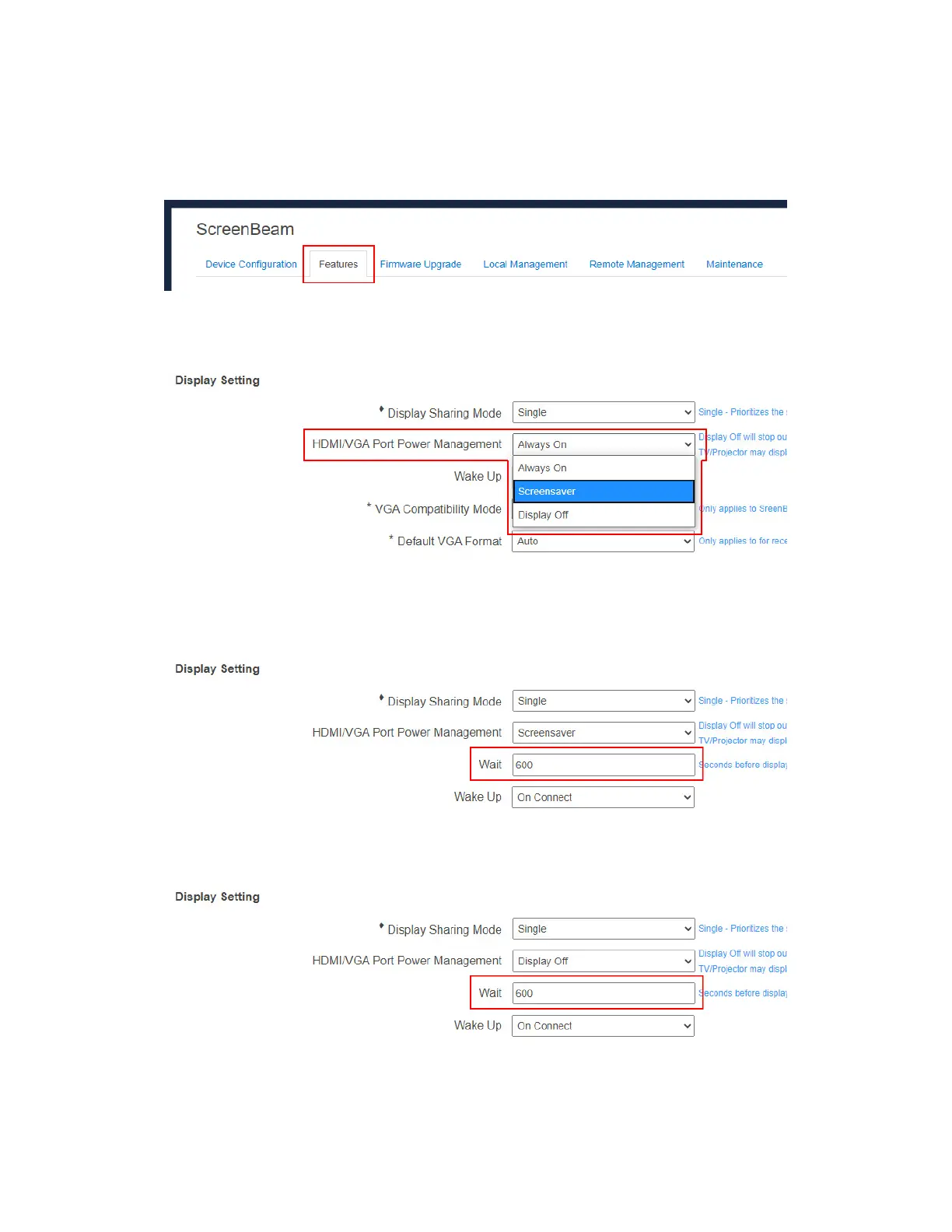
To set up HDMI/VGA port output, follow this procedure:
1. Go to the Features tab page by clicking the Features tab.
2. Go to the Display Setting section, and select a desired option in the HDMI/VGA Port
Power management drop-down box. There are three options: Always On,
Screensaver, and Display Off.
Always On: Selecting this option, the HDMI output is always on.
Screensaver: Selecting this option, the system will run the screen saver after the
defined idle time expires. Users can define the idle time (1-9999 seconds) in the Wait
time box.
Display Off: Selecting this option, the HDMI/VGA output will be turned off after the
defined idle time expires. Users can define the idle time (1-9999 seconds) in the wait
time box.



 To Next Page