33
5.2.2 Method 2: Network Connection via DHCP
This method is available when the Allow access via LAN feature is set to Enable. Refer to
Section 5.3.6.2 Setting up Allow Access via LAN for details.
To log into the Local Management Interface using a LAN connection, follow this procedure:
1. Using a shielded RJ-45-terminated Cat5e or better Ethernet cable, connect the
ScreenBeam Ethernet port to a DHCP enabled network.
Note: Access via a wireless LAN connection is also allowed.
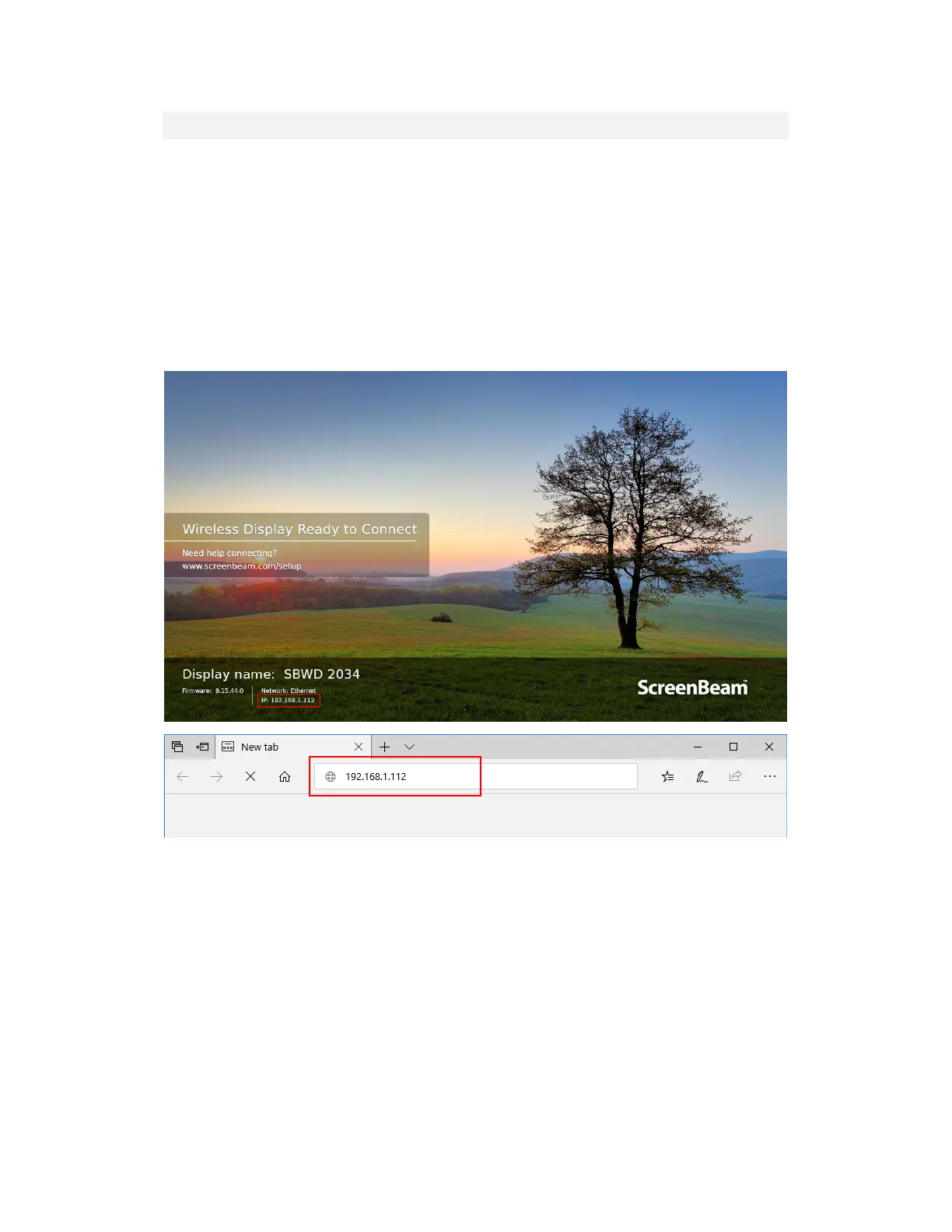
2. The Ready to Connect screen on the display will show the IP address assigned to the
ScreenBeam. Enter this address into the web browser on a device on the same network
as the ScreenBeam.
3. Follow the directions from Method 1 from Step 3 on.



 To Next Page