78
5.3.7 Remote Management Settings
This section introduces the receiver’s remote management related settings, such as the
receiver’s host name, IP address, DNS server, CMS server, and UPnP discovery.
5.3.7.1 Modifying the Receiver’s Host Name
The host name is used to identify the receiver in a network.
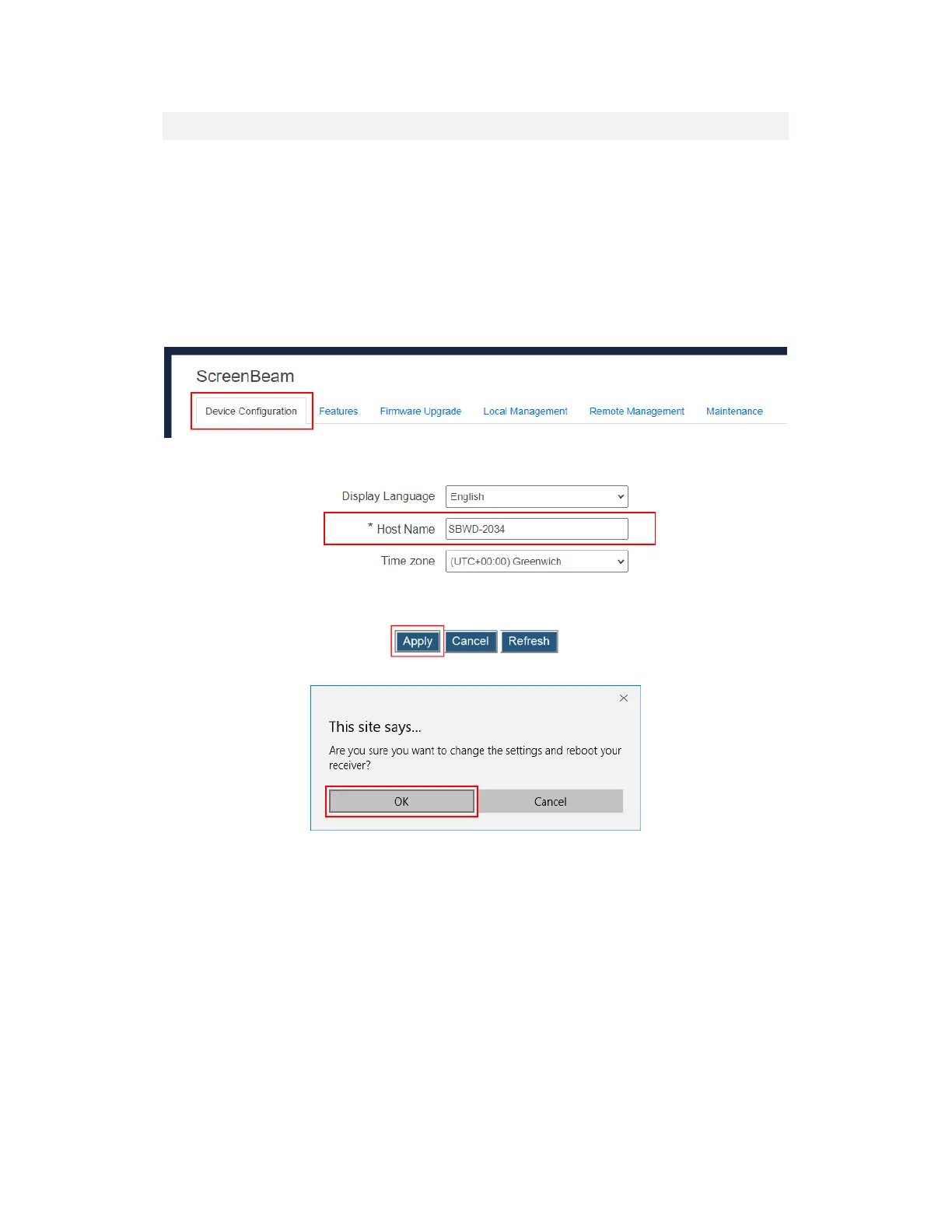
To modify your receiver’s host name, follow this procedure:
1. Go to the Device Configuration tab page by clicking the Device Configuration tab.
2. Go to the Host name line, and type a new host name in the Host name box.
3. Click the Apply button, and then click OK on the pop-up message box to confirm.
Note: The receiver’s new host name takes effect after the reboot.



 To Next Page