70
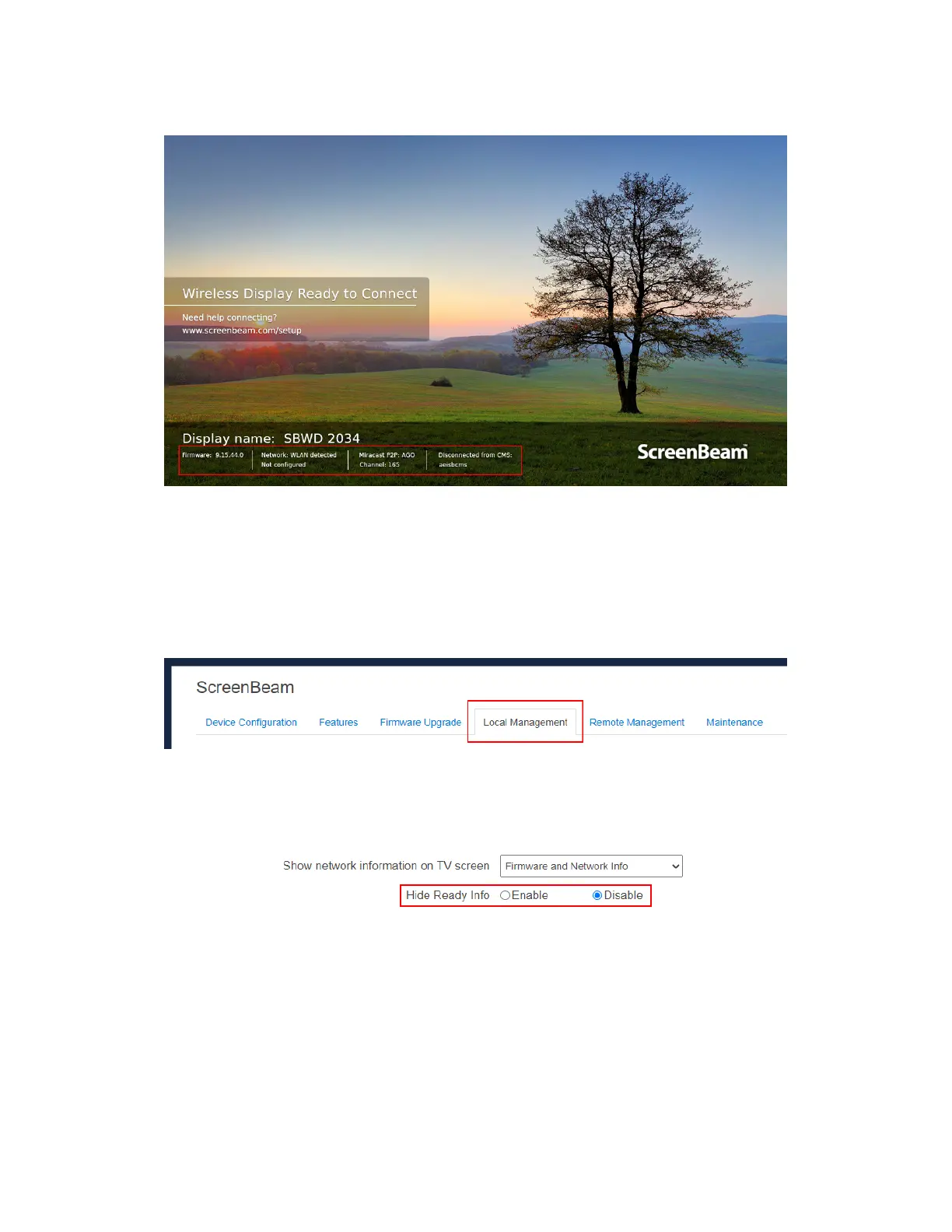
The figure below shows the RTC screen with all information displayed.
5.3.5.12 Hiding Ready to Connect Information
To hide or shown the receiver’s Wireless Display Ready to Connect information, follow
this procedure:
1. Go to the Local Management tab page by clicking the Local Management tab.
2. Set the Hide Ready Info feature to Enable or Disable.
Enable: The Wireless Display Ready to Connect information will not show.
Disable: The Wireless Display Ready to Connect information will show.



 To Next Page