42
5.3.1.2 Renaming the Receiver
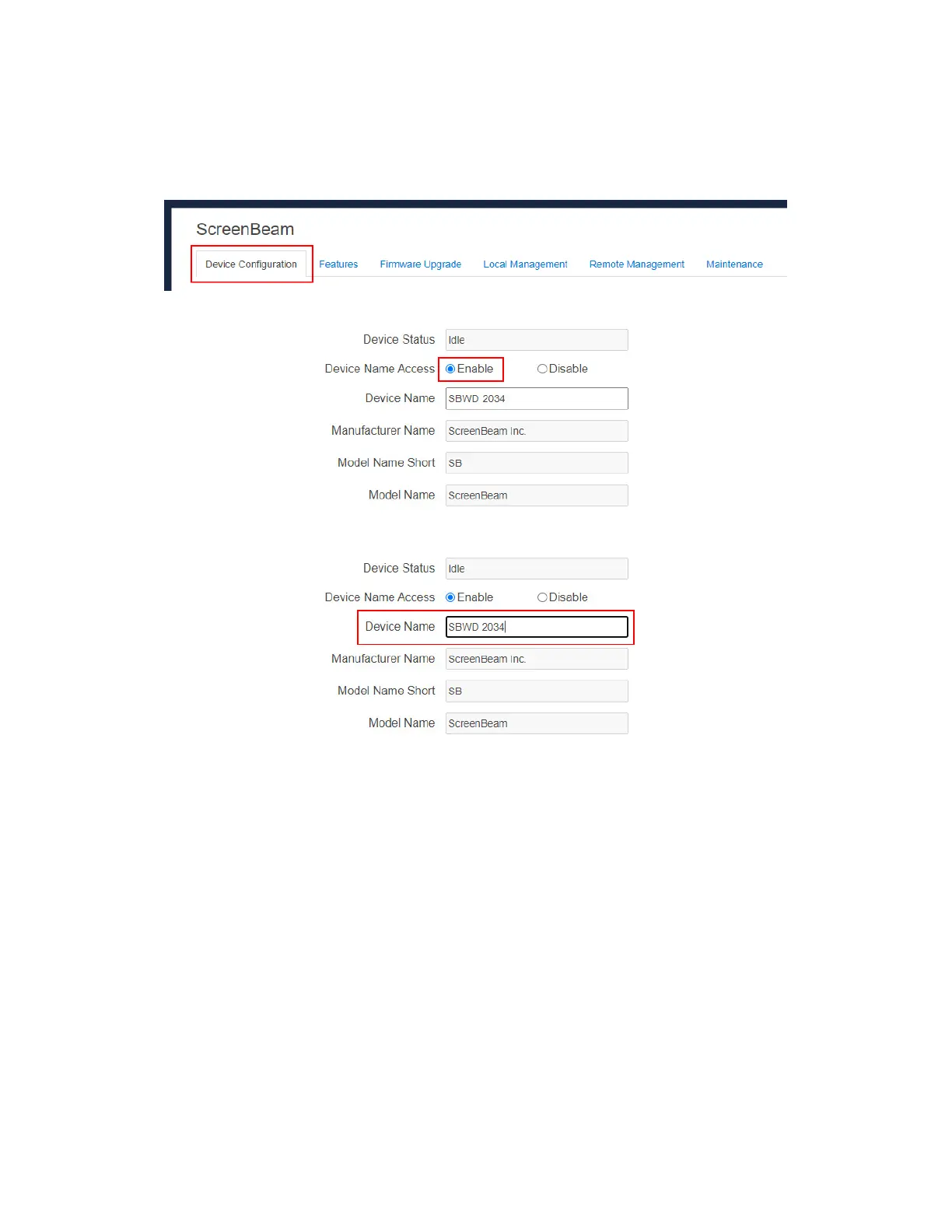
To rename your receiver, follow this procedure:
1. Go to the Device Configuration tab page by clicking the Device Configuration tab.
2. Go to the Device Name Access line and set the Device Name Access to Enable.
3. Type a new name in the Device Name box.
The receiver’s Device Name supports the characters listed below:
A-Z
a-z
0-9
~!@#$%^&*()_+{}|:?\-=[];',./
Japanese characters with Unicode in the following range: \u3040-\u30FF,
\u31F0-\u31FF, and \u4E00-\u9FBF.
Simplified and Traditional Chinese characters



 To Next Page