90
5.5.4 Rebooting the Receiver
To reboot your receiver, remove the power adapter from the power outlet, wait 5 seconds
and then plug it in.
If you can’t access the receiver locally, you can reboot the receiver through the receiver’s
LMI.
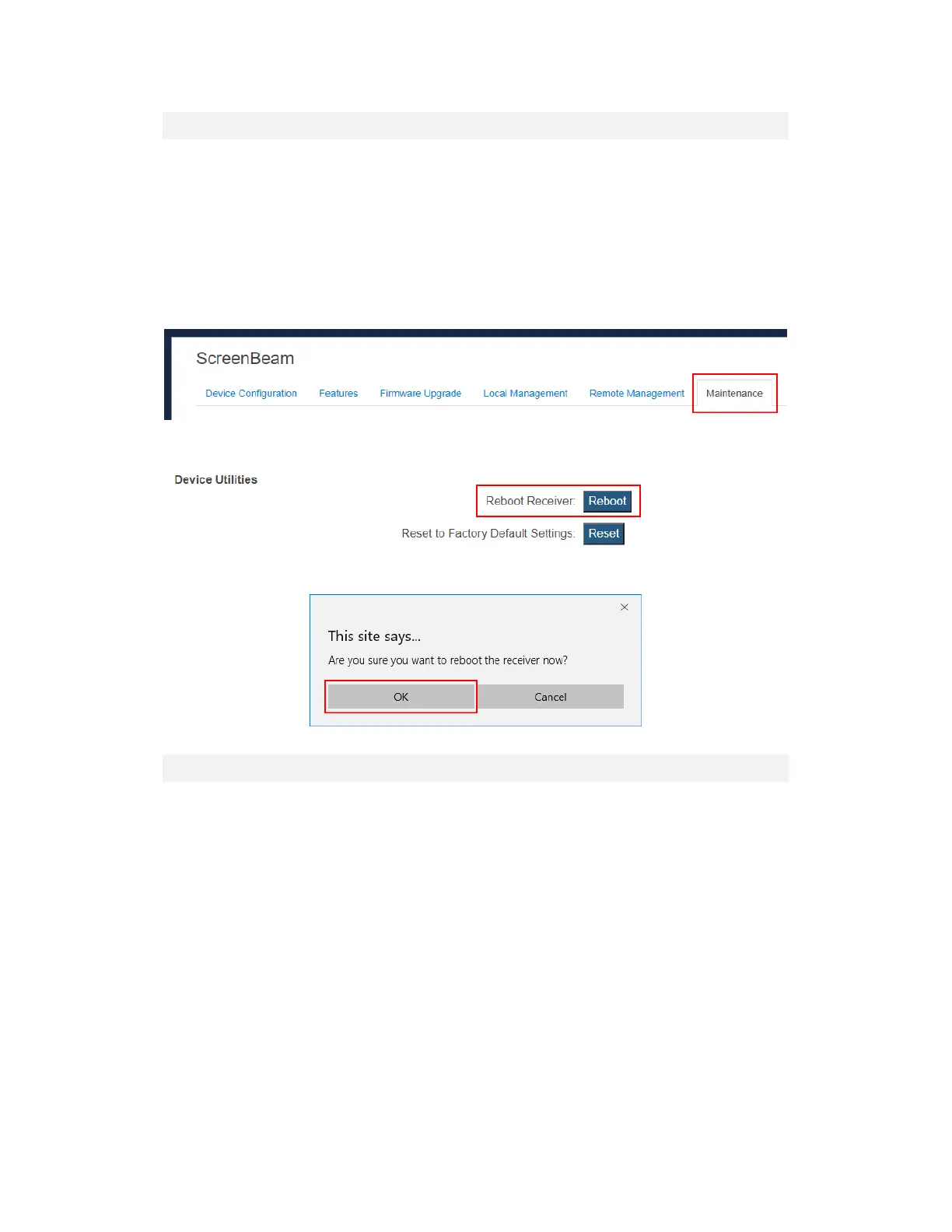
To reboot the receiver with LMI, follow this procedure:
1. Log into the receiver’s LMI, and go to the Maintenance tab page.
2. Click the Yes button next to “Reboot Receiver”.
3. Click OK on the pop-up message box to confirm.
5.5.5 Resetting the Receiver to Default
To reset the receiver to default settings, follow this procedure:
1. Power on the receiver, and wait until the "Wireless Display Ready to Connect" screen
appears.
2. Hold down the receiver's "Reset" button with a pin.
3. When the "Resetting to factory defaults" screen appears on the HDTV, release the
"Reset" button.
The receiver reboots, and it will be running with its default settings.
Note: All settings will be reset to defaults.



 To Next Page