88
5.5.2 Setting up Receiver Logging
ScreenBeam receiver can save events in logs, and these logs can be retrieved by the
receiver’s LMI or ScreenBeam CMS. Refer to the ScreenBeam CMS user guide for detail.
To set up the receiver’s logging, follow this procedure:
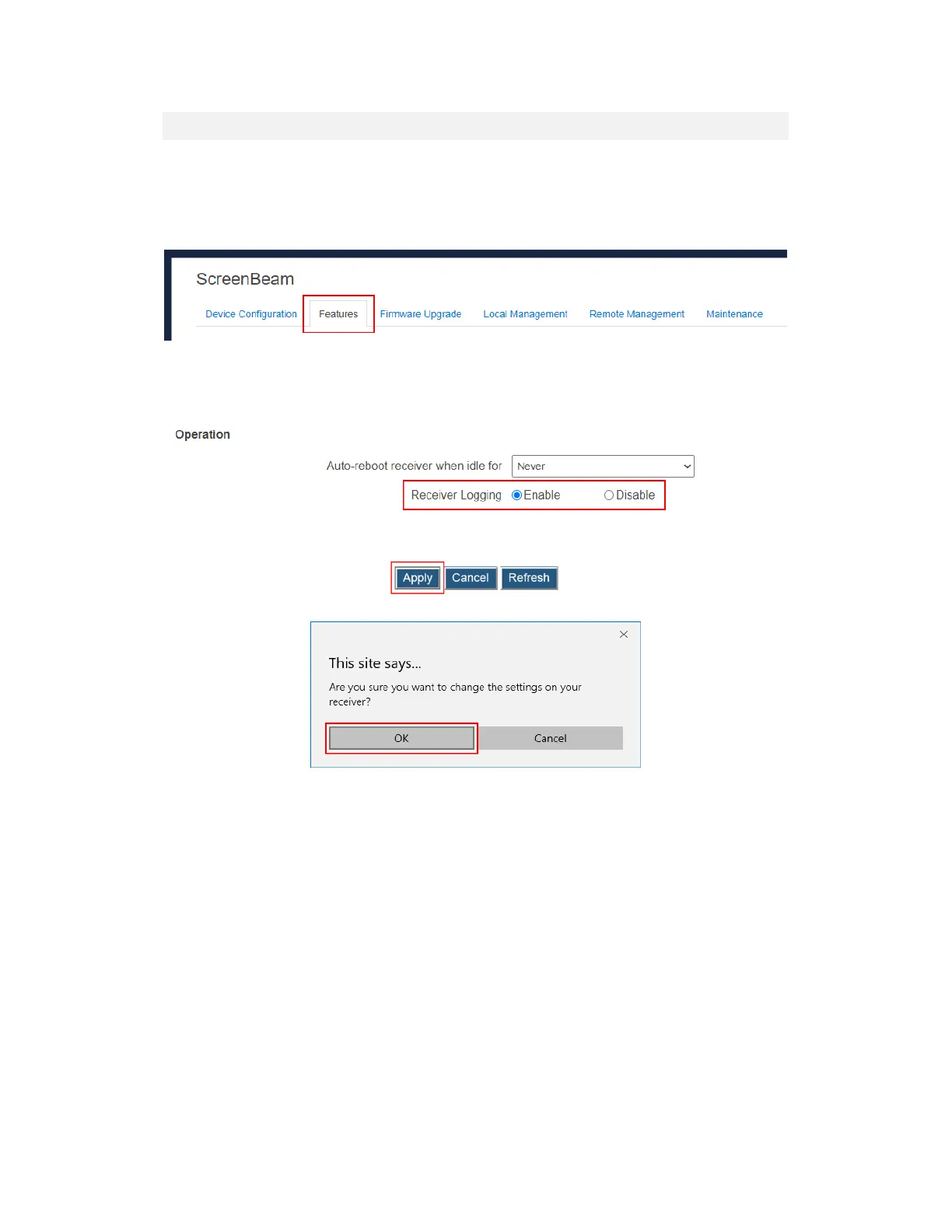
1. Log into the receiver’s LMI, and go to the Features tab page.
2. Go to the Operation section, and set Receiver Logging to Enable or Disable.
Enable: The receiver will record logs when there are events happen.
Disable: The receiver will NOT record any events.
3. Click the Apply button, and then click OK on the pop-up message box to confirm.



 To Next Page