69
5.3.5.11 Setting up Network Information Display on TV Screen
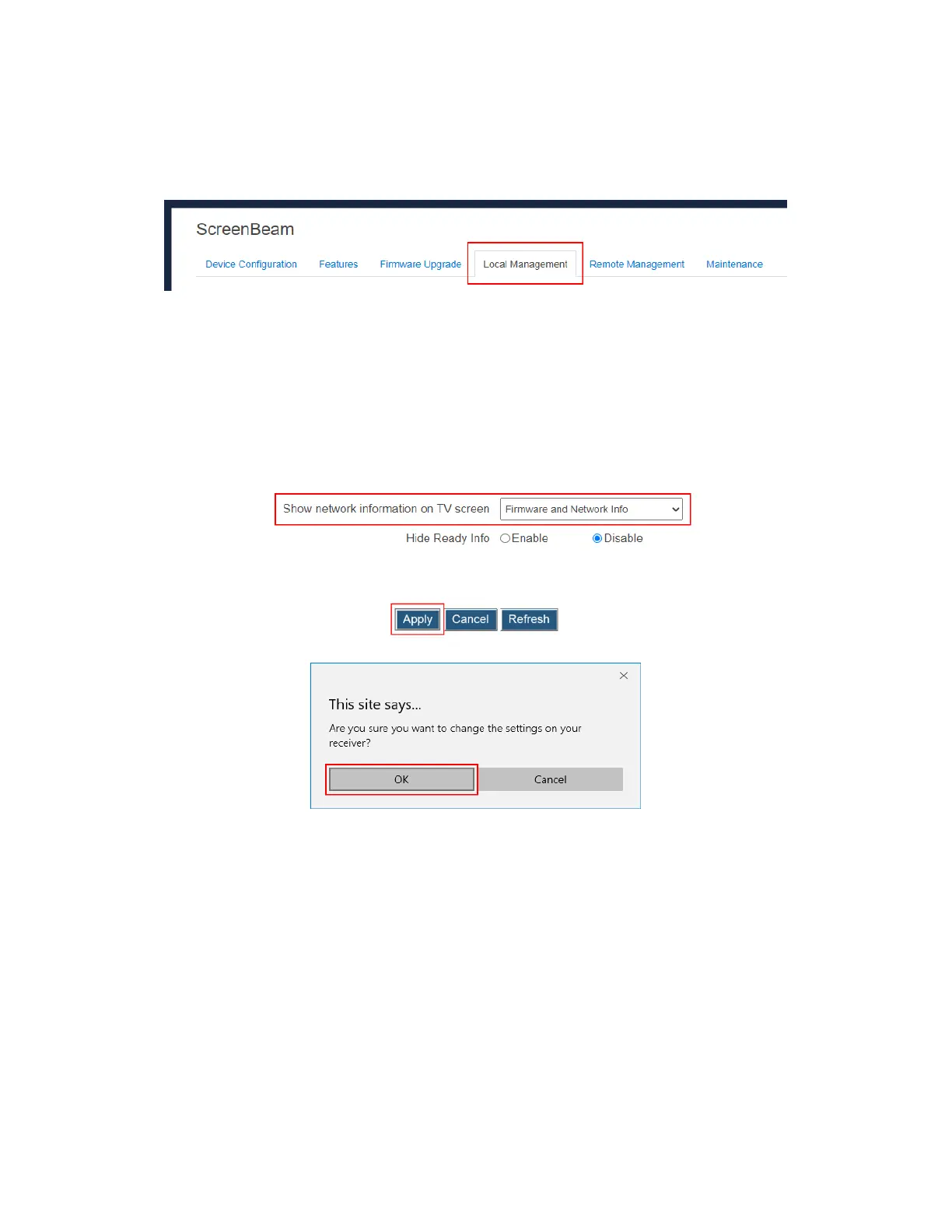
To set up the receiver’s network information display, follow this procedure:
1. Go to the Local Management tab page by clicking the Local Management tab.
2. Go to the Show network information on TV screen line, and select a desired option
from the drop-down box.
Firmware and Network Info: The receiver displays firmware info and network info
on the connected display.
Firmware Info: The receiver displays firmware info only on the connected display.
All Info: The receiver displays all information (including firmware, network,
Miracast P2P connection mode, channel, and CMS connection) on the connected
display.
3. Click the Apply button, and then click OK on the pop-up message box to confirm.



 To Next Page