44
5.3.1.4 Setting up the Receiver’s Display Language
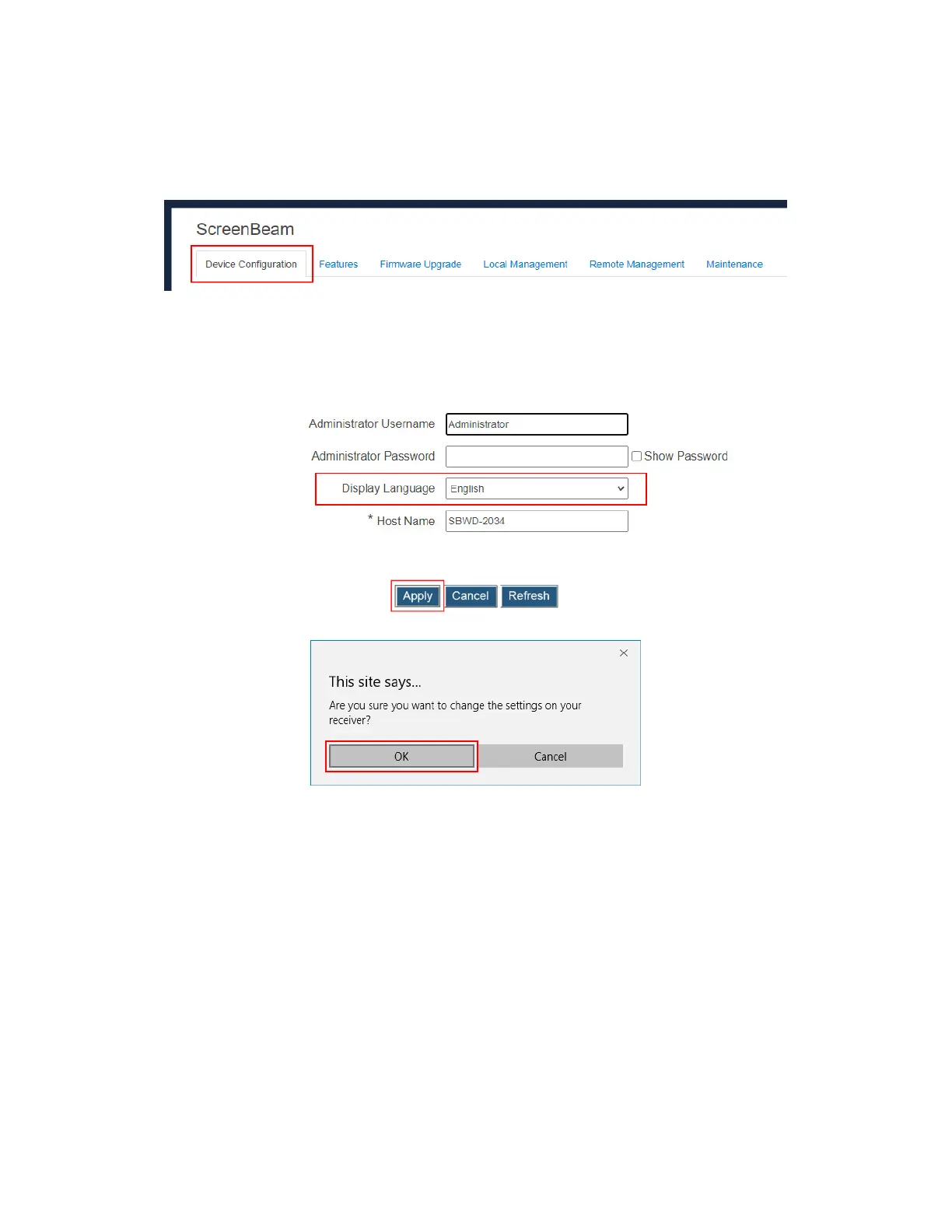
To set up the receiver’s display language, follow this procedure:
1. Go to the Device Configuration tab page by clicking the Device Configuration tab.
2. Go to the Display Language line, and choose a desired language from the Display
Language drop-down box.
Currently available languages are Simplified Chinese, Traditional Chinese, Dutch,
English, French, German, Italian, Japanese, Korean, Russian, and Spanish.
Note: This setting will change the language displayed on the TV screen.
3. Click the Apply button, and then click OK on the pop-up message box to confirm.



 To Next Page