43
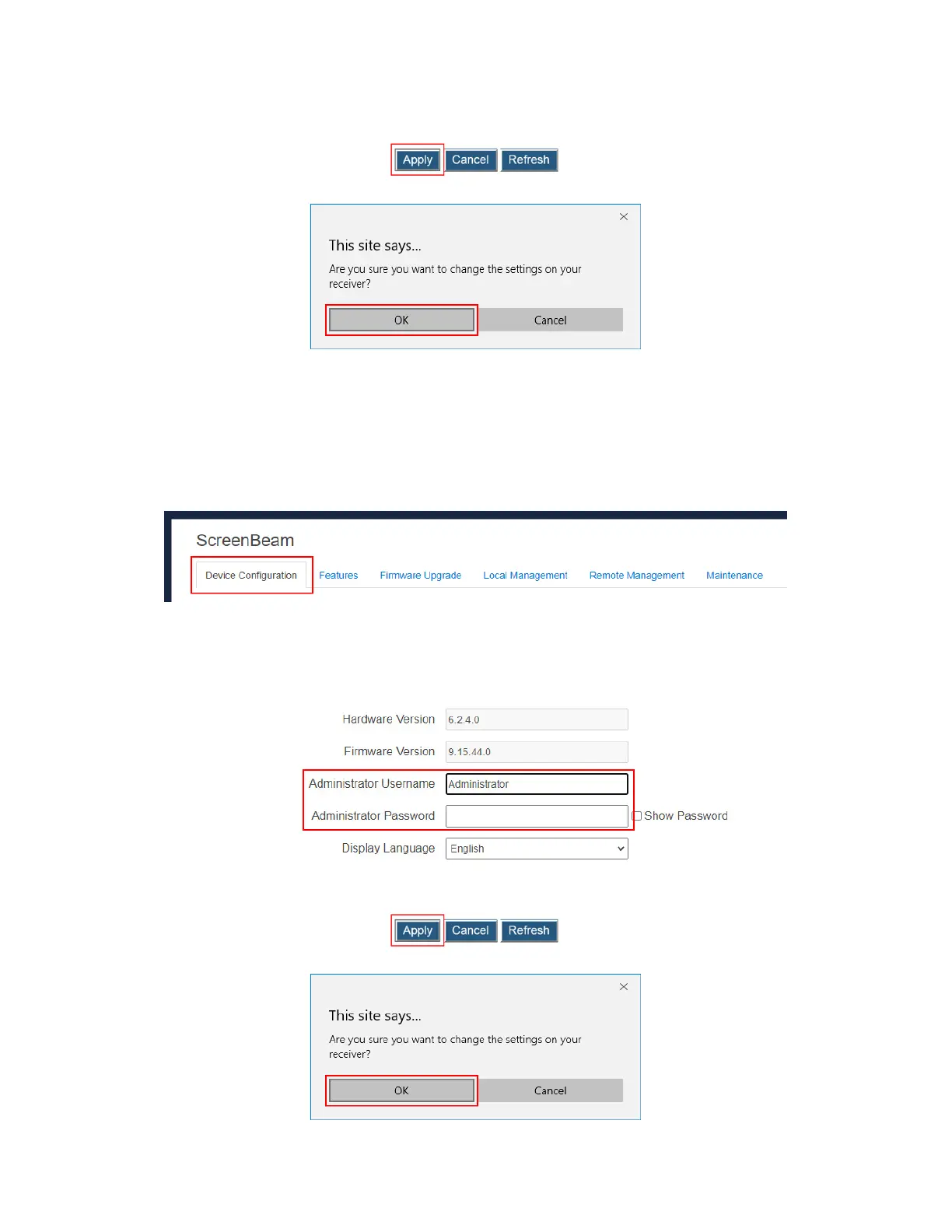
4. Click the Apply button, and then click OK on the pop-up message box to confirm.
Note: New settings take effect immediately.
5.3.1.3 Setting up the Login Username and Password
To modify the username and password for user login, follow this procedure:
1. Go to the Device Configuration tab page by clicking the Device Configuration tab.
2. Go to the Administrator Username and Administrator Password lines, and type new
username and password in the Administrator Username and Administrator
Password boxes, respectively.
Note: To display password in plain text, check the Show Password box.
3. Click the Apply button, and then click OK on the pop-up message box to confirm.



 To Next Page