39
5.2.3.2 When SSID Broadcast is Enabled
Connect to the receiver’s SSID from a wireless-enabled laptop (or other devices with Wi-Fi
access ability and a web browser), and then access this URL: https://192.168.51.1 with a
web browser.
To log into the LMI when the SSID broadcast is enabled, follow this procedure:
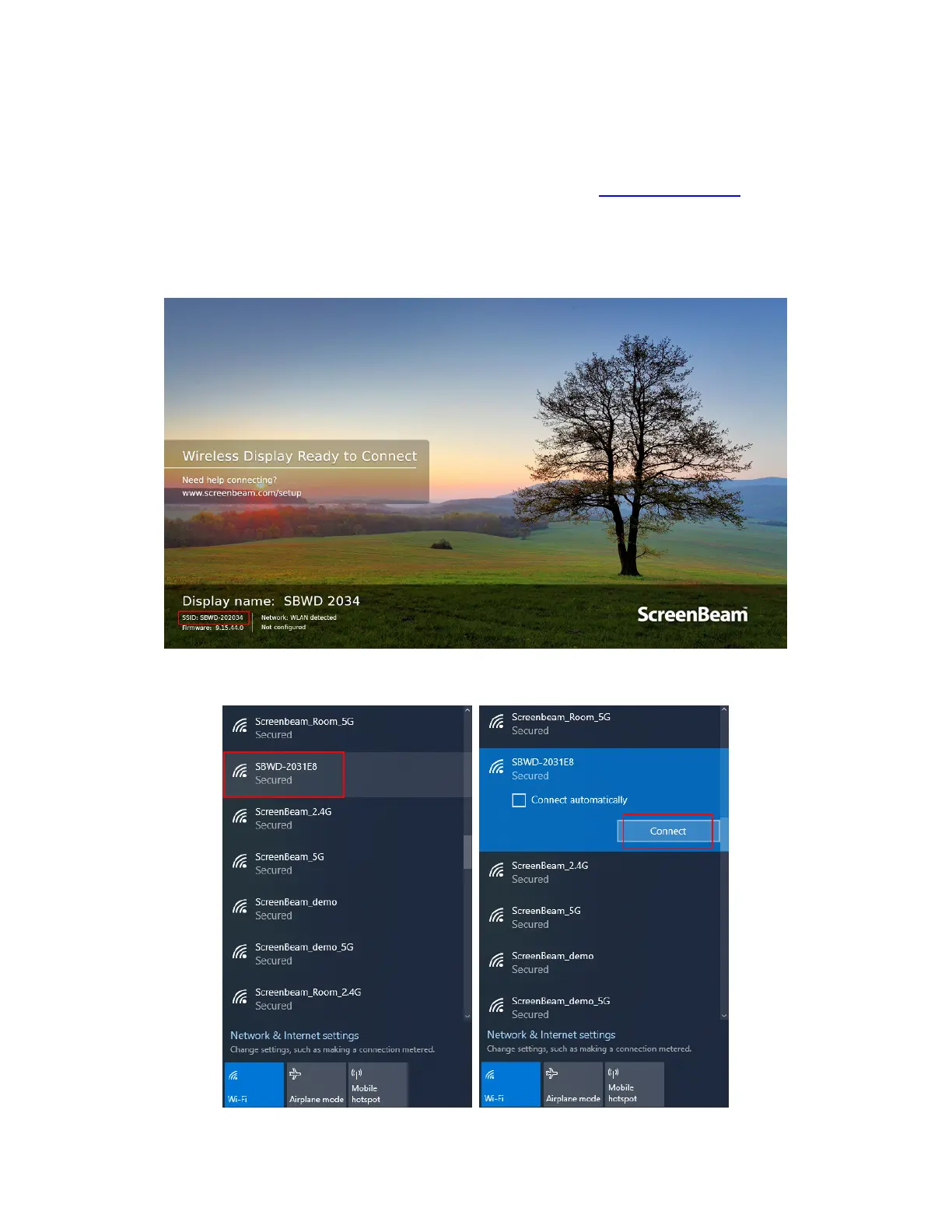
1. Find the receiver’s SSID in the lower left corner of the Wireless Display Ready to
Connect screen.
2. Find the SSID on a Wi-Fi enabled device, select it and click Connect to continue.
By default, the network security key is “12345678”.



 To Next Page