63
5.3.5.7 Adjusting TV Screen Size
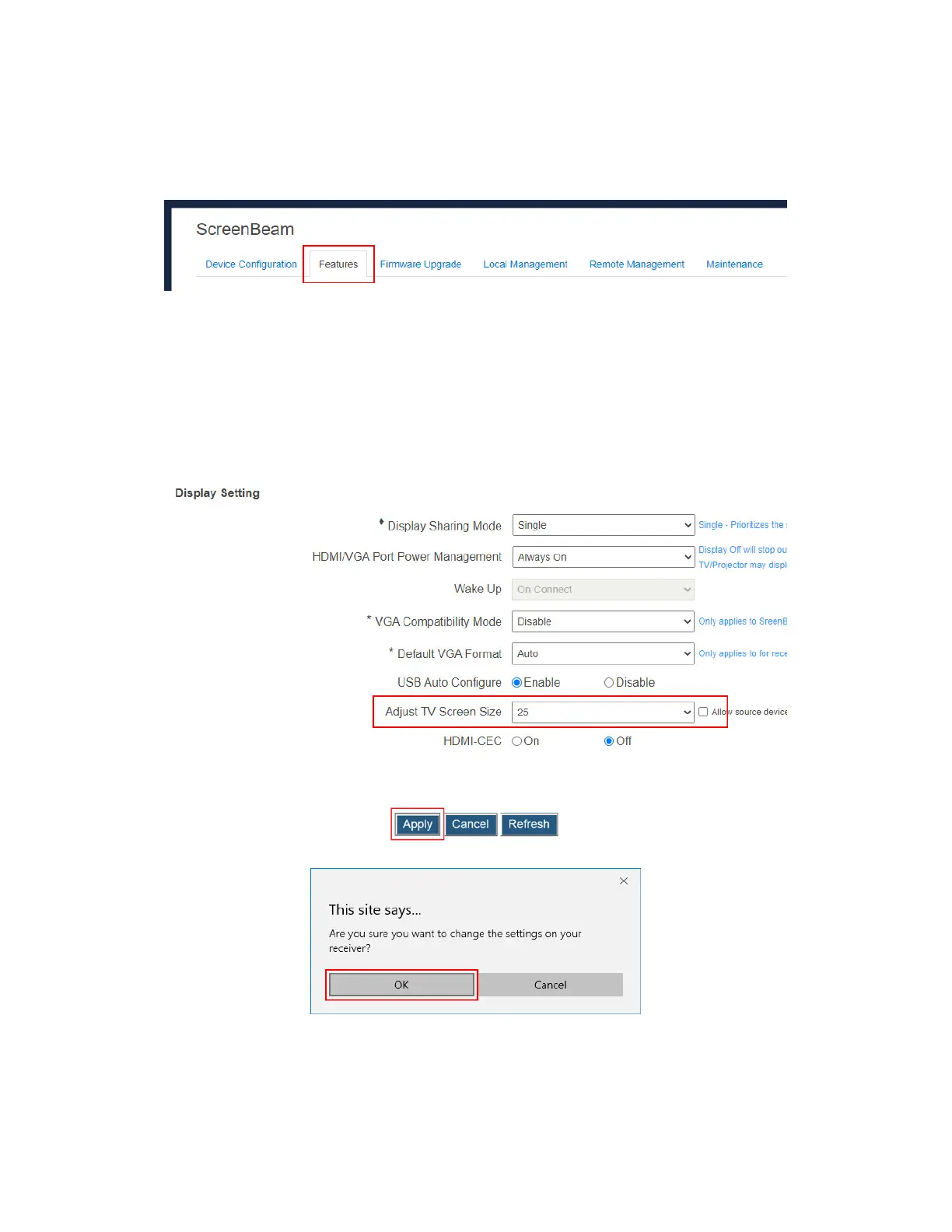
To adjust the size of your TV screen, follow this procedure:
1. Go to the Features tab page by clicking the Features tab.
2. Go to the Display Setting section, and select a desired option in the Adjust TV Screen
Size drop-down box.
The value for TV screen size ranges from 0 to 25. The larger the value is, the bigger
the screen will be.
Allow source device to override overscan value: When this option is enabled
(checked), the overscan value is in consistence with the setting on the source
device. Otherwise, the overscan value is in consistence with the setting on the
receiver.
3. Click the Apply button, and then click OK on the pop-up message box to confirm.



 To Next Page