50
5.3.3 P2P Wireless Settings
This section introduces the P2P connection modes, P2P operating channel, transmit power,
and force disconnection.
5.3.3.1 Setting up P2P Connection Mode (AGO or NGO)
There are two P2P connection modes: NGO and AGO. In AGO, the receiver works as the
group owner in the P2P connection, and it can specify the communication channel for the
connection. If your receiver suffers severe interference in NGO mode, you can set your
receiver in AGO mode, and set it to work on a clean channel.
To select a P2P connection mode, follow this procedure:
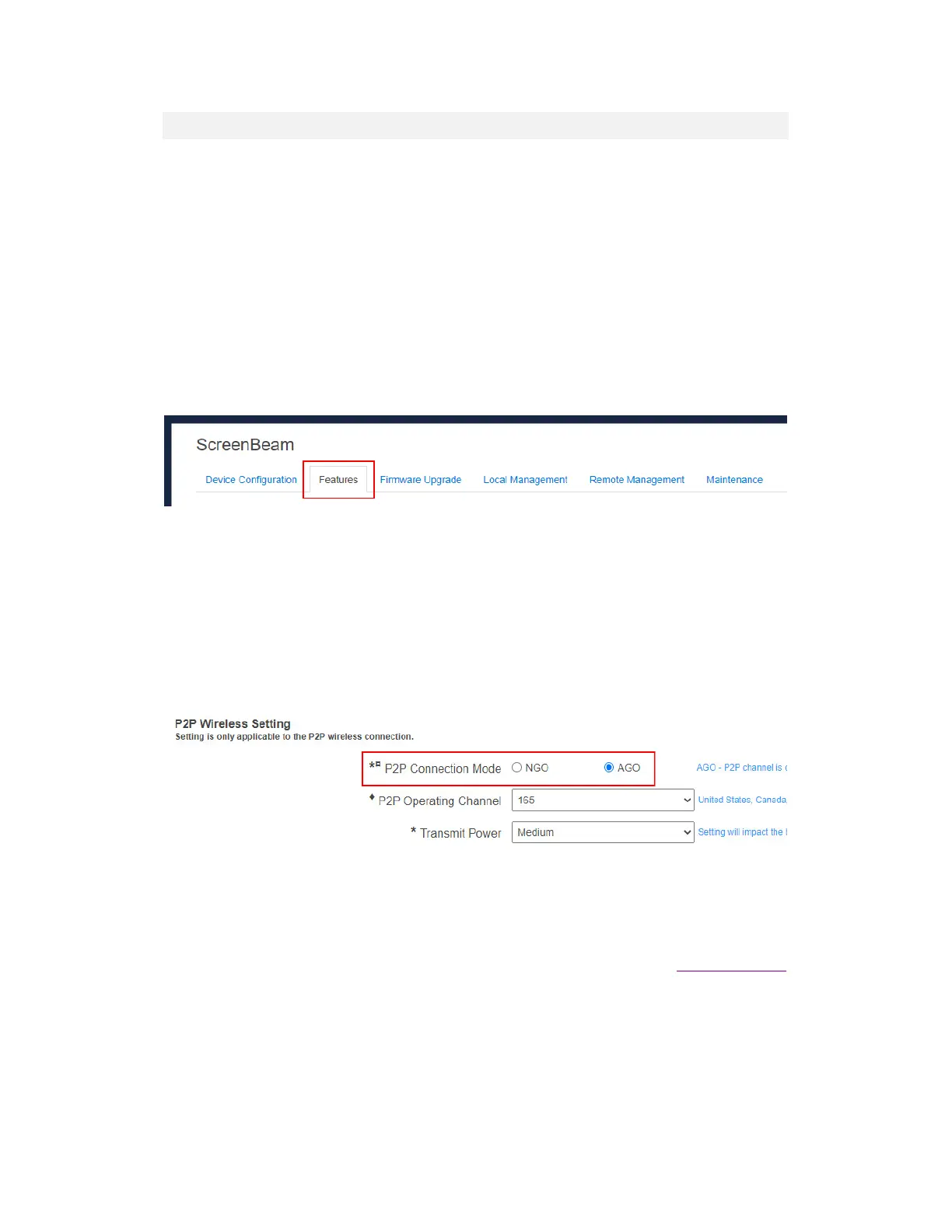
1. Go to the Features tab page by clicking the Features tab.
2. Go to the P2P Wireless Setting section, and select a P2P connection mode between
NGO and AGO.
AGO: AGO refers to autonomous group owner during a P2P connection negotiation.
In AGO mode, the receiver works as the group owner of the session, and the
communication channel is defined by the receiver.
NGO: NGO refers to non-GO. In this mode, the communication channel will be
consistent with the source device, or be determined through negotiation between
the receiver and the connecting device.
Note: Changing the P2P connection mode may lead to the following problems:
Method to access the local management interface webpage. Refer to section 5.2 Using
Local Management on ScreenBeam for detail.
Previous Miracast device(s) connected to this ScreenBeam receiver needs to have its
existing connection profile removed, in order to reconnect. Refer to the Troubleshooting
section for detail on how to remove a receiver’s connection profile.



 To Next Page