49
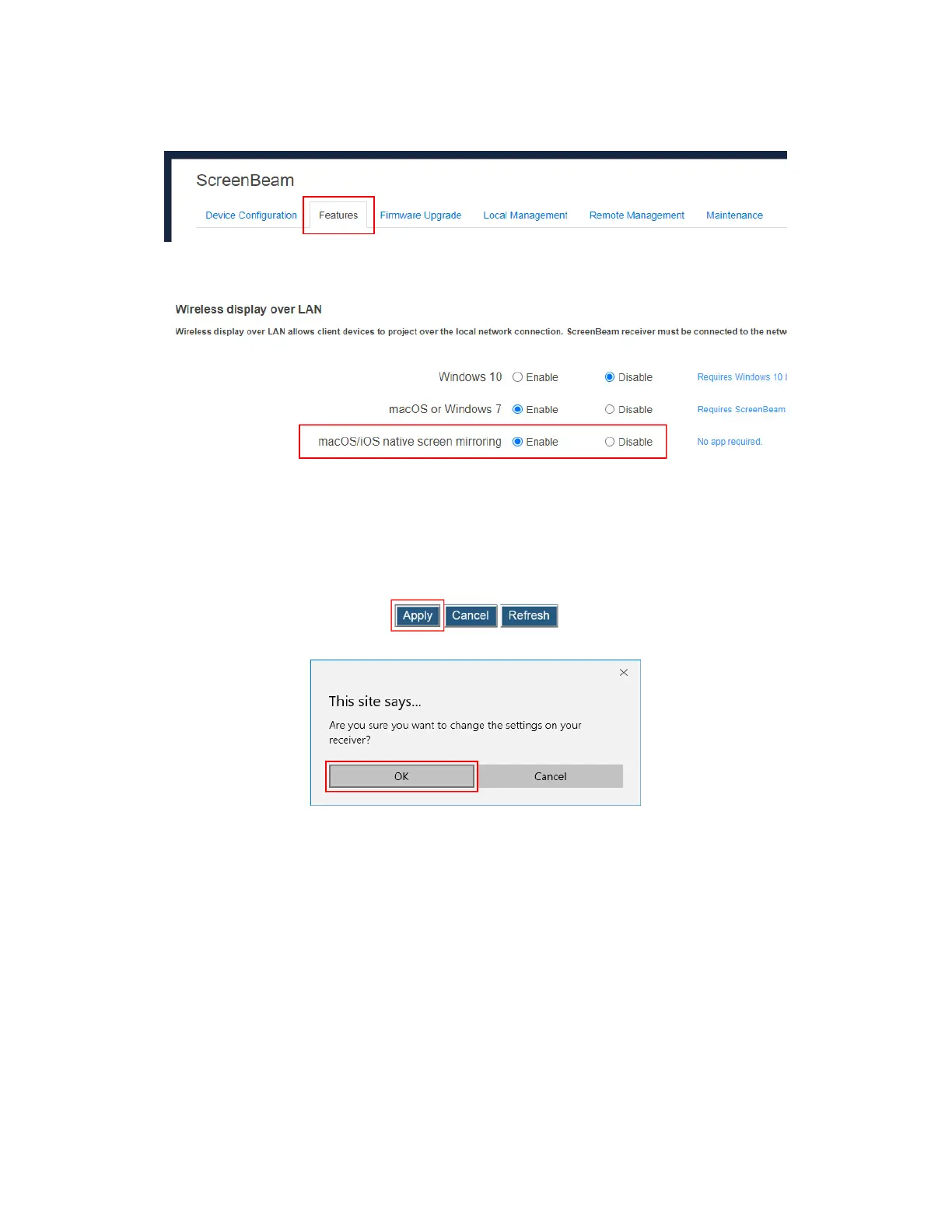
To set up native screen mirroring for macOS/iOS devices, follow this procedure:
1. Go to the Features tab page by clicking the Features tab.
2. Go to the Wireless display over LAN section, and set macOS/iOS native screen
mirroring to Enable or Disable.
Enable: macOS/iOS devices are allowed to project over the local network with native
screen mirroring. By default, this feature is enabled.
Disable: macOS/iOS devices are not allowed to project over the local network with
native screen mirroring.
3. Click the Apply button, and then click OK on the pop-up message box to confirm.



 To Next Page