81
5.3.7.4 Specifying ScreenBeam CMS for the Receiver
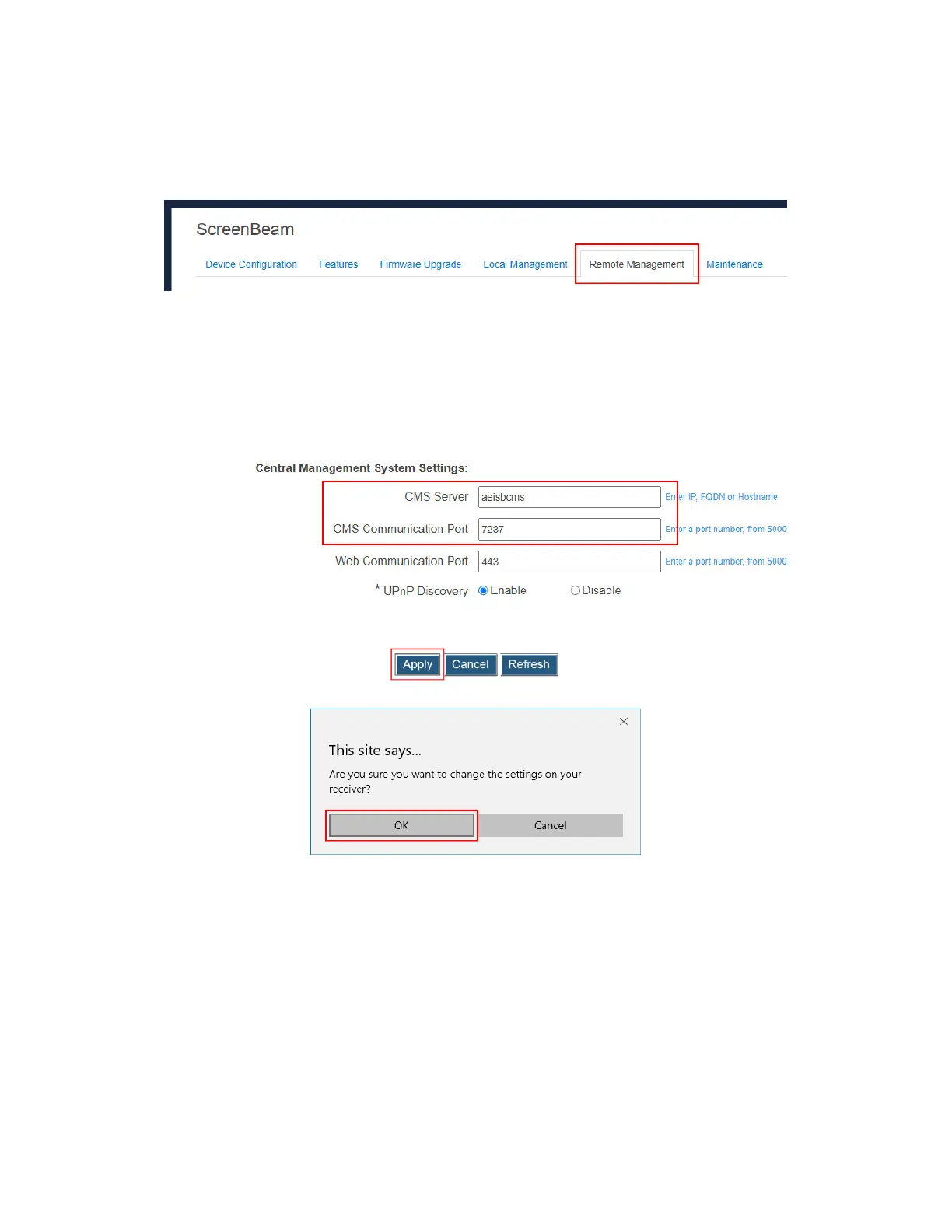
To specify a CMS for the receiver, follow this procedure:
1. Go to the Remote Management tab page by clicking the Remote Management tab.
2. Go to the Central Management System Setting section, and define the CMS Server
and the CMS Communication Port.
CMS Server: It is the IP address or the FQDN/hostname/domain name/alias name (if a
DNS server and a DHCP server are properly configured) of the server that hosts the
ScreenBeam CMS. It supports a domain with six labels at most.
Note: It is recommended to use DNS configuration for CMS Server .
CMS Communication Port: It is the communication port of the ScreenBeam CMS.
3. Click the Apply button, and then click OK on the pop-up message box to confirm.



 To Next Page