61
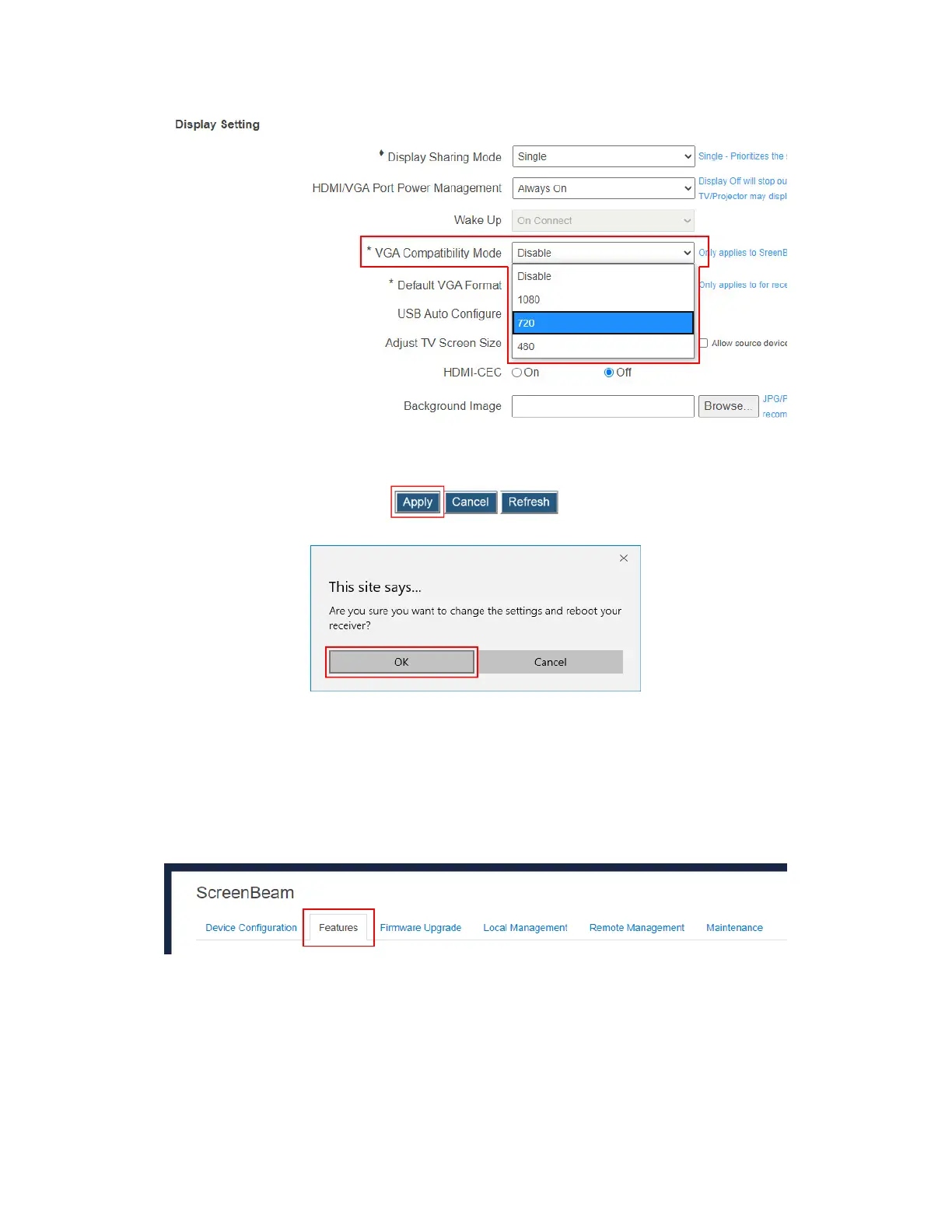
Note: The VGA compatibility mode is disabled when HDMI-CEC is enabled.
3. Click the Apply button, and then click OK on the pop-up message box to confirm.
4. The receiver reboots, and new setting takes effect after the reboot.
5.3.5.6 Setting up Default VGA Format
The Default VGA Format feature applies to ScreenBeam 960’s VGA output only.
To set up a default output resolution for the receiver’s VGA output, follow this procedure:
1. Go to the Features tab page by clicking the Features tab.
2. Go to the Display Setting section, and select an option from the Default VGA Format
box. These options are available: Auto, and resolution options (800×600, 1024×768,
1280×800, 1280×1024, 1366×768).
Auto: The receiver will read EDID from the connected display device and decide
the best resolution automatically. Make sure you connect the ScreenBeam receiver
to your display device with a good quality VGA cable, so that the receiver can
correctly read the EDID information from your display device. If the receiver can



 To Next Page