87
5.5 Receiver Maintenance
5.5.1 Setting up Receiver Auto Reboot
After a long period of continuous running, the receiver may not react as responsively as it
should be. We can restart the device to restore its responsiveness.
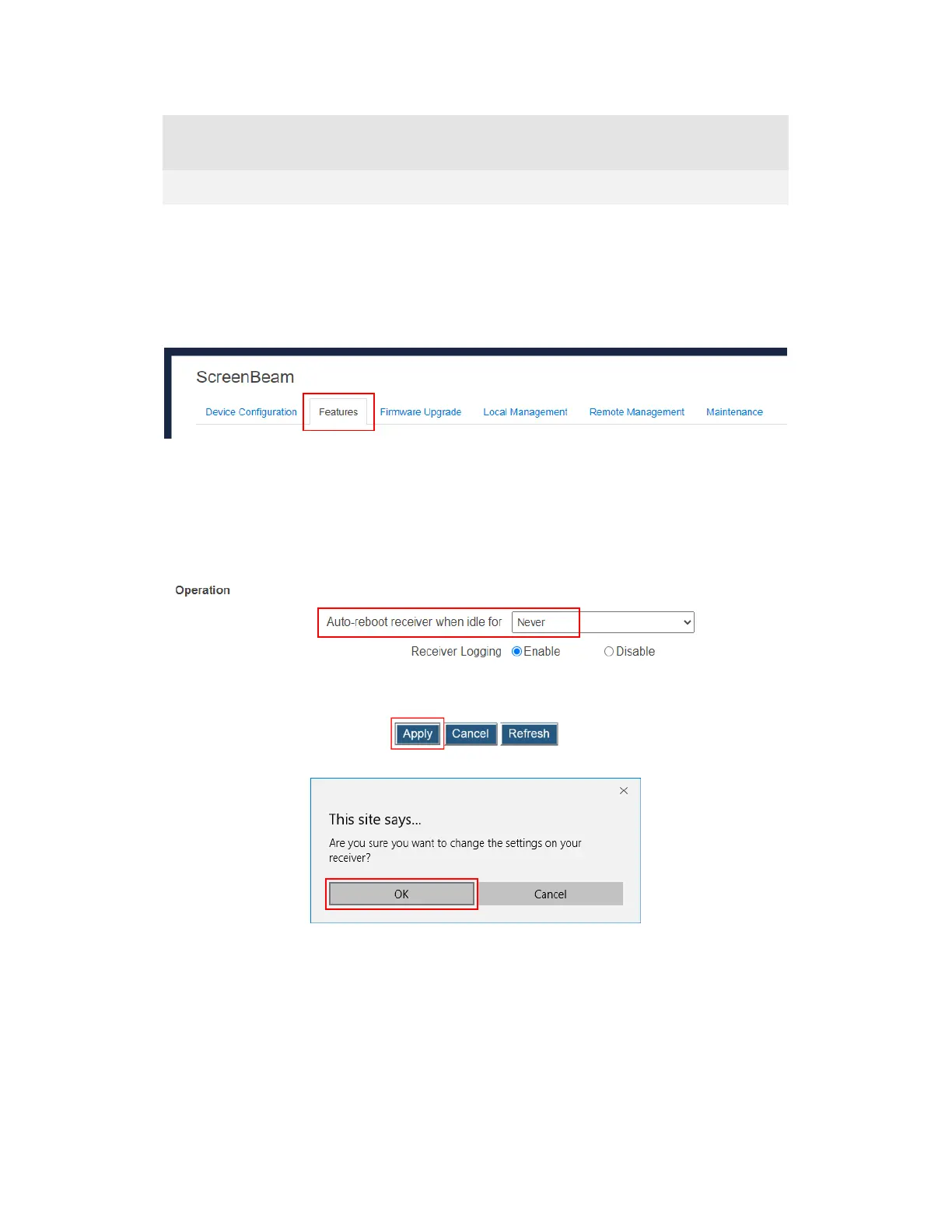
To set the receiver to reboot automatically, follow this procedure:
1. Go to the Features tab page by clicking the Features tab.
2. Go to the Operation section, and select an option from the Auto-reboot receiver when
idle for box.
Never indicates that the receiver will not restart automatically. This is the default setting.
xx hour(s) indicates that the receiver will restart automatically after the receiver is idle
for xx hour(s).
3. Click the Apply button, and then click OK on the pop-up message box to confirm.



 To Next Page