Table of contents
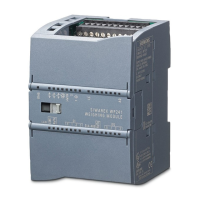
SIWAREX WP241
4 Manual, 04/2014, A5E33713528A
6.5 Connection of digital outputs (4 x DQ) ........................................................................................ 32
6.6 Connection of digital inputs (4 x DI) ............................................................................................ 33
6.7 Connection of the analog output (1 x AQ) ................................................................................... 34
6.8 Connection of RS485 serial interface ......................................................................................... 34
6.9 Connection of the Ethernet interface .......................................................................................... 35
6.10 Activation of write protection ....................................................................................................... 35
6.11 Mounting of the calibration protection plate ................................................................................ 36
6.12 Connection of a speed sensor .................................................................................................... 37
6.12.1 RBSS speed sensor on WP241 .................................................................................................. 37
6.12.2 TASS speed sensor on WP241 .................................................................................................. 38
6.12.3 WS100 speed sensor on WP241 ................................................................................................ 38
6.12.4 WS300 speed sensor on WP241 ................................................................................................ 39
7 Commissioning ..................................................................................................................................... 41
7.1 Introduction.................................................................................................................................. 41
7.2 Factory-set parameters ............................................................................................................... 41
7.3 Factory setting of the mode selector ........................................................................................... 42
7.4 Commissioning tools ................................................................................................................... 42
7.5 Start-up with the operator panel and the Ready-for-Use software ............................................. 43
7.5.1 Commissioning with speed sensor ............................................................................................. 45
7.5.1.1 Specification of a pulse constant ................................................................................................ 46
7.5.1.2 Pulse constant calculation........................................................................................................... 47
7.5.2 Commissioning without speed sensor ........................................................................................ 48
7.5.2.1 Specification of a known, constant belt speed ............................................................................ 48
7.5.2.2 Determination of current belt speed (belt empty) ........................................................................ 49
7.5.2.3 Determination of current belt speed (belt loaded) ....................................................................... 50
7.5.3 External specification of a speed ................................................................................................ 52
7.5.4 Zero calibration ........................................................................................................................... 53
7.5.5 Span calibration .......................................................................................................................... 53
7.5.5.1 Span calibration by weight .......................................................................................................... 54
7.5.5.2 Span calibration by test chain ..................................................................................................... 55
7.5.5.3 Span by material batch ............................................................................................................... 56
7.5.5.4 Automatic span calibration .......................................................................................................... 57
7.5.6 Determination of a correction factor ............................................................................................ 59
7.6 Service with SIWATOOL software .............................................................................................. 61
7.6.1 Windows and functions of SIWATOOL ....................................................................................... 61
7.6.2 Offline parameter assignment ..................................................................................................... 62
7.6.3 IP address for SIWAREX ............................................................................................................ 63
7.6.3.1 Entering a known SIWAREX IP address .................................................................................... 63
7.6.3.2 Determining an unknown IP address .......................................................................................... 63
7.6.3.3 Setting up a network ................................................................................................................... 63
7.6.4 Online parameter assignment ..................................................................................................... 64
7.6.5 Available help options ................................................................................................................. 64
7.6.6 Entering parameters with SIWATOOL ........................................................................................ 65
7.6.7 Recording scale traces ................................................................................................................ 65
7.6.8 Firmware update ......................................................................................................................... 66



 To Next Page