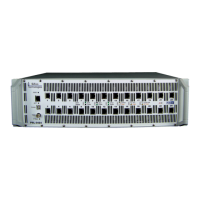
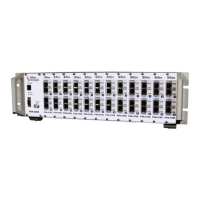
PVA-3000 Reference Manual
December 2, 2019 Sifos Technologies
2.7. Technical Data: PVA-3000 .......................................................................................................................... 37
2.7.1. Test Port Configurations and Measurements ........................................................................................... 37
2.7.2. LAN Interface Specifications .................................................................................................................... 37
2.7.3. Link Partner Transmitter / Incoming Link Integrity Measurements ............................................................ 38
2.7.4. Link Partner Receiver / Link Integrity Measurements ............................................................................... 38
2.7.5. Impairment Synthesis Specifications ....................................................................................................... 39
2.7.6. LED Indicators ......................................................................................................................................... 39
2.7.7. .................................................................................................................................................................... 39
2.7.8. Programming and Control........................................................................................................................ 40
2.7.9. Physical and Environmental .................................................................................................................... 40
2.7.10. Certifications ......................................................................................................................................... 40
3. PVA Interactive Software ................................................................................................ 41
3.1. Overview of Menus ..................................................................................................................................... 41
3.2. Initial PVA Connection ................................................................................................................................ 41
3.3. The PVA Main Menu .................................................................................................................................... 41
3.4. Loading and Saving DUT Configurations .................................................................................................. 42
3.5. Navigating PVA Instruments and Test Ports ............................................................................................. 43
3.6. Port Configuration Menu ............................................................................................................................ 43
3.6.1. Port Config Menu-Wide Controls ............................................................................................................. 44
3.6.2. Port Config Actions Sub-Menu ................................................................................................................ 44
3.6.3. Port Connection Sub-Menu ..................................................................................................................... 44
3.6.4. Port Impairments Sub-Menu .................................................................................................................... 44
3.6.5. Active Impairments Sub-Menu ................................................................................................................. 45
3.7. Configuration Replication .......................................................................................................................... 46
3.8. Link Configuration Menu ............................................................................................................................ 46
3.8.1. Link Config Menu-Wide Controls ............................................................................................................. 47
3.8.2. Link and Gigabit Configuration Sub-Menus .............................................................................................. 47
3.8.3. Test Signal Sub-Menu ............................................................................................................................. 48
3.8.4. Test PHY Sub-Menu................................................................................................................................ 48
3.8.5. Link Config Actions Sub-Menu ................................................................................................................ 49
3.9. Link Monitor Menu ...................................................................................................................................... 49
3.9.1. Link Monitor Measurements .................................................................................................................... 49
3.9.2. Link Partner Assessment ......................................................................................................................... 51
3.10. Meters Menu ............................................................................................................................................... 52
3.10.1. Link Speed Configuration ...................................................................................................................... 52
3.10.2. Pair(s) & Averages Configuration ......................................................................................................... 52
3.10.3. PSD Frequency Range & Trace Display ................................................................................................ 53
3.10.4. Measurements and Configuration Management .................................................................................... 53
3.11. Packets Menu ............................................................................................................................................. 54
3.11.1. Configuring Packet Addresses............................................................................................................... 54
3.11.2. Packet Transmission Configuration and Control .................................................................................... 54
3.11.3. Packet Reception and Counting ............................................................................................................ 55
3.11.4. Packet Flow Testing .............................................................................................................................. 56
3.12. PHY Tests Menu ......................................................................................................................................... 57
3.12.1. Selecting and Executing Individual Tests ............................................................................................... 57
3.12.2. Sequencing PHY Performance Tests To A Report................................................................................. 58
3.12.3. The DC Unbalance Analysis Application for PSE’s ................................................................................ 59
3.13. Calibrations Menu ...................................................................................................................................... 59
3.14. Demo Mode................................................................................................................................................. 60
3.15. PVA Help Menus......................................................................................................................................... 61
3.16. PVA Interactive Examples ......................................................................................................................... 62
3.16.1. Example 1: Force a DUT on Slot 1, Port 1 to 100Base-T, MDI-X, Full Duplex, with Line Impaired Rx ... 62
3.16.2. Example 2: Assess Link Stability 1000BaseT DUT in Slave mode, with Line and Offset Impairments ... 63



 To Next Page