Maintain the printer
11-10
11
Replacing the pick tires
1 Turn off the printer.
2 Unplug the power cord from the electrical outlet, and then from the printer.
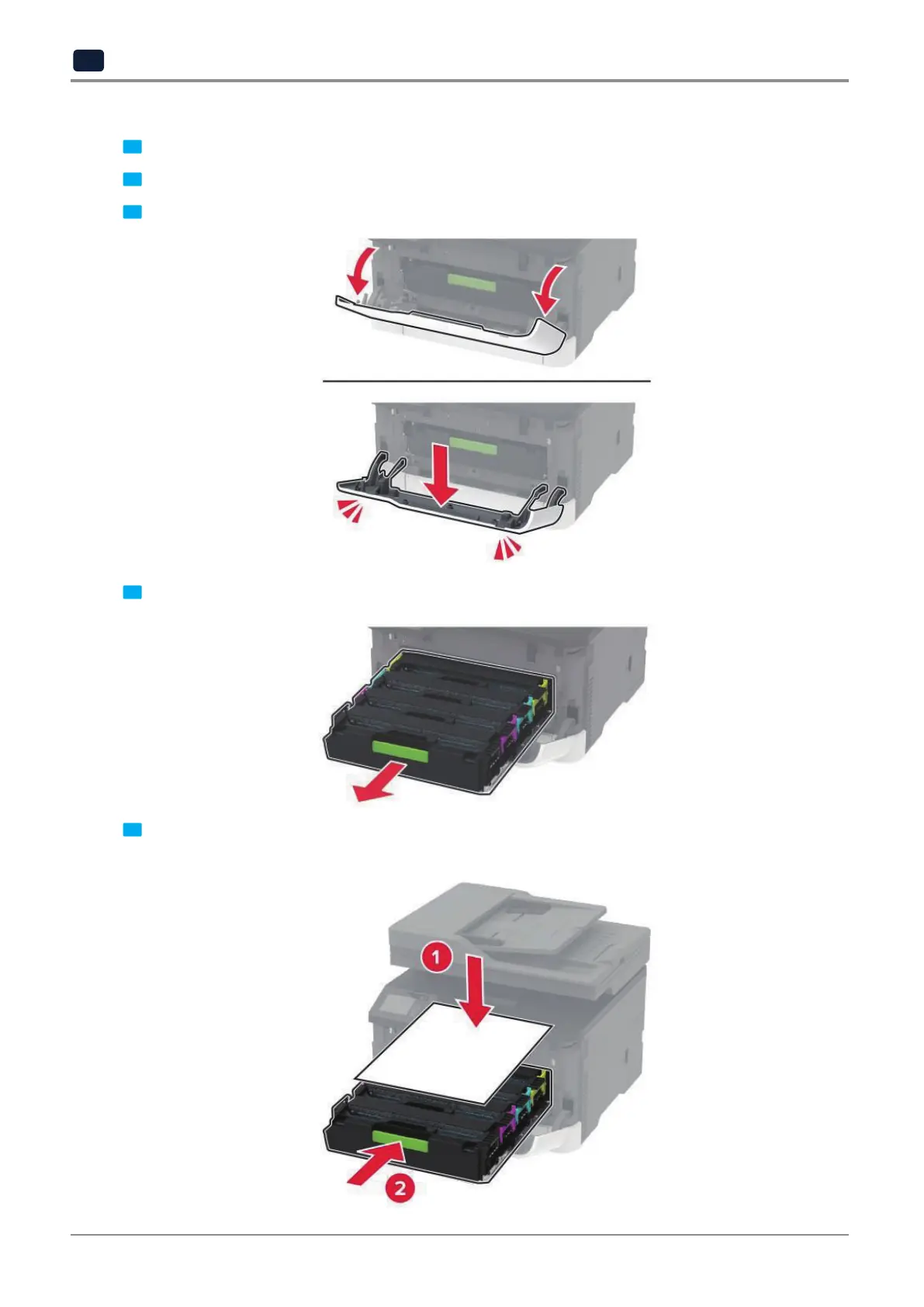
3 Open the front door, and then firmly push it down.
4 Pull out the print cartridge tray.
5
To avoid stray toner contamination, place a sheet of paper on the top of the print cartridge tray, and then insert
the print cartridge tray.



 To Next Page